Infotainment System 7-99
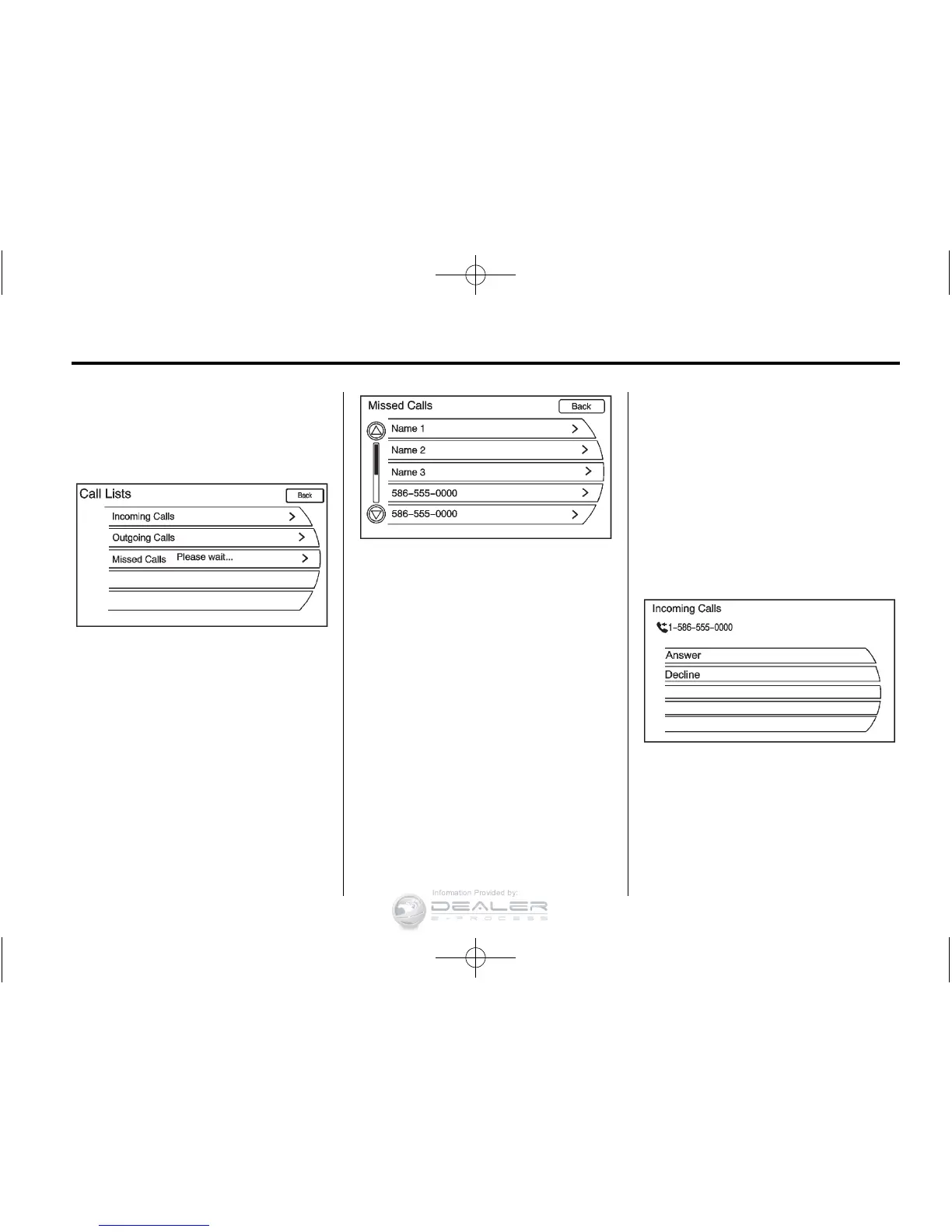
2. Turn the TUNE/MENU knob,
then press this knob or press
either Incoming Calls, Outgoing
Calls, or Missed Calls.
Once one of these options has been
selected, a pop-up menu displays.
A list of persons and places will
display for the selected option.
Turn the TUNE/MENU knob,
then press this knob or press
the appropriate screen button to
select someone on that list. A menu
displays showing the phone number
for that person.
Accepting or Declining an
Incoming Call
When an incoming call is received,
the audio is muted and a ring tone
sounds.
Accepting a Call
Press the appropriate screen button
for the Answer option on the screen
to answer the call.
Declining a Call
Select the Decline option on the
screen.













 To Next Page