Freeze-dryer Alpha 1-4 LSCplus
Freeze-dryer Alpha 2-4 LSCplus
Version 01/2011, Rev. 2.3 of 03/07/2017 • sb
Translation of the original operating manual
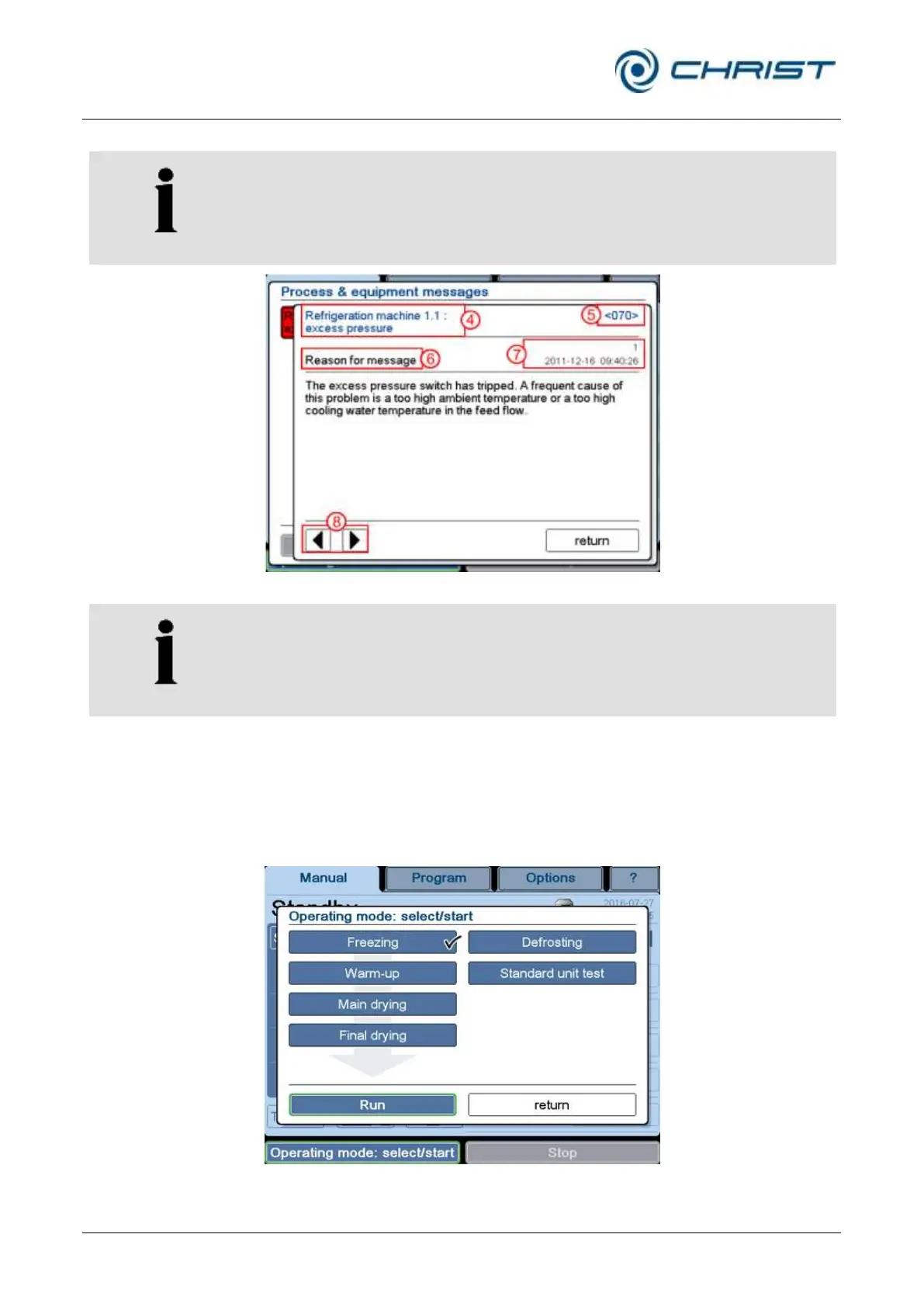
Use the arrow keys to call up the individual windows.
The error message text is always followed by an error code. Always
indicate the error code in the event of enquiries or service requests!
4 Error message
5 Error code
6 Detailed information
7 Error counter and
time stamp of the last
error
8 Arrow keys
Fig. 30: Details concerning an error message
The texts of the process and error messages are not included in this
operating manual.
You can order these documents from our service department.
Dialog box "Operating mode: select/start" (8)
After the set values have been entered for the process, the process can be
started manually with this function (see chapter 6.5.2 - "Manual freeze-
drying").
Fig. 31: Dialog box "Operating mode: select/start" (The version of the dialog box that is
displayed depends on the equipment of the freeze-dryer.)



 To Next Page