Freeze-dryer Alpha 1-4 LSCplus
Freeze-dryer Alpha 2-4 LSCplus
Version 01/2011, Rev. 2.3 of 03/07/2017 • sb
Translation of the original operating manual
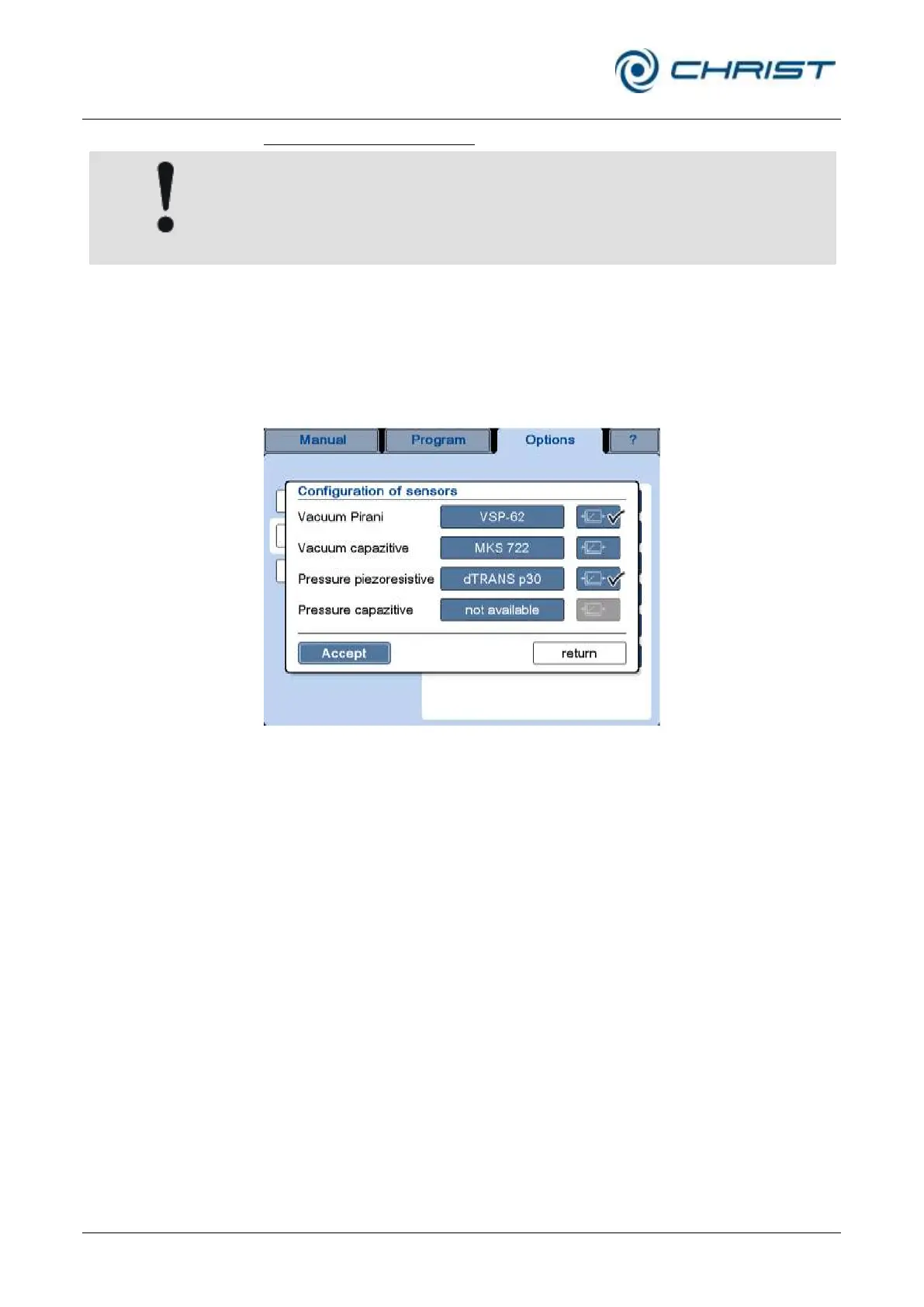
Configuration of sensors (6)
The sensor configurations depend on the equipment version of the unit. If
the configuration is incorrect, the correct operation of the unit cannot be
guaranteed.
This dialog box is used to configure the existing vacuum and pressure
sensors. For the vacuum as well as pressure, there are two different
measuring methods, and for each of these methods, different sensors can
be selected.
• In order to change the sensor, press the button with the sensor name.
The possible models will be displayed one after the other.
Fig. 46: Dialog box "Configuration of sensors"
The buttons on the right-hand side of the sensors show a control symbol.
The tick marks on the buttons indicate the control sensors, i.e. the sensors
that are decisive for the vacuum inside the unit. If there is a second sensor,
the data of this sensor are simply used for comparison.



 To Next Page