Calibration Procedure
4-9
(4) Press [RETURN] twice to exit ARC reading setting.
(5) Press [STOP] [START] for starting test.
(6) Press [INC.] or [DEC.] to adjust the low terminal of HiPot tester get closer to another
terminal of the dummy load resistor gradually, and generate sparking between these two.
The HiPot tester happens ARC fail.
(7) Repeat step (5) – (6) until the sparking between these two is smaller, the HiPot tester
still happens ARC fail.
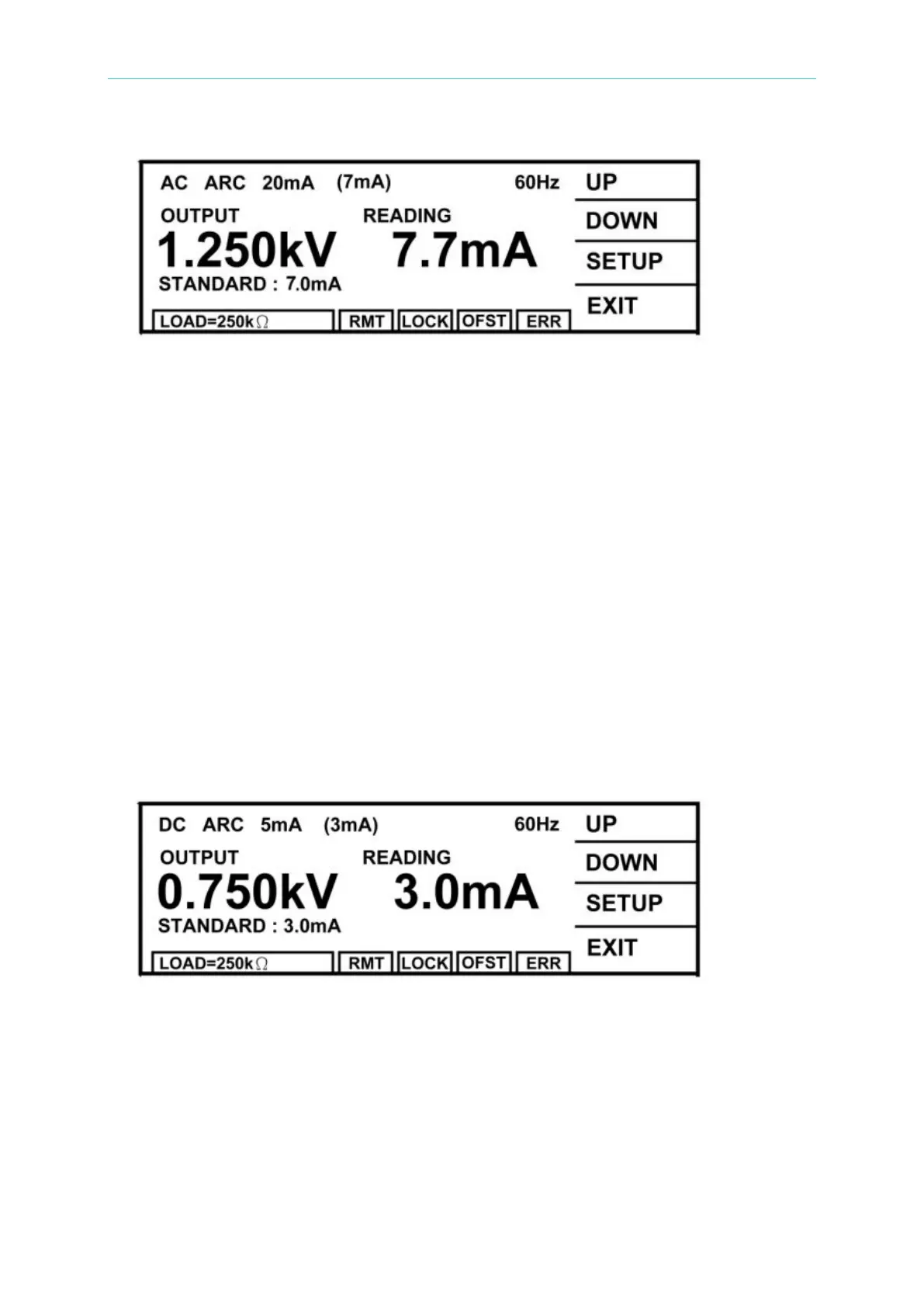
4.4.3 DC ARC Calibration (DC MODE)
■ Connect one terminal of dummy load resistor 250kΩ, 5 Watt or higher to the high voltage
output terminal and get closer to low potential terminal of the HiPot tester gradually.
However, do not connect the HiPot tester to another terminal of resistor and generate
sparking between these two.
(1) Press [UP] or [DOWN] to select DC ARC calibration.
(2) Press [SETUP] [READING] to enter ARC reading setting.
(3) Press [INC.] or [DEC.] until shows the reading is (OUTPUT/READING), (0.75kV/250kΩ)
= 3mA.
(4) Press [RETURN] twice to exit ARC reading setting.
(5) Press [STOP] [START] for starting test.
(6) Press [INC.] or [DEC.] to adjust the low terminal of HiPot tester get closer to another
terminal of the dummy load resistor gradually, and generate sparking between these two.
The HiPot tester happens ARC fail.
(7) Repeat step (5) – (6) until the sparking between these two is smaller, the HiPot tester
still happens ARC fail.



 To Next Page