Panel Description
(12) Clear/Help key
Clear setting value key is to clear the values beside cursor. In the main function chart, help
key is to assist user to select the fast functions key, for easy operation.
(13) OPT/LOCK key
This key is for special option, original special function is to lock the keys of the panel, when
press this key on the top-right side of screen shows that keys are being locked, and if want to
cancel this condition just press this key again. (If the user-password function has been
operated, till input password then can work, if the password has been input wrongly by three
times, the instrument will be reset). When Hard copy function is on, press this key can
direct print out the present display from the printer.
(14) ENTER (confirm) key
Its function is to check the value setting or condition selected and parameters setting are
finished.
(15) RESET
Its function is to reset each index condition setting and external trigger, condition.
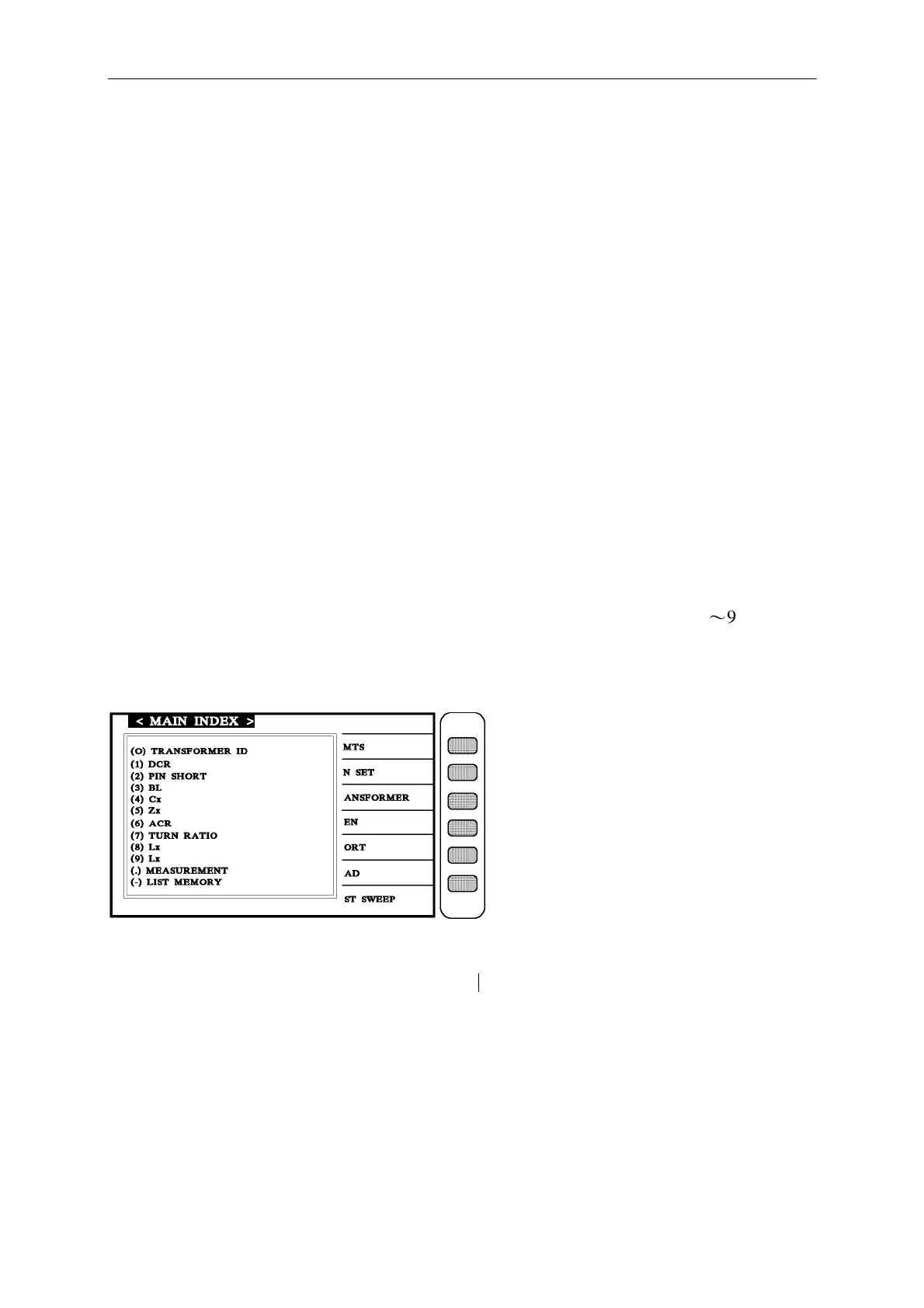
RESET key is a fast function key, press this key LCD indicator would display 0
〜
9, ., - etc
12 kinds of functions. By selecting the proper number, user can direct into the test items
of transformer test.
(16) POWER switch
Switching power switch, press [O] is off, press [
|
] is on.
(17) Memory card slot
This slot is for extending the option function like memory. By using this function, the
memory group can be extended up to 160 items. Also, it may be change to extend memory
space.



 To Next Page