Automatic Transformer Test System 3300/3302 User’s Manual
4.4.16 Upload Calibration Explanation (3302 only)
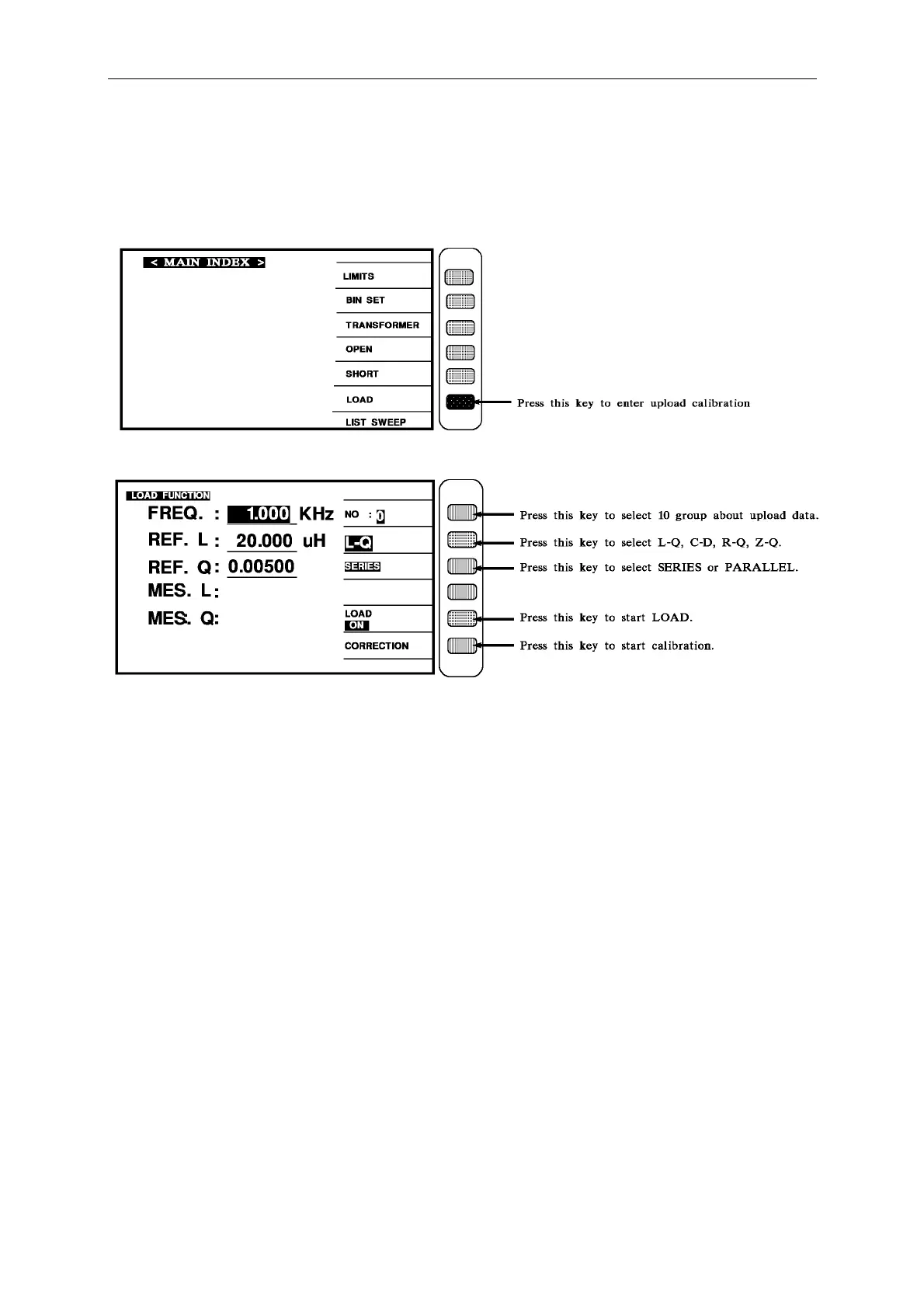
1. Turn the power on, the screen shows everything OK, press [Main Index] to enter the main
index. Please press down display LOAD word correspond key, as show:
When press down [LOAD] key, the display as show:
Take upload device to DUT point, and control cursor & number key to enter that device
number value and calibrated frequency.



 To Next Page