Panel Description
BIAS ENABLE:
System has installed 1A bias current (option), if under the BIN SET mode for testing, it needs
to switch BIAS ENABLE to "YES" status. Then BIN SET function will according to setup
current for testing.
TRIG. DELAY:
When use with auto machinery, external trigger EXT will need to adjust trigger timing
because of measuring speed and auto machinery ON speed must be matching. to adjust TRIG,
DELAY time, and control range is "00
〜
9999"mS.
4.3.2 System Time Setting Description
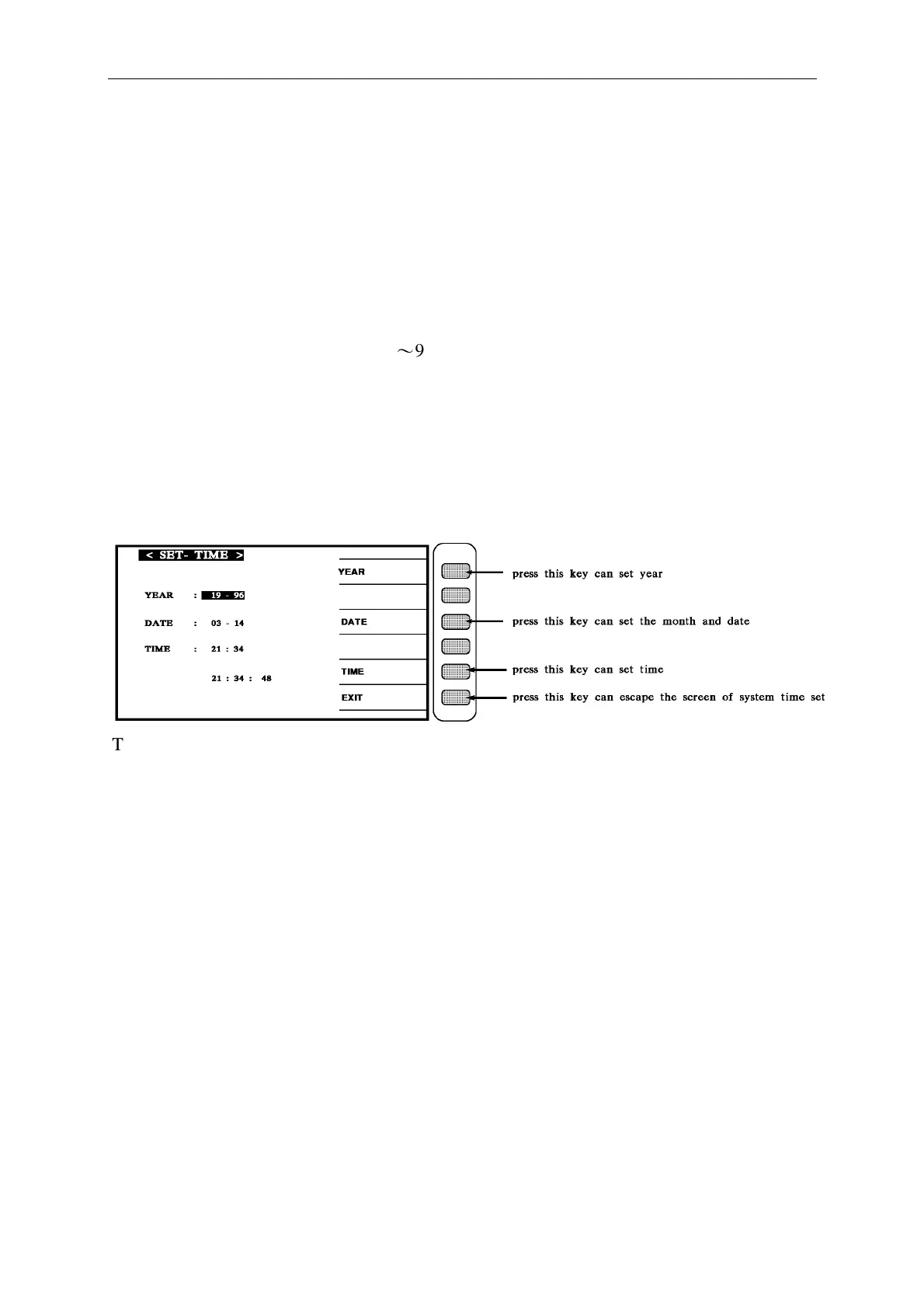
1. In the SYSTEM SETUP condition press [SET TIME] then enter the system setup index. as
following:
There are show parameter as following:
YEAR : the year shows 19XX DATE : month-date
TIME : hour-min EXIT : for esc.
When enter this screen then into the system time setup, the screen shows system year, month,
date hour, min, sec. currently, to change and item press the keys [YEAR] [DATE] [TIME]
beside the display, then block area move to that area, the one of number in that area will flash
continually, this position of number is cursor, input any number that we intent then it changes
immediately.
Press the [EXIT] key can escape from this screen.



 To Next Page