Application of Interface
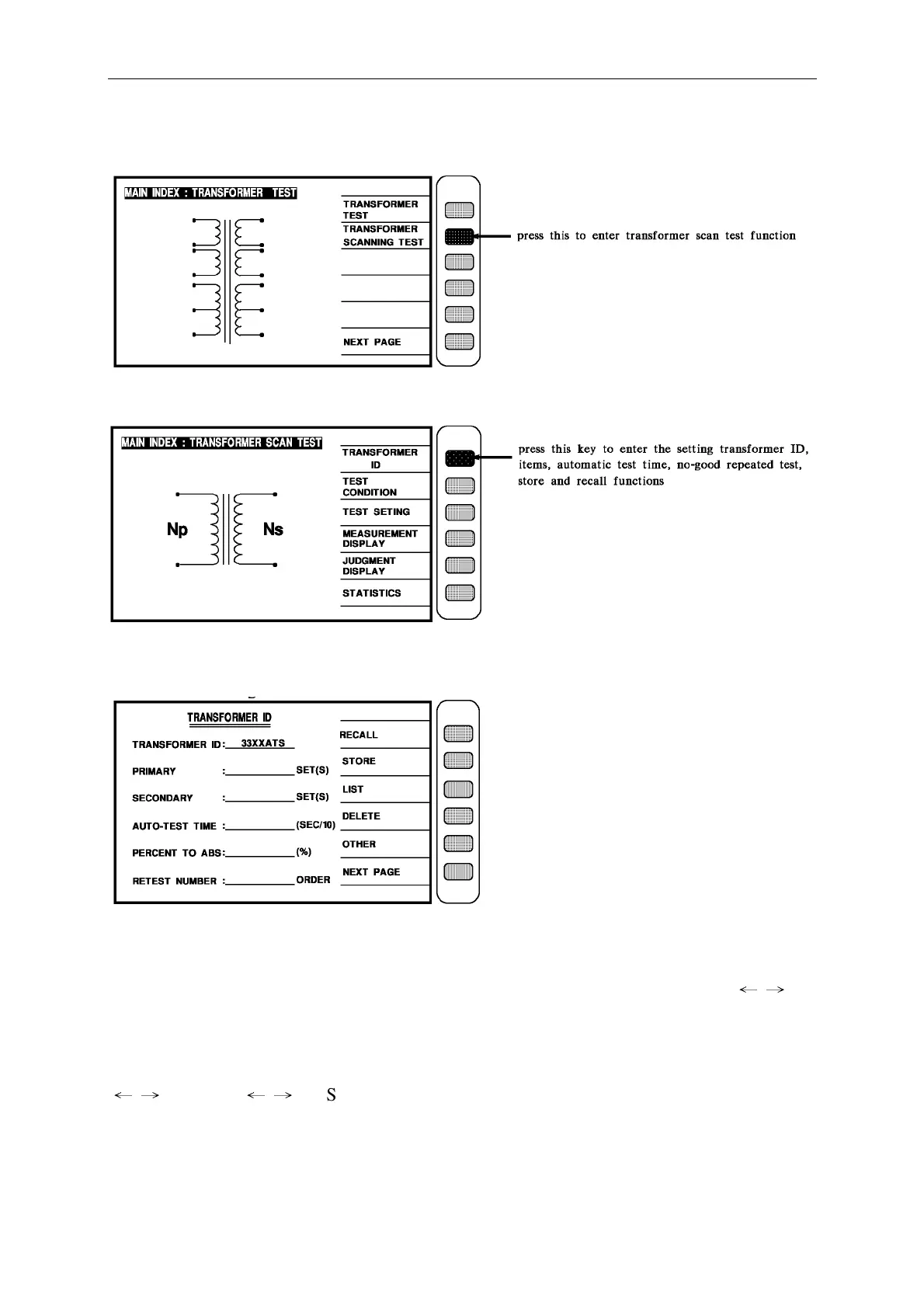
Press the key as above to enter the transformer automatic test function as below.
Press the key as above to enter the transformer scan test function setting as below.
When into this screen is entrance to the guidable setting operation, just press [Enter] then
enter the setting of first item as below.
The operation of above figure describes as below:
TRANSFORMER ID : __________…..Enter the transformer model name, max to 12
letters (this name is also for store number), the method of input is use left right key [
←
→
]
and key [Start] to choose the English letters and numeric keys to input, then press [Enter] to
confirm and will auto jump to next set up item.
Ex.: the number of transformer is ET-45273-001, the input is following:
[
←
→
] E [Start] [
←
→
] T [Start] [-] [4] [5] [2] [7] [3] [-] [0] [0] [1] [Enter]



 To Next Page