Automatic Transformer Test System 3300/3302 User’s Manual
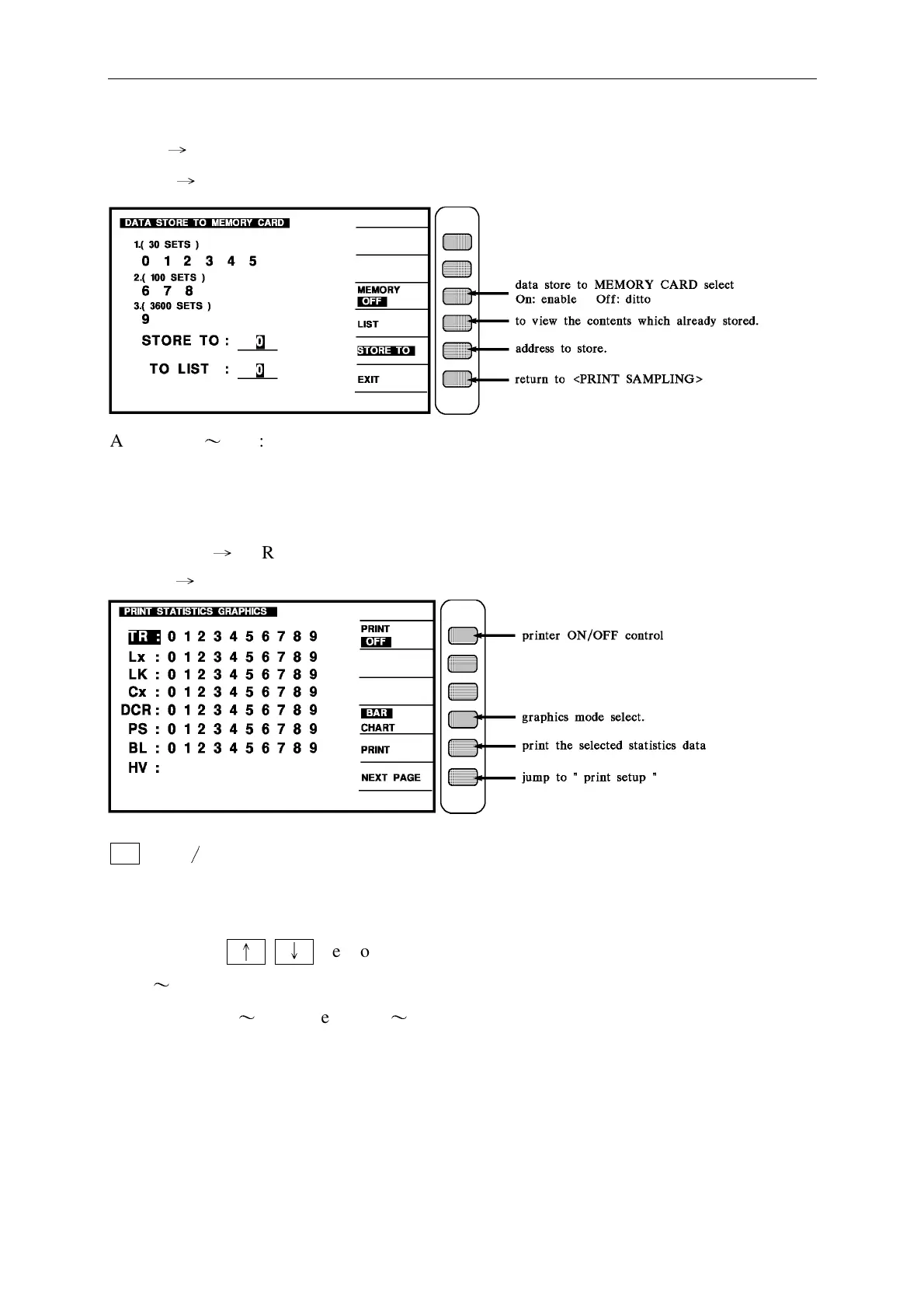
Key in
→
[MEMORY]
Display
→
Address : 0
〜
5 : 30sets for each address.
6.7.8. : 100 sets for each address.
9 : 3600 sets for each address.
When key in
→
[GRAPHICS] key, the following message will be display as follow.
Display
→
BAR
∕
CHART key, when BAR is highlighted, it will show bar testing graph.
when CHART is highlighted it will show line testing graph.
Use CURSOR
↑
↓
key to choose the statistics graphs, that wants to be printed.
Use 0
〜
9 number to choose the analytic set numbers.
0 indicates PRI.1
〜
9 indicates SEC.1
〜
SEC.9



 To Next Page