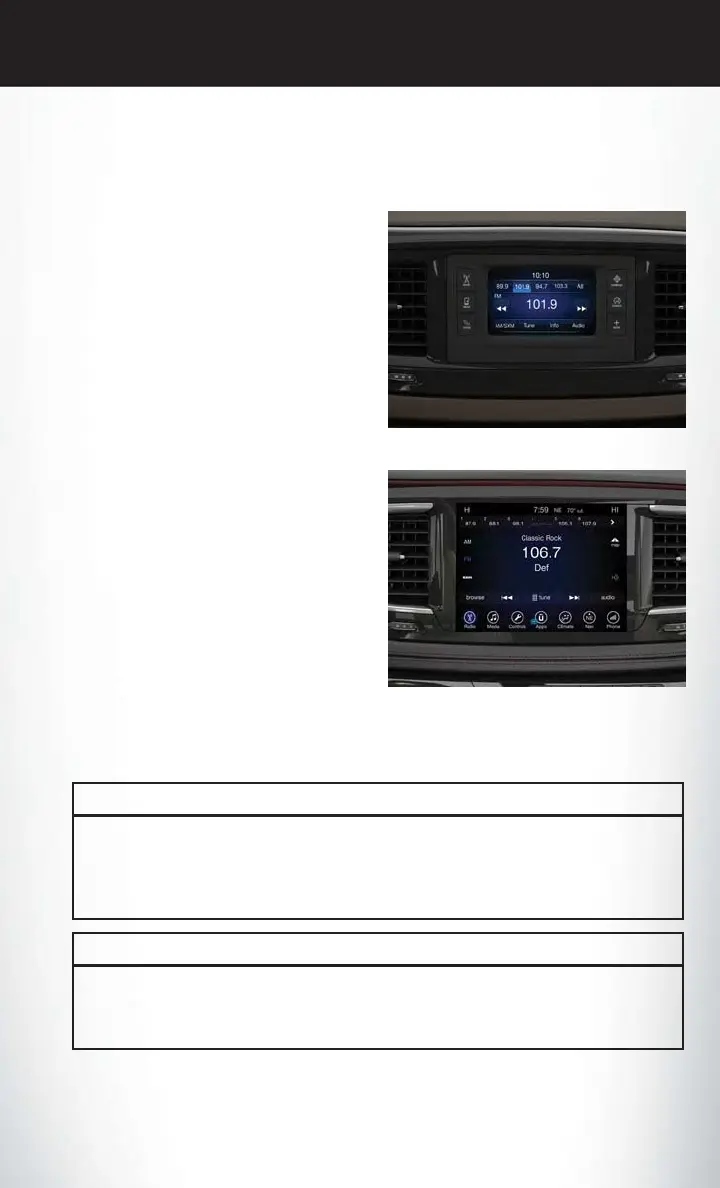
IDENTIFYING YOUR RADIO
Uconnect 5.0
• 5” Touchscreen
• Three buttons on the faceplate on either
side of the display
Uconnect 8.4
• 8.4” Touchscreen
• HD Button will not be visible on right side of
screen when viewing AM or FM
• SiriusXM Travel Link feature not listed
within Apps (US Market Only)
Uconnect 8.4 NAV
• 8.4” Touchscreen
• HD Button will be visible on right side of
screen when viewing AM or FM
• SiriusXM Travel Link feature listed within
Apps (US Market Only)
• Vehicle Navigation
UCONNECT ACCESS
Uconnect Access — If Equipped
(Available On Uconnect
8.4/8.4 NAV — U.S. Residents
Only)
WARNING!
ALWAYS drive safely with your hands on the wheel. You have full responsibility and assume all
risks related to the use of the Uconnect features and applications in this vehicle. Only use
Uconnect when it is safe to do so. Failure to do so may result in an accident involving serious
injury or death.
WARNING!
ALWAYS obey traffic laws and pay attention to the road. Some Uconnect Access services,
including 9-1-1 and Assist, will NOT work without an operable 1X (voice/data) or 3G (data)
network connection.
Uconnect 5.0
Uconnect 8.4 NAV
ELECTRONICS
127















 To Next Page