STEERING WHEEL
Tilt/Telescoping Steering Column
This feature allows you to tilt the steering column upward or downward. It also allows you to
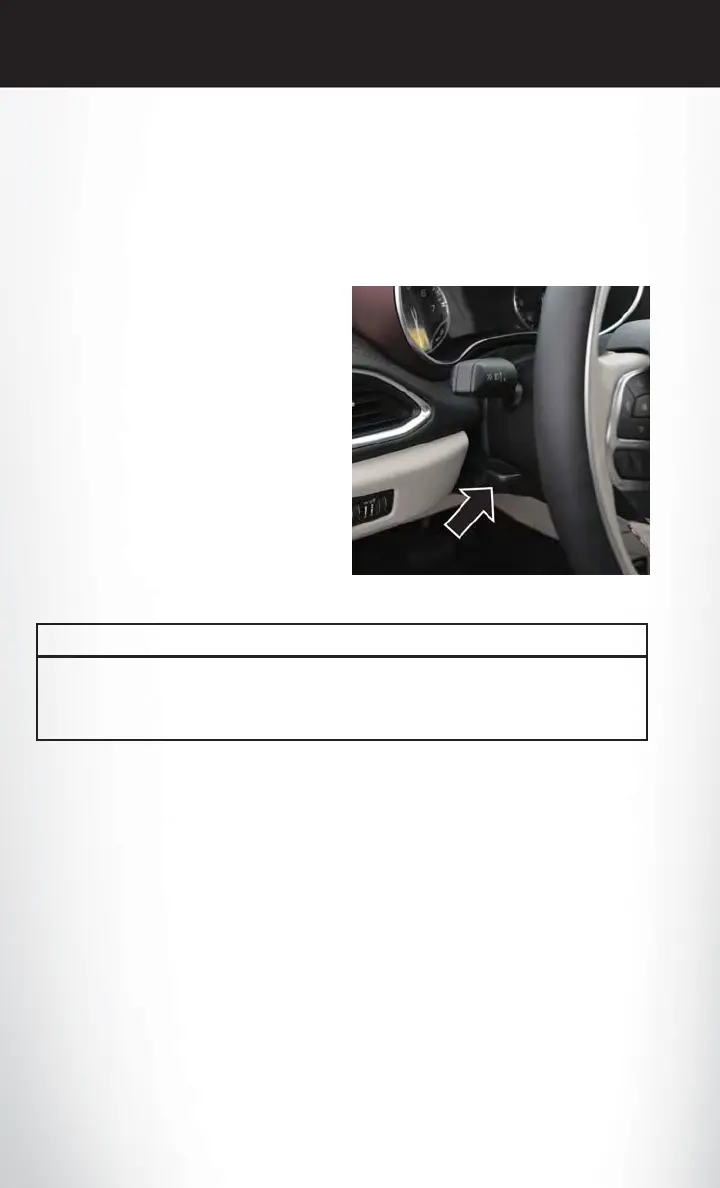
lengthen or shorten the steering column. The tilt/telescoping lever is located left of the steering
wheel at the end of the steering column.
To unlock the steering column, push the lever
downward (toward the floor). To tilt the steer-
ing column, move the steering wheel upward or
downward as desired. To lengthen or shorten
the steering column, pull the steering wheel
outward or push it inward as desired. To lock the
steering column in position, push the lever up-
ward until fully engaged.
WARNING!
Do not adjust the steering column while driving. Adjusting the steering column while driving
or driving with the steering column unlocked, could cause the driver to lose control of the
vehicle. Failure to follow this warning may result in serious injury or death.
Tilt/Telescoping Lever
GETTING STARTED
88















 To Next Page