Uconnect 8.4
Press the “Apps
” button, then press the “Settings ” button on the touchscreen to display
the menu setting screen. When making a selection, press the button on the touchscreen to enter
the desired mode. Once in the desired mode, press and release the preferred setting “option”
until a check-mark appears next to the setting, showing that setting has been selected. Once the
setting is complete, either press the Back Arrow button on the touchscreen to return to the
previous menu, or press the “X” button on the touchscreen to close out of the settings screen.
The following feature settings are available:
• KeySense • Engine Off Options
• Display • Audio
• Units • Phone/Bluetooth
• Voice • SiriusXM Setup
• Clock • Restore Settings
• Safety & Driving Assistance • Clear Personal Data
• Lights • System Information
• Doors & Locks • Compass (5.0 Radio Only)
• Auto-On Comfort
Refer to “Uconnect Settings” found within “Multimedia” located in your Owner's Manual on
www.chrysler.com/en/owners/manuals for further information.
GARAGE DOOR OPENER — IF EQUIPPED
HomeLink replaces up to three hand-held transmitters that operate devices such as garage door
openers, motorized gates, lighting or home security systems. The HomeLink unit is powered by
your vehicles 12 Volt battery.
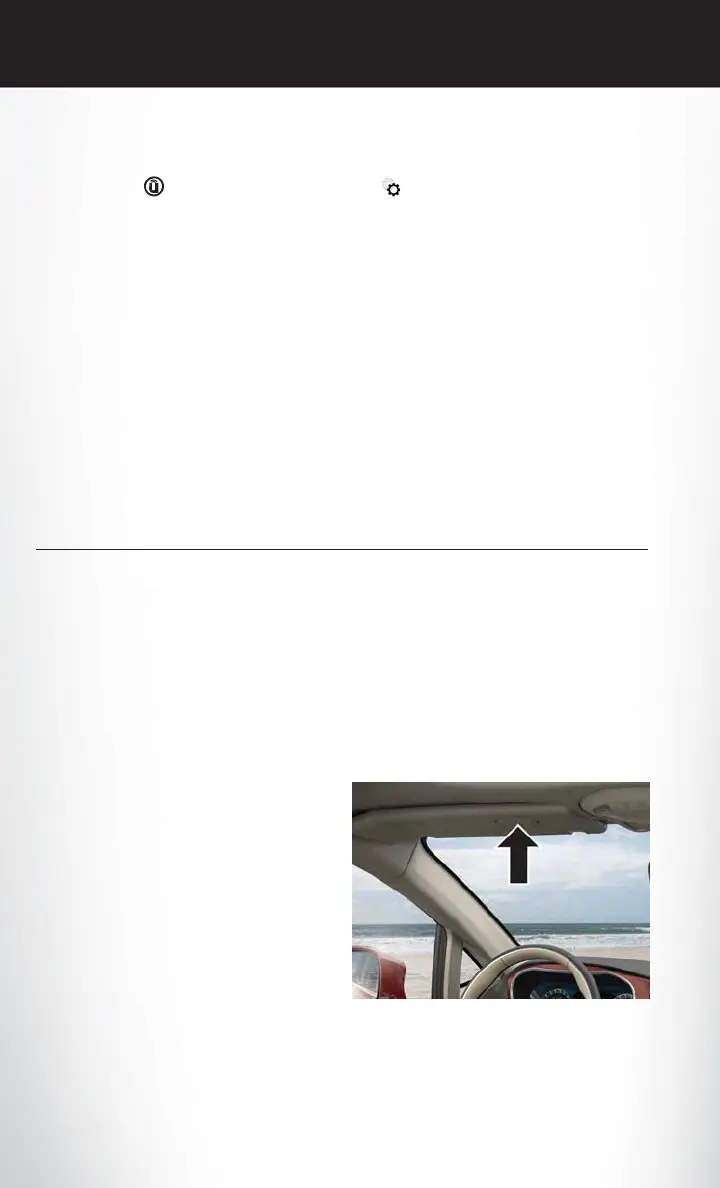
The HomeLink buttons, located on the driver’s sunvisor, designate the three different HomeLink
channels. The HomeLink indicator is located above the center button.
NOTE:
HomeLink is disabled when the Vehicle Secu-
rity Alarm is active.
HomeLink Buttons
ELECTRONICS
206






 To Next Page