Changing The Audio Mode For Headphones
1. Ensure the remote control and the headphones are on the same channel.
2. Push the Home button on the remote control.
3. When the Home menu appears on the touchscreen, use the arrow buttons on the remote
control to navigate to the available modes and push the OK button to select the new mode or
use the Gesture Pad at the top of the remote control.
Replacing The Headphone Batteries
Each set of headphones requires two AAA batteries for operation.
NOTE:
Perchlorate Material — special handling may apply. Visit dtsc.ca.gov/hazardouswaste/
perchlorate
To replace the batteries:
1. Locate the battery compartment on the left ear cup of the headphones, and then slide the
battery cover downward.
2. Remove the old batteries and follow battery recycling procedures for your area.
3. Install new batteries, making sure to orient them according to the polarity diagram shown
inside the battery compartment.
4. Replace the battery compartment cover.
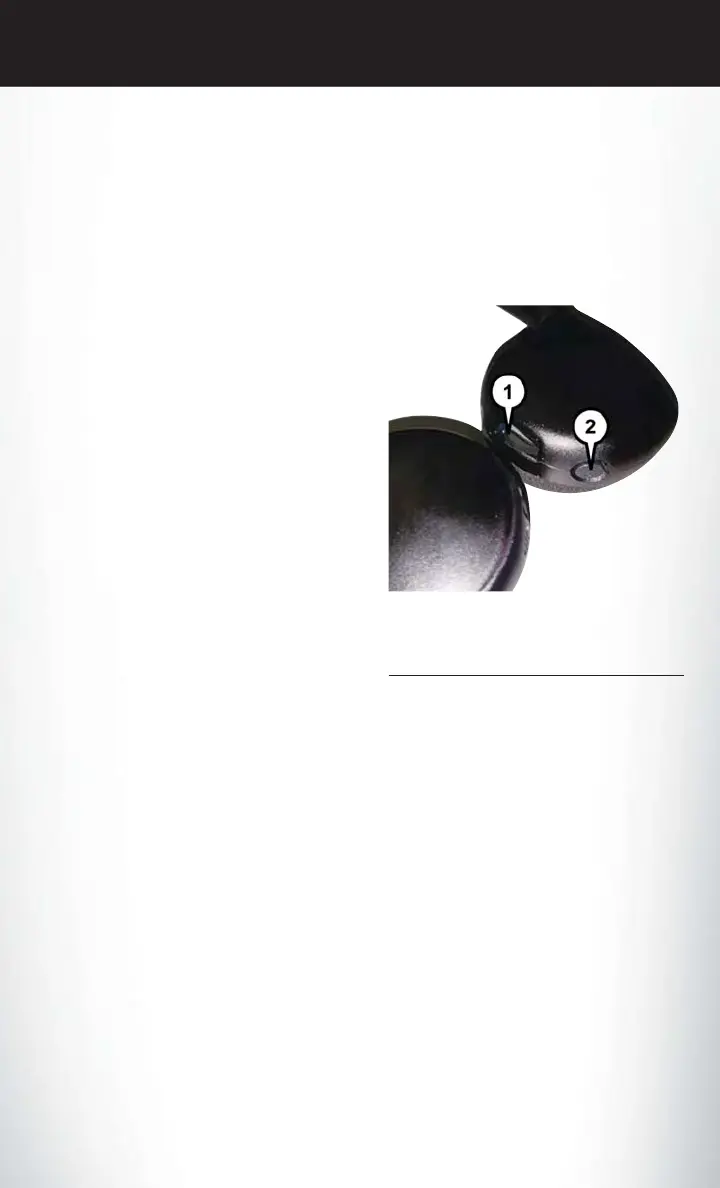
Uconnect Theater Headphones
1 — Volume Control Wheel
2 — Channel Selection Button
ELECTRONICS
199















 To Next Page