18
Mastic Cleanout Procedure
Near the end of the day, Cimeline advises to cleanout the mixing chamber. By doing these
steps, you will ensure the quickest startup possible with
the least amount of wasted mastic.
1) Set Rock Burner toggle switch to “OFF”
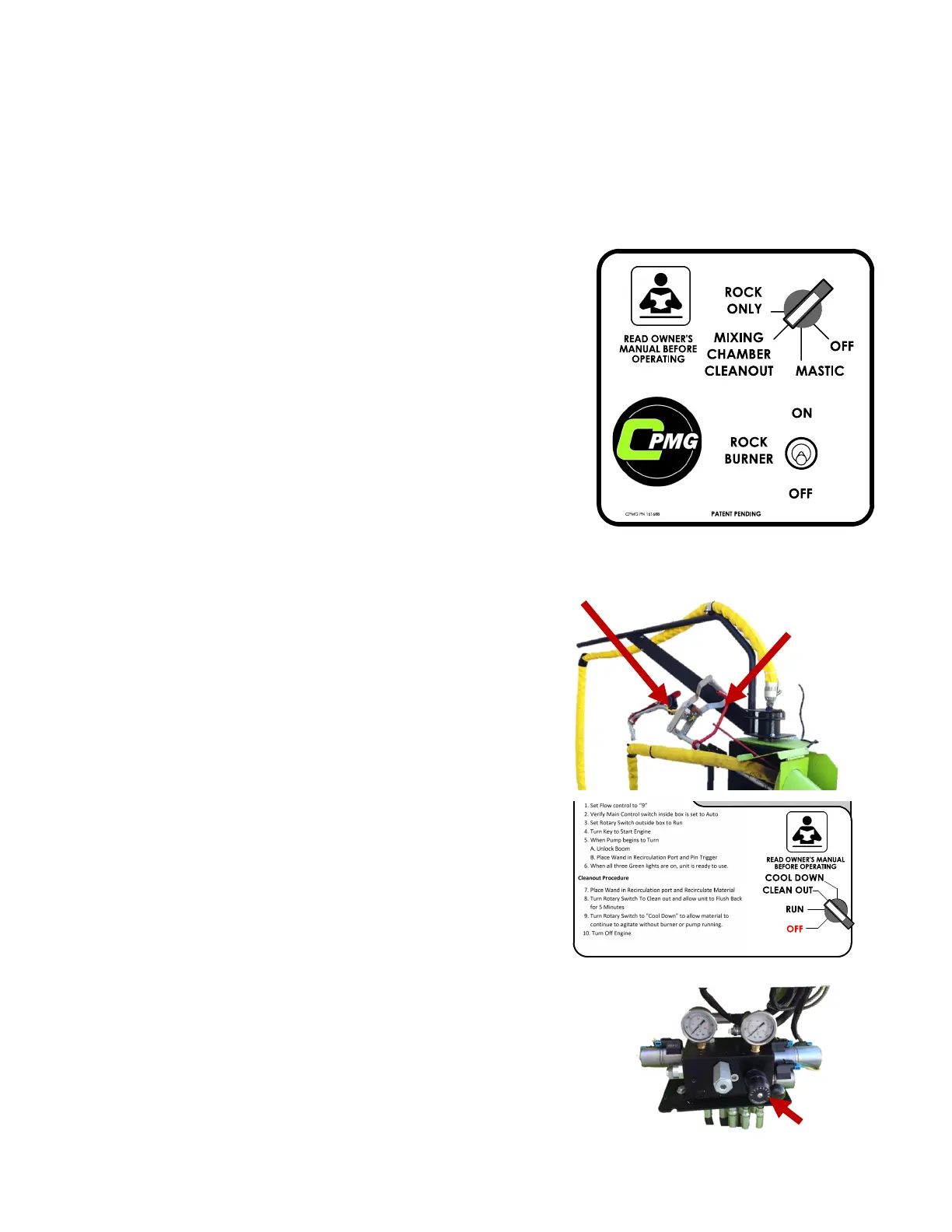
2) Set Rotary Switch on control panel to
“MIXING CHAMBER CLEANOUT”
2) OPEN the Mastic Gate to purge Mixing Chamber.
3) CLOSE the Mastic Gate after material stops flowing.
4) Set Rotary Switch to “OFF”
Clean Out Procedure
Melter Cleanout Procedure
1. SETUP:
A) Place wand in Recirculation Port.
B) Pin wand trigger and open valve by pushing
handle forward.
D) Set flow to “9”
C) Set Control Panel rotary switch to “ CLEAN OUT ”
Hose Clean-out:
Let pump run in “ CLEAN OUT ” for 2 minutes.
Pump Clean-out:
Unpin wand trigger.
Continue running pump in “ CLEAN OUT ” for 2 minutes.
B)
B)



 To Next Page