OPERATING INSTRUCTIONS
44
MANUAL EVENT CONTROL (TURNING THE CHAMBER ON/OFF)
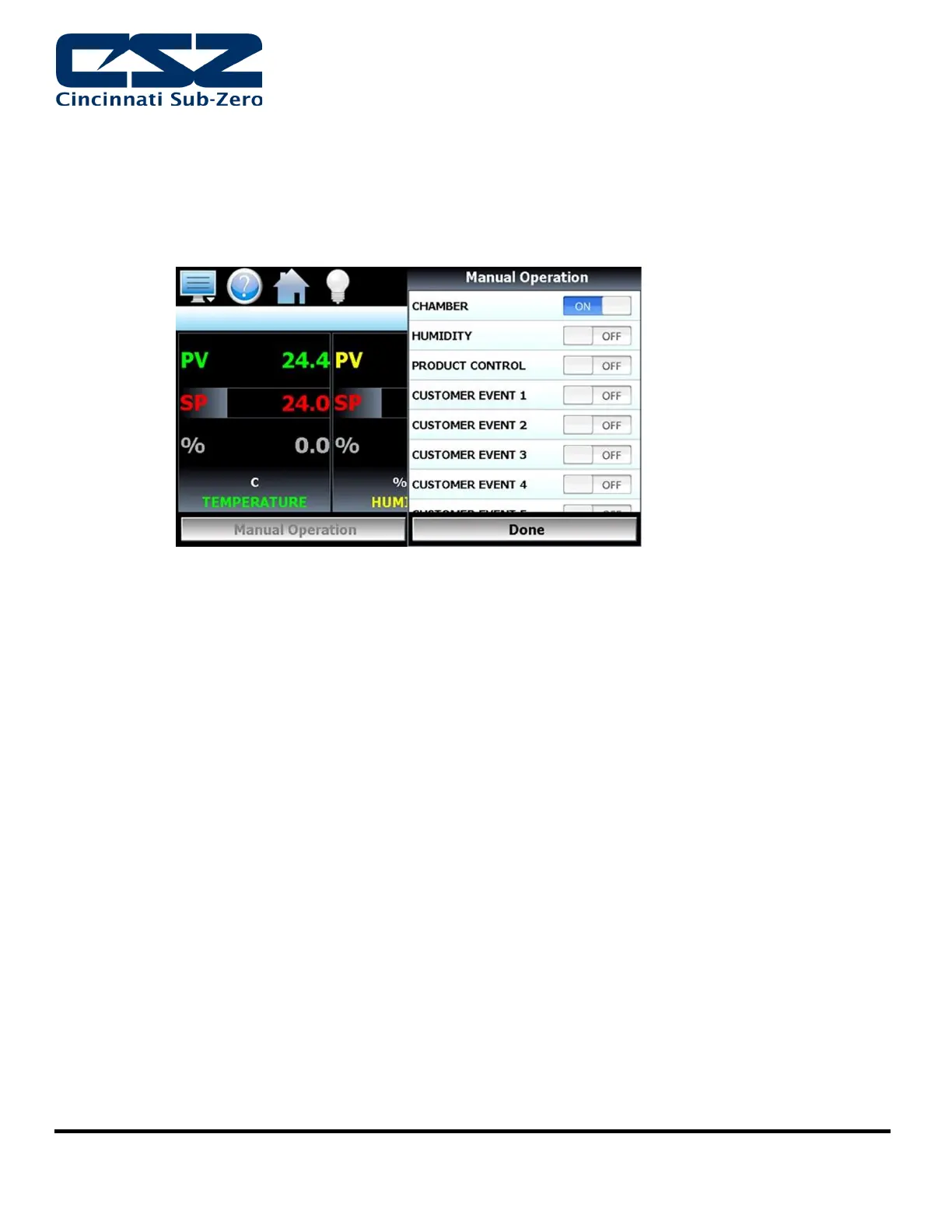
Events are the “switches” used to turn the chamber, its related functions, and optional systems on
and off. These events can be manually turned on and off as well as programmed into profiles so that
they can be turned on and off at set time intervals.
To turn the chamber and optional events on/off:
1. Select “Manual Operation” from the main View menu.
2. To turn the events on or off, touch the slide switch.
PROFILE OPERATION
To create and run programs on the EZT570S, see Chapter 4 of the EZT-570S User Manual
Sample profiles have been provided by CSZ, pre-loaded on the EZT-570S controller in order to provide
an example of a completed profile.


 To Next Page