or SEL.
5�1�3�-POSITIVE SECURITY SETTING OF THE MAIN RELAY
“Std”, contacts are on standby, terminals 14 - 15 (NC) and 13 - 15 (NO).
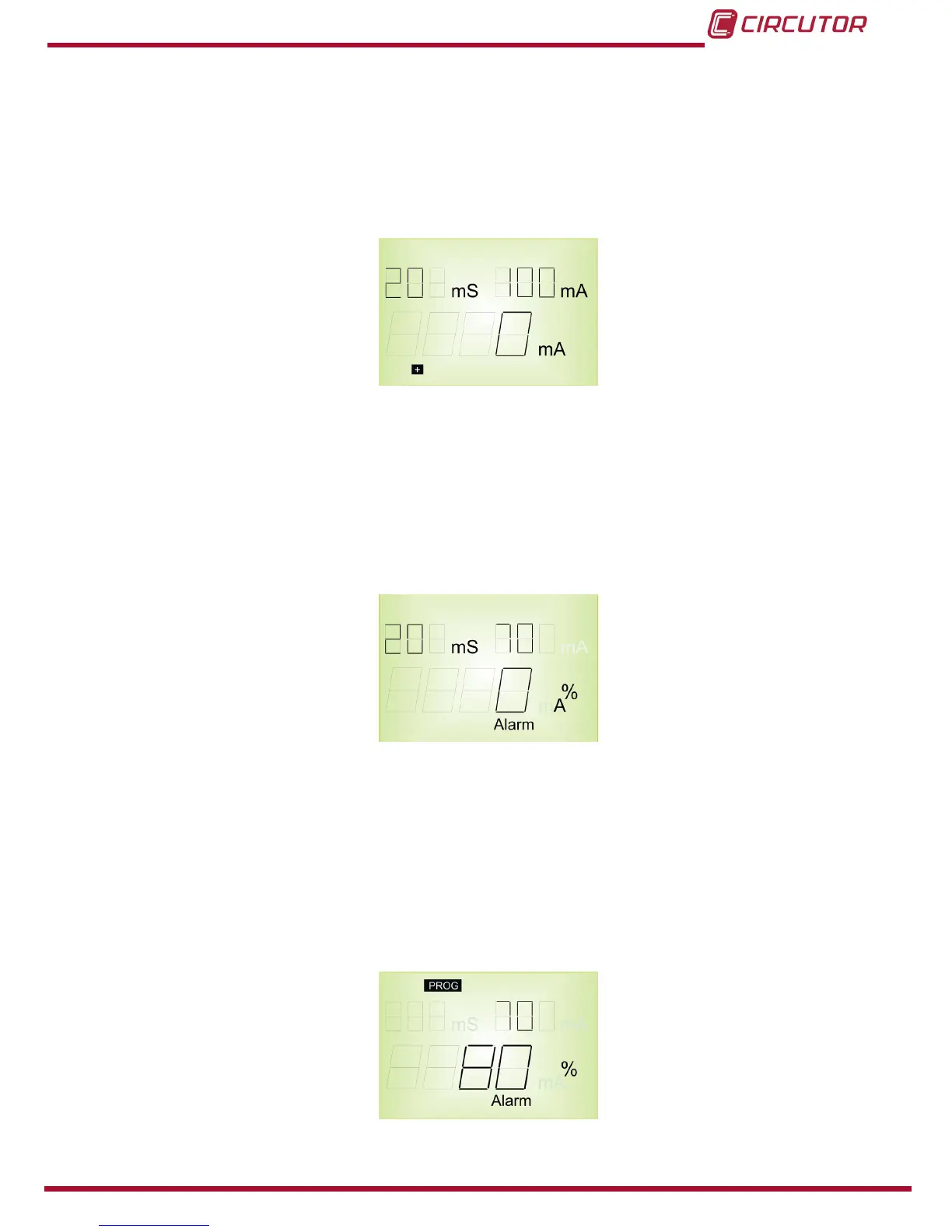
“+”, contacts change status on powering the device, the + sign is displayed. Terminals 14 -15
(NO) and 13 -15 (NC).
Figure 24: Positive security setting�
5�1�4�- SETTING THE PRE-ALARM RELAY
The PROG/PAG key control the pre-alarm relay and main relay settings using SETUP.
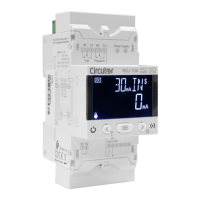
If the button is pressed for a short time the pre-alarm setting is entered. “Alarm” appears on the
display. Also the pre-alarm threshold appears as a % of the sensitivity setting and the pre-alarm
delay. To exit press PROG.
Figure 25: Setting the pre-alarm relay�
5�1�4�1�- Setting of the pre-alarm current
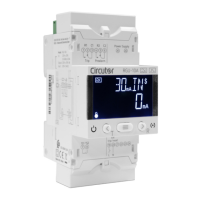
This is in terms of the program value in the main relay. Pressing Id enters to change the value.
Relative values are shown as a % of the preset trip current. Pressing Id changes the values:
OFF, 50, 60, 70, 80 and MAIN�
Where:
OFF: pre-alarm disabled
MAIN: the pre-alarm continues to trip the main channel.
Figure 26: Setting of the pre-alarm current�


 To Next Page