1-20
Cisco Nexus 2000 Series Hardware Installation Guide
Chapter 1 Overview
Chassis Features
Note On the Cisco Nexus 7000 Series switches, for a fully dedicated 10-Gbps bandwidth through a M1 Series
32-port 10-Gigabit Ethernet I/O module (either the N7K-M132XP-12 or N7K-M132XP-12L), connect
each FEX to one port in a set of four shared ports on the module (you connect each set of shared ports
to one FEX). If you are using the M2 Series 24-port, 10-Gigabit Ethernet I/O module
(N7K-M224XP-23L), you can connect the FEX to any of its ports for a fully dedicated bandwidth. If you
are using the F2 Series 48-port, 10-Gigabit Ethernet I/O module (N7K-F248XP-25), use the connectivity
rule order (connect the same port numbers for each port group (for example, if you connect ports 1 and
2 of a port-group, then connect the same ports of another port group).
Cisco Nexus 2148T FEX Chassis Features
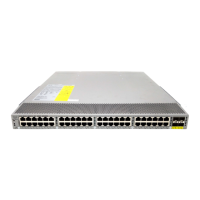
The Cisco Nexus 2148T (N2K-C2148T) has the following interfaces:
• 48 1-Gigabit Ethernet host-facing ports
• 4 10-Gigabit Ethernet parent-switch facing fabric ports for SFP+ transceivers
• 1 HDMI port for a console or management connection
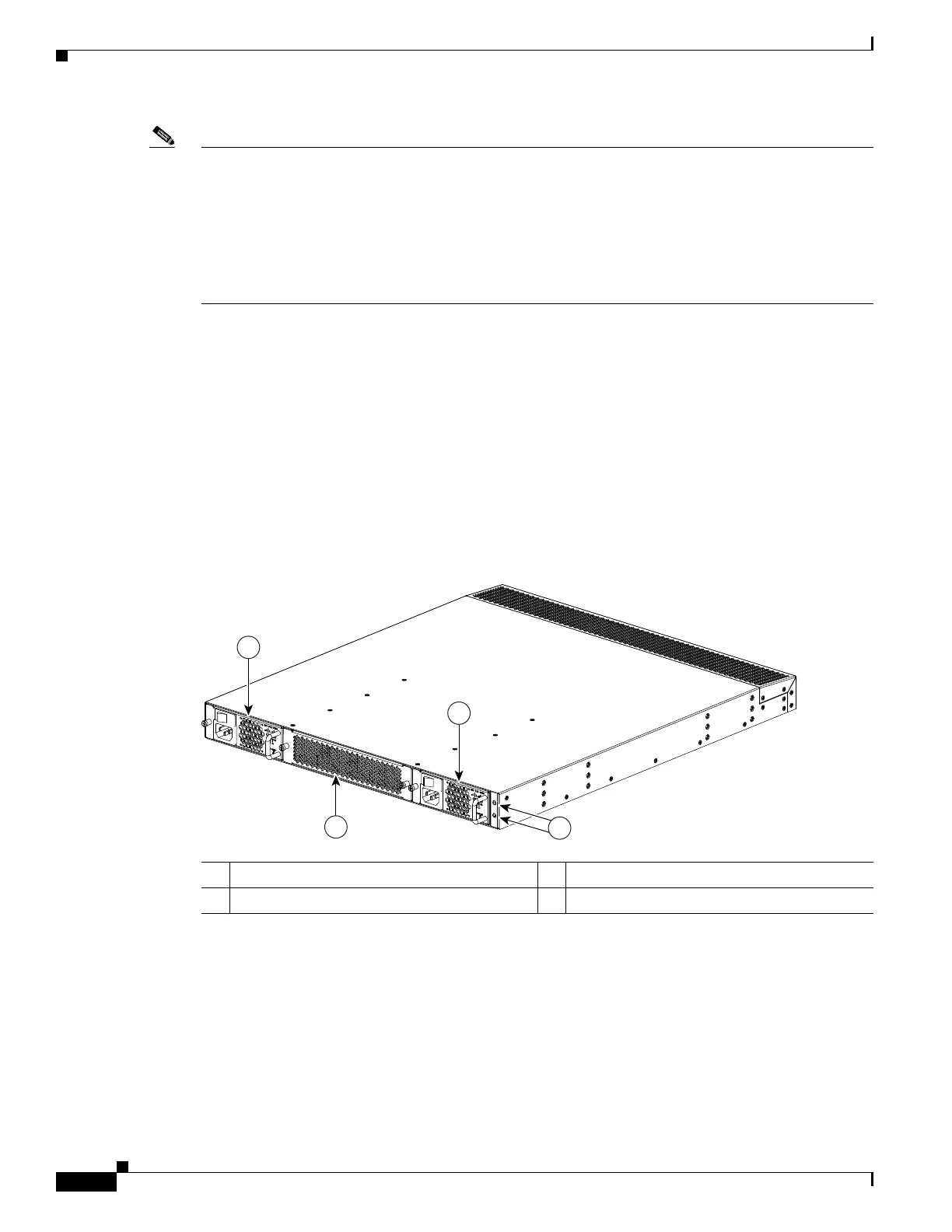
The features on the fan-module side of this FEX chassis are identified in Figure 1-17, and the features
on the port side of this chassis are identified in Figure 1-18.
Figure 1-17 Fan side of the Cisco Nexus 2148T Chassis
1 Power supply (two) 3 Status (top) and ID (bottom) LEDs
2 Fan tray (1)
273914
1
1
2
3


 To Next Page