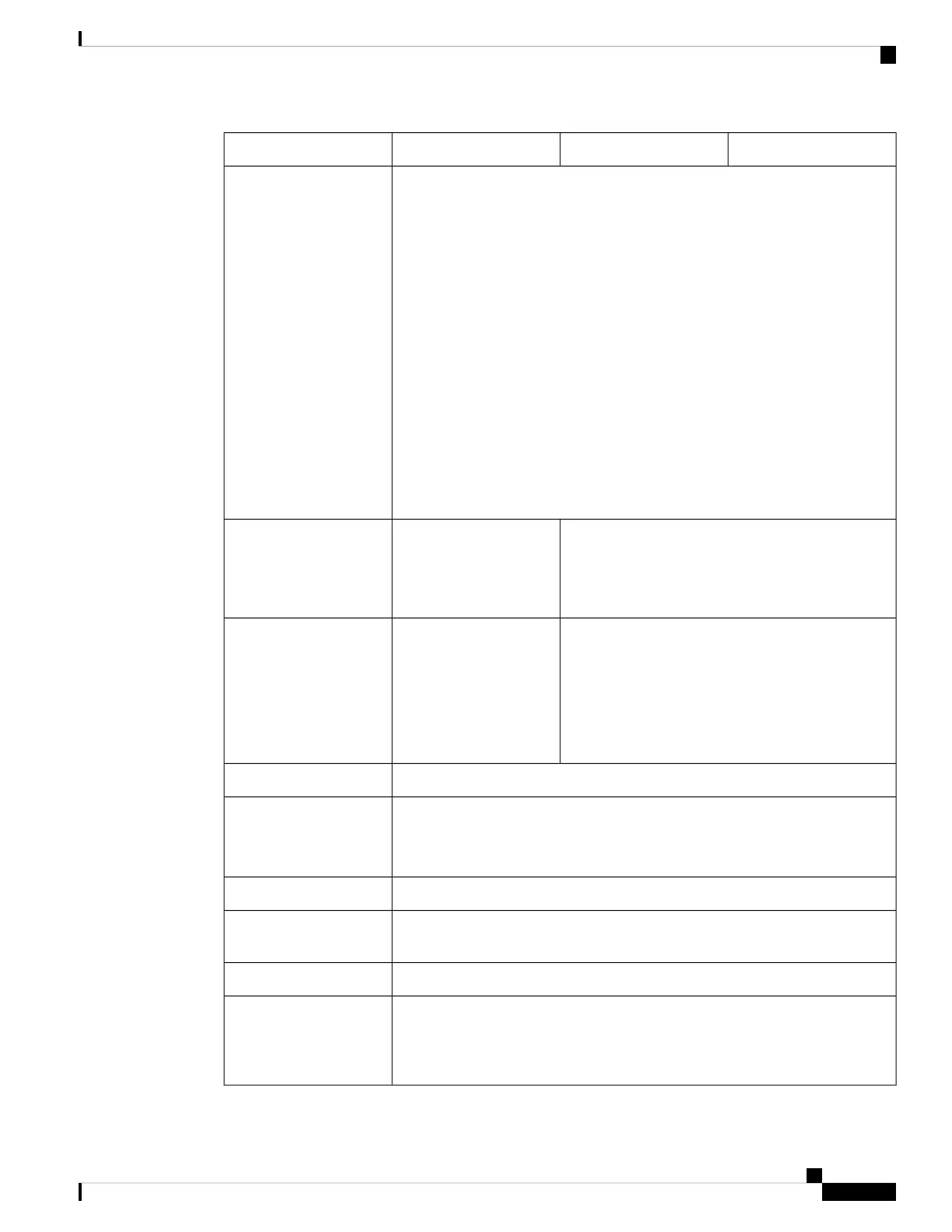
424542254215Feature
• 8-port 1/10Gb SFP+ (FPR-X-NM-8X10G)
• 8-port 1/10/25Gb SFP+ (FPR-X-NM-8X25G)
• 4-port 40-Gb QSFP/QSFP+ (FPR-X-NM-4X40G)
• 4-port 40/100/200-Gb QSFP28/QSFP (FPR-X-NM-4X200G)
200-Gb traffic is not supported until a later release.
Note
• 2-port 100-Gb QSFP56/QSFP28/QSFP (FPR-XNM-2X100G)
• 6-port 10-Gb SFP SR multimode hardware bypass (FPR-X-NM-6X10SRF)
• 6-port 10-Gb SFP LR single mode hardware bypass (FPR-X-NM-6X10LRF)
• 6-port 25-Gb SFP SR multimode hardware bypass (FPR-X-NM-6X25SRF)
• 6-port 25-Gb SFP LR single mode hardware bypass (FPR-X-NM-6X25LRF)
• 8-port copper 1-Gb 1000Base-T hardware bypass (FPR-X-NM-8X1GF)
Network modules
Ships with two 1900 W AC power supplies
Hot-swappable
Ships with one 1900 W
AC power supply (second
power supply is optional)
Hot-swappable
AC power supply
Yes
Ships with two power supplies.
Note
Yes
You must
order a
second
power
supply.
Note
Redundant power
Three dual fan modules (hot-swappable)Fans
Two Nonvolatile Memory Express (NVMe) SSD slots for EDSFF (Enterprise &
Datacenter SSD Form Factor) SSD drives
Ships with two 1.8-TB SSDs; factory-configured for RAID1.
Storage
Displays the serial number and a QR code that points to the Documentation PortalPullout asset card
Grounding pad on the left side of chassis near the rear power switch; use the
grounding lug kit that ships with the chassis.
Grounding
On rear panelPower switch
Resets the system to factory default without requiring serial console access
The reset button is recessed. Press with a pin and hold longer than
5 seconds to set the system back to the factory default.
Note
Reset button
Cisco Secure Firewall 4200 Series Hardware Installation Guide
3
Overview
Features




 To Next Page