Remote Extension S (Video) – Cisco 9971 IP Phone User Guide
Version 2.0 © WTT HK Limited 2017
B. Physical Network Connection Setup
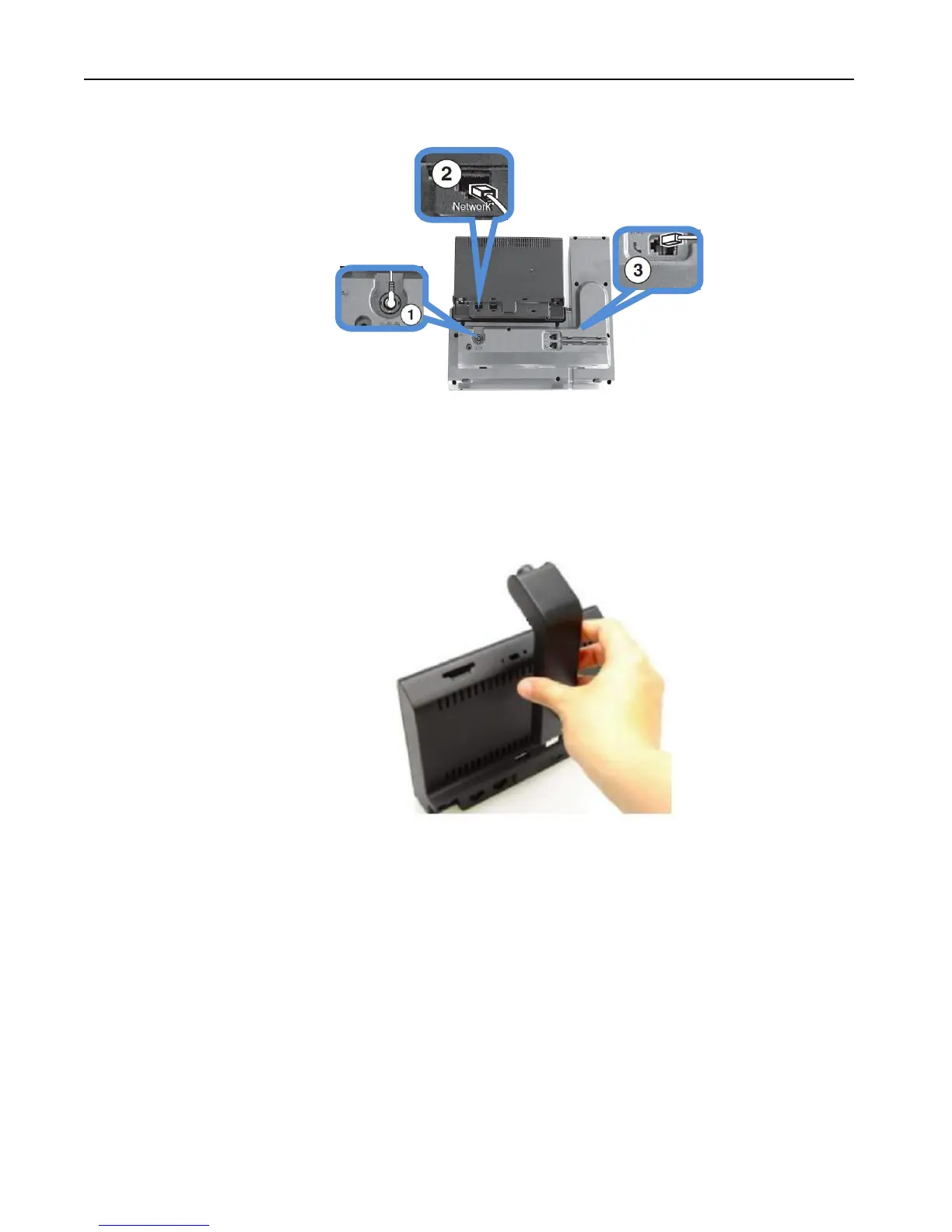
1. Connect the IP Phone to Power Adaptor with the power supply.
2. Connect the LAN Cable to the Network port of the IP Phone and the
Internet router.
3. Connect the Handset to the IP Phone.
4. Remove the protective plastic from the camera lens and body.
5. Remove the small plastic cover located on the topside of the phone
display.
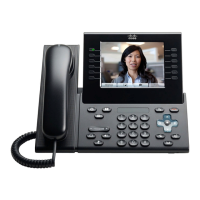
6. With your phone idle, slide the camera’s USB connector into the phone’s
USB port (back of phone display).
7. After the phone confirms installation.
Note: IP Phone 9971 cannot be functioned when there is a failure in power supply



 To Next Page