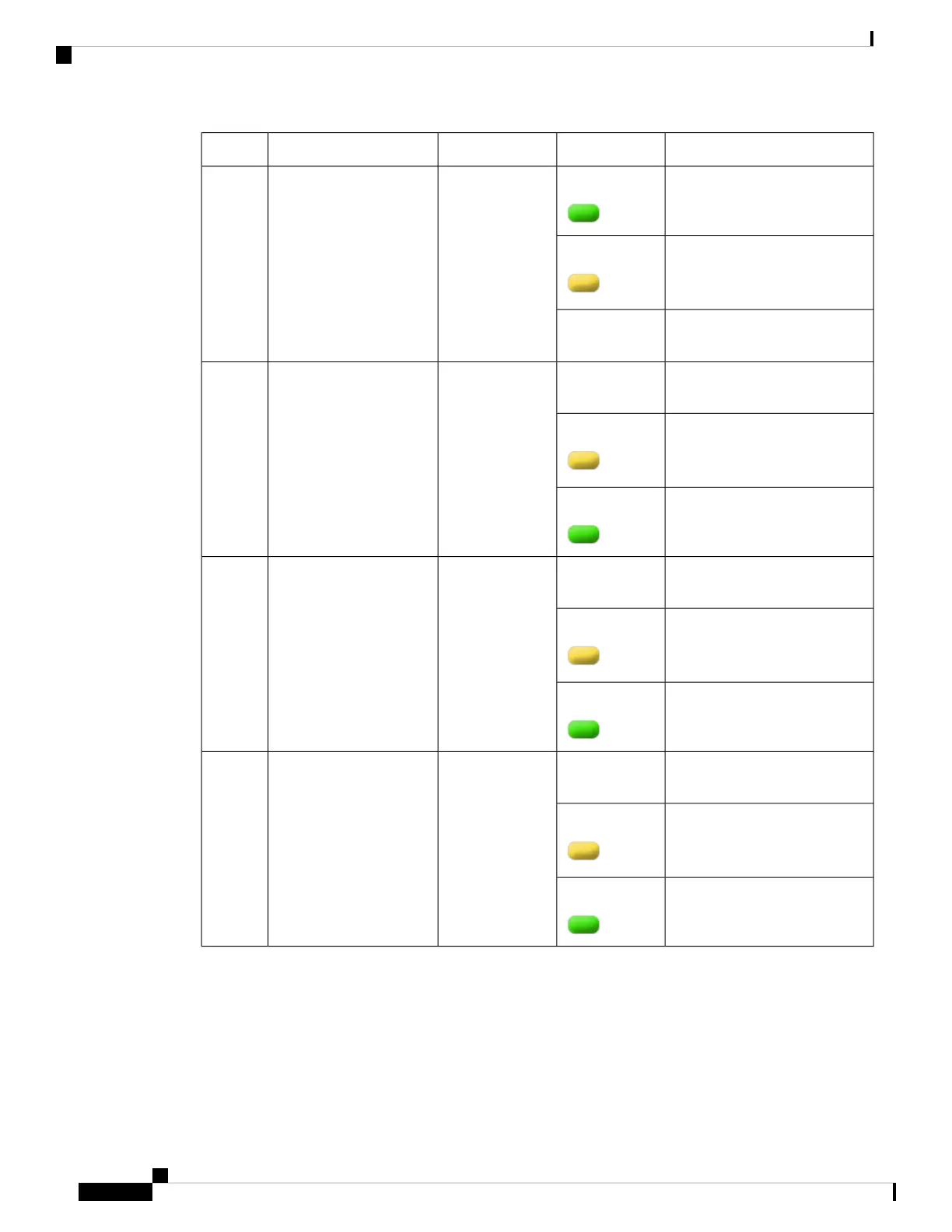
BehaviorLED ColorDescriptionLED LabelNo.
Indicates that the port is enabled
and there is a valid Ethernet Link
GreenRP SFP Port8
Indicates that the port is enabled,
but there is a problem with the
Ethernet Link.
Amber
Indicates that the port is not
enabled.
OFF
Indicates that the port is not
enabled.
OFFBuilt-in EPA 1
(QSFP + status
LEDs with 1 per
port)
9,10, 11,
and 12
Indicates that the port is enabled,
but there is a problem with the
Ethernet Link.
Amber
Indicates that the port is enabled
and there is a valid Ethernet Link
Green
Indicates that the port is not
enabled.
OFF1/10 GE SFP Port
Status LED (1 per
port for ports
0,2,4, and 6)
13
Indicates that the port is enabled,
but there is a problem with the
Ethernet Link.
Amber
Indicates that the port is enabled
and there is a valid Ethernet Link
Green
Indicates that the port is not
enabled.
OFF1/10 GE SFP Port
Status LED (1 per
port for ports 1,
3,5, and 7)
14
Indicates that the port is enabled,
but there is a problem with the
Ethernet Link.
Amber
Indicates that the port is enabled
and there is a valid Ethernet Link
Green
Rear View
The following figure shows the rear view of the Cisco Catalyst CW9800H1 and Cisco Catalyst CW9800H2
Wireless Controllers.
Cisco Catalyst CW9800H1 and CW9800H2 Wireless Controllers Hardware Installation Guide
14
Overview
Rear View















 To Next Page