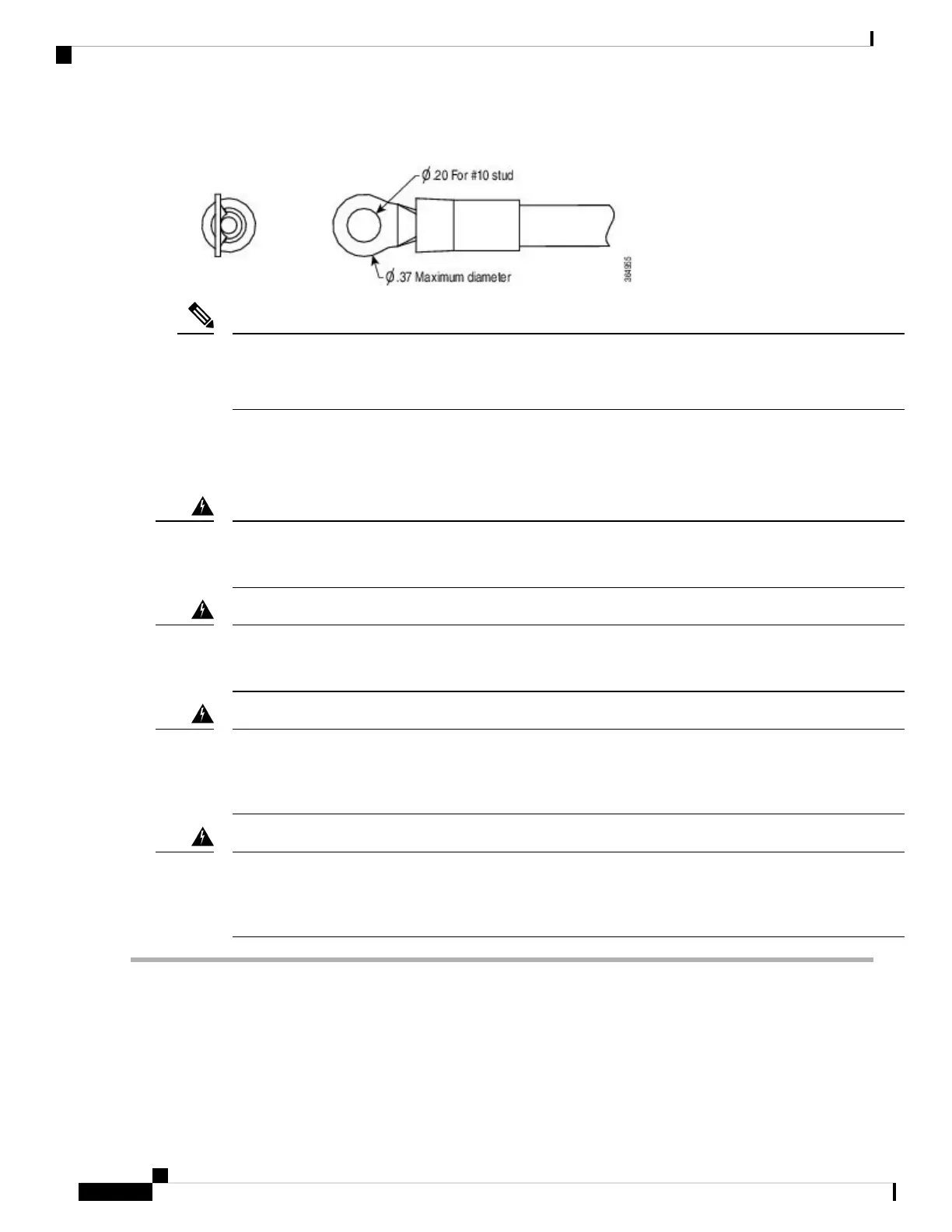
Figure 14: DC Input Power Cable Lug
To avoid hazardous conditions, all components in the area where DC input power is accessible must be
properly insulated. Therefore, before installing the DC cable lugs, be sure to insulate the lugs according to
the manufacturer's instructions.
Note
Wiring the DC Input Power Source
Before performing any of the following procedures, ensure that power is removed from the DC circuit.
Statement 1003
Warning
Only trained and qualified personnel should be allowed to install, replace, or service this equipment.
Statement 1030
Warning
When installing or replacing the unit, always connect the ground connection first and disconnected
last.
Statement 1046
Warning
Hazardous voltage or energy may be present on power terminals. Always replace cover when terminals
are not in service. Be sure uninsulated conductors are not accessible when cover is in place.
Statement 1086
Warning
Step 1 Turn off the circuit breaker from the power source.
Step 2 Ensure that the chassis power switch is in the Standby position.
It is not required to place the chassis power switch in the Standby position, if you want to hot-swap a single
power supply.
Note
Step 3 Remove the plastic cover from the terminal block.
Cisco Catalyst CW9800H1 and CW9800H2 Wireless Controllers Hardware Installation Guide
84
Removing and Replacing FRUs
Wiring the DC Input Power Source















 To Next Page