Before you connect power or turn on power to your chassis, you must provide an adequate chassis ground
(earth) connection for the chassis. A chassis ground connector is provided on each Cisco Catalyst CW9800M
Wireless Controller. There is a stud on the rear left side of the chassis.
When installing or replacing the unit, the ground connection must always be made first and disconnected
last
Statement 1046
Warning
Have the recommended tools and supplies available before you begin this procedure.
Recommended Tools and Supplies
The following tools, equipment, and supplies are necessary to connect the system ground to the chassis:
• Philips screwdriver
• 3.5-mm flat blade screwdriver (Phoenix # 1205053 or equivalent 3.5-mm flat blade)
• Dual-lug chassis ground component
• Grounding wire
Attaching a Chassis Ground Connection
Step 1 Use the wire stripper to strip one end of the AWG #6 wire approximately 0.75 inches (19.05 mm).
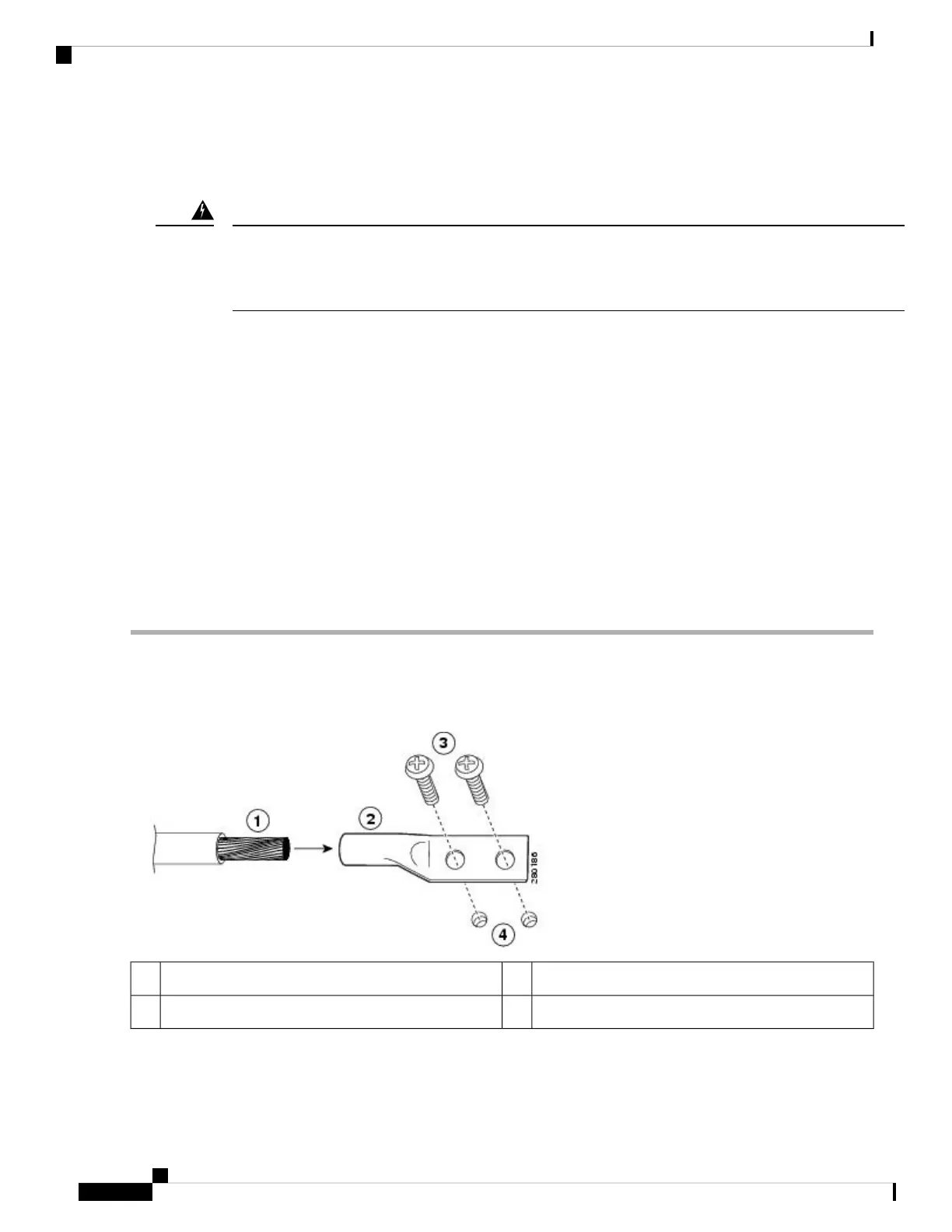
Step 2 Insert the AWG #6 wire into the open end of the grounding lug.
Figure 13: Attaching a Grounding Lug to the Chassis Ground Connector
Ground screws3Chassis ground lead wire1
Chassis ground connector holes4Grounding lug2
Step 3 Use the crimping tool to carefully crimp the wire receptacle around the wire. This step is required to ensure a proper
mechanical connection.
Cisco Catalyst CW9800H1 and CW9800H2 Wireless Controllers Hardware Installation Guide
56
Installing the Controller
Recommended Tools and Supplies















 To Next Page