www.cisco.com
12
Cisco IP Video Phone E20 Administrator guide
D143 30.12 Administrator guide Cisco IP Video Phone E20, TE4.1 November 2011.
All contents are Copyright © 2010–2011, Cisco Systems, Inc. All rights reserved.
Favorites (see later for more on this). To call one of these entries use the
buttons to navigate down to the entry to call and press the button to place the
call.
If you need to browse through the call history to locate whom to call, navigate to
History and look there.
Answering an incoming call
• Lift the handset to answer the incoming call. Put the handset back in its cradle
to terminate the call.
• Alternatively, press
to answer an incoming call. The call will then use the
built-in loudspeaker or your headset (if attached and selected).
• To reject an incoming call press
.
Switching between handset, loudspeaker
and headset
• To switch from handset to loudspeaker without terminating an ongoing call,
press the button before putting the handset back in its cradle.
• To switch from loudspeaker to handset, just lift the handset.
• To switch between loudspeaker and headset, press the corresponding button
(
and ).
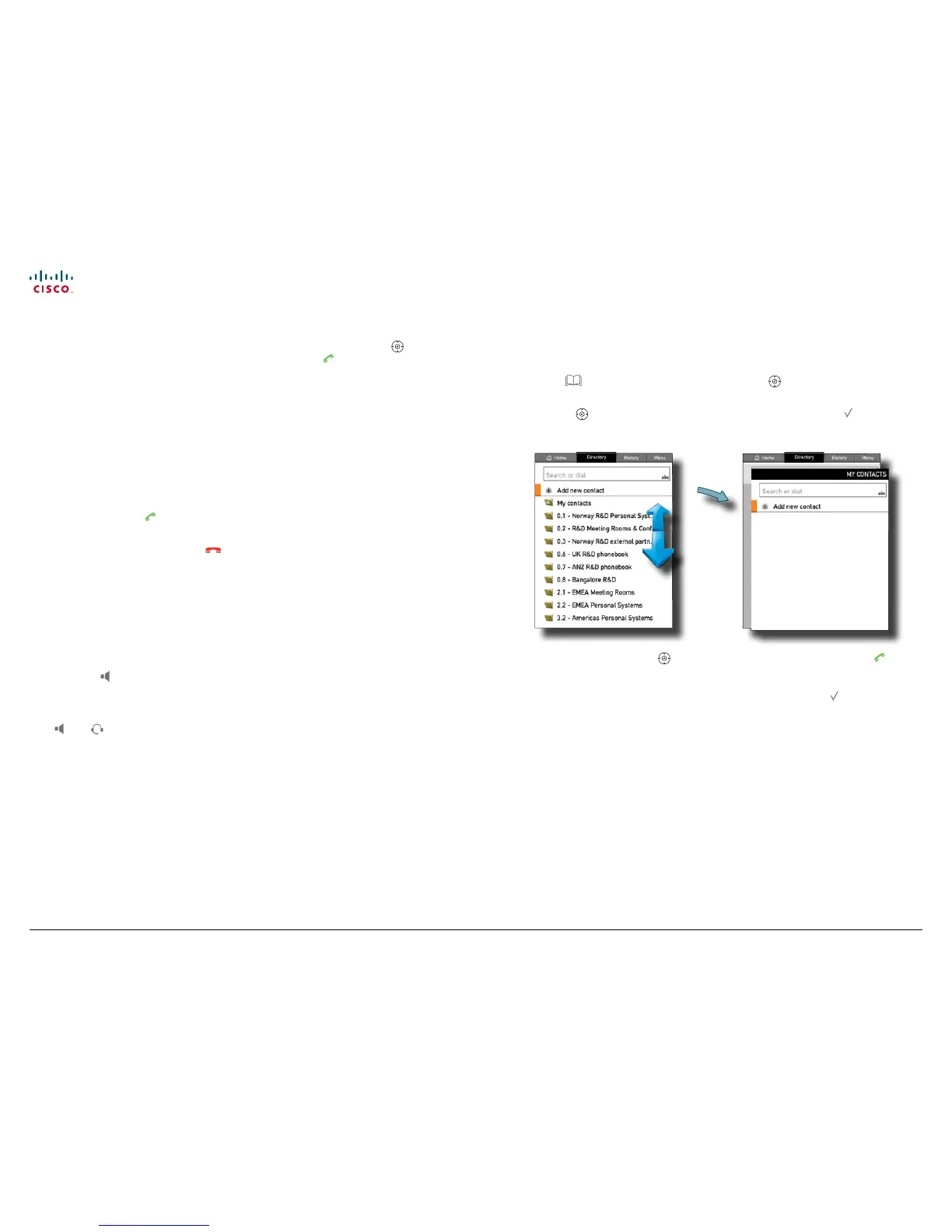
Calling someone using the Directory
1. Press to show the Directory tab or use the buttons to navigate to the
Directory tab.
2. Use the
buttons to navigate to the folder required and press to open it.
3. You may have to repeat this to open any subfolders.
norah dollhouse
hedda gabler
peer gynt
hjalmar ekdahl
hedwig ekdal
emma bovary
4. Inside the folder, use the buttons to locate whom to call and press to
place the call. If you do not know where the entry resides, you may instead
search for an entry in the directory. To locate a specic entry, just type in the
rst letter as with a mobile phone. There is no need to press .
Note! The search will take place within the current folder and any subfolders
existing, but not within folders higher up than your current location.



 To Next Page