2-30
Cisco IE 3000 Switch Hardware Installation Guide
Chapter 2 Switch Installation
Installing the Switch
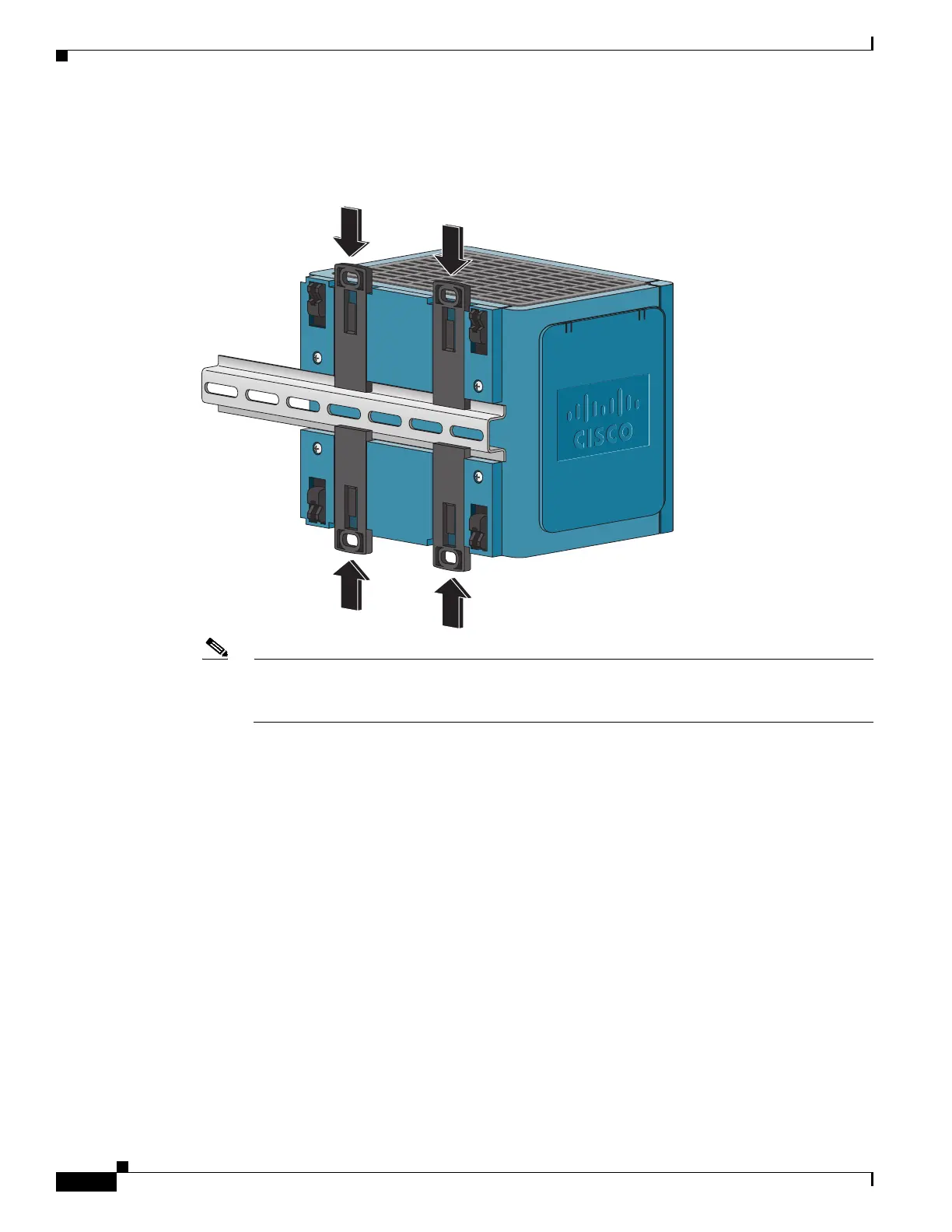
Step 4 Push the DIN rail latches in after the switch is over the DIN rail. See Figure 2-21.
Figure 2-21 Pushing the DIN Rail Latches In
Note If you are using a 15-mm DIN rail, rotate all of the feet (see Figure 2-21) to the extended
positions. Otherwise, rotate all of the feet to the recessed positions. Figure 2-22 shows the two
DIN rails. You can use either the 7.5-mm or the 15-mm DIN rail.








 To Next Page