B-12
Cisco IE 3000 Switch Hardware Installation Guide
Appendix B Installation In a Hazardous Environment
Adding Modules to the Switch
Connecting Modules
Note Expansion modules are not hot-swappable. You must turn off power to the switch before adding or
removing an expansion module.
To connect the expansion modules to the switch, follow these steps:
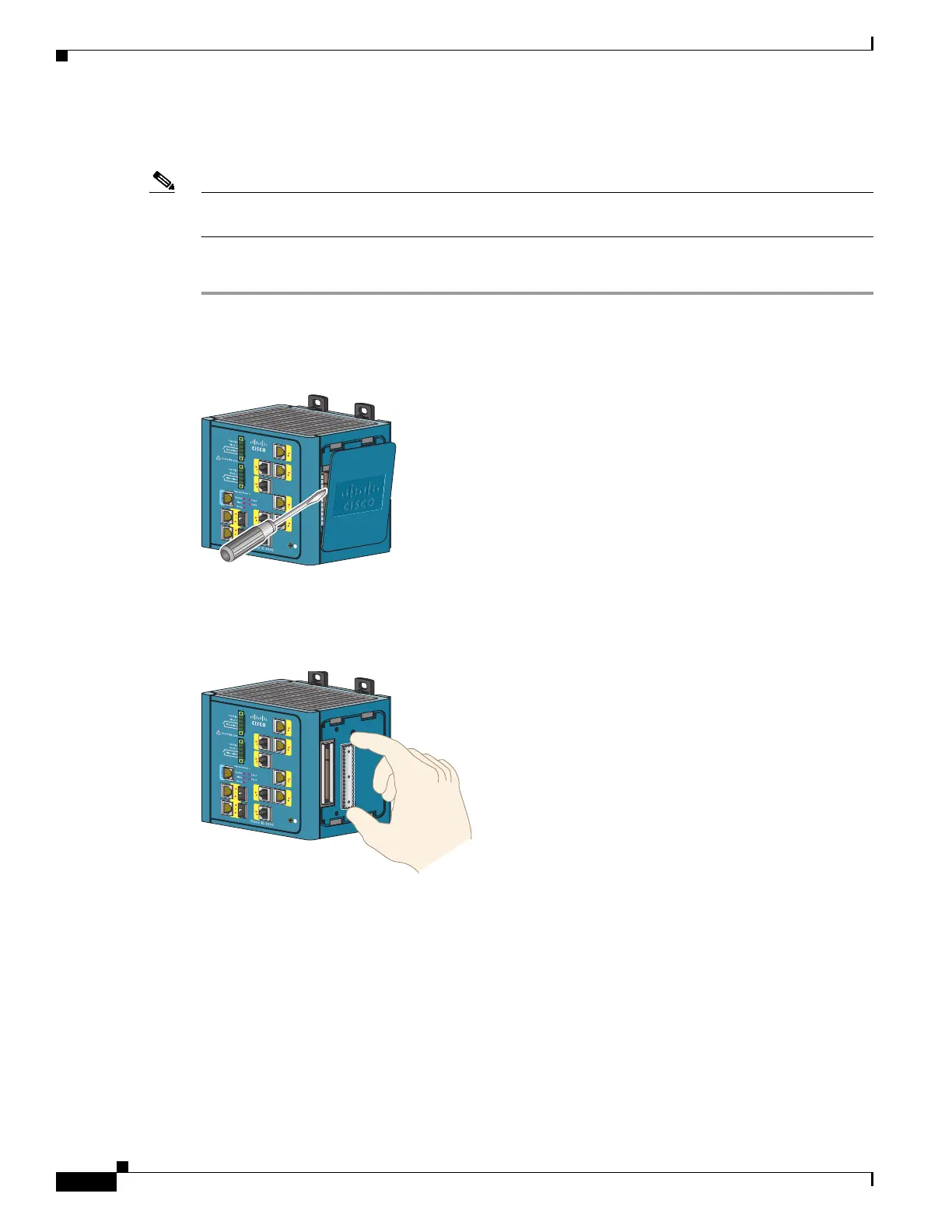
Step 1 Remove the side panel by firmly grasping both sides of it in the middle and pulling it outward. If
necessary, use a screwdriver to pry open the side panel. See Figure B-2.
Figure B-2 Opening the Side Panel of the Cisco IE-3000-8TC Switch
Step 2
Remove the EMI protective cover from the interface connector on the switch. See Figure B-3.
Figure B-3 Removing the EMI Cover



 To Next Page
 Loading...