15
Chapter 1 Setup
Part Names and Functions
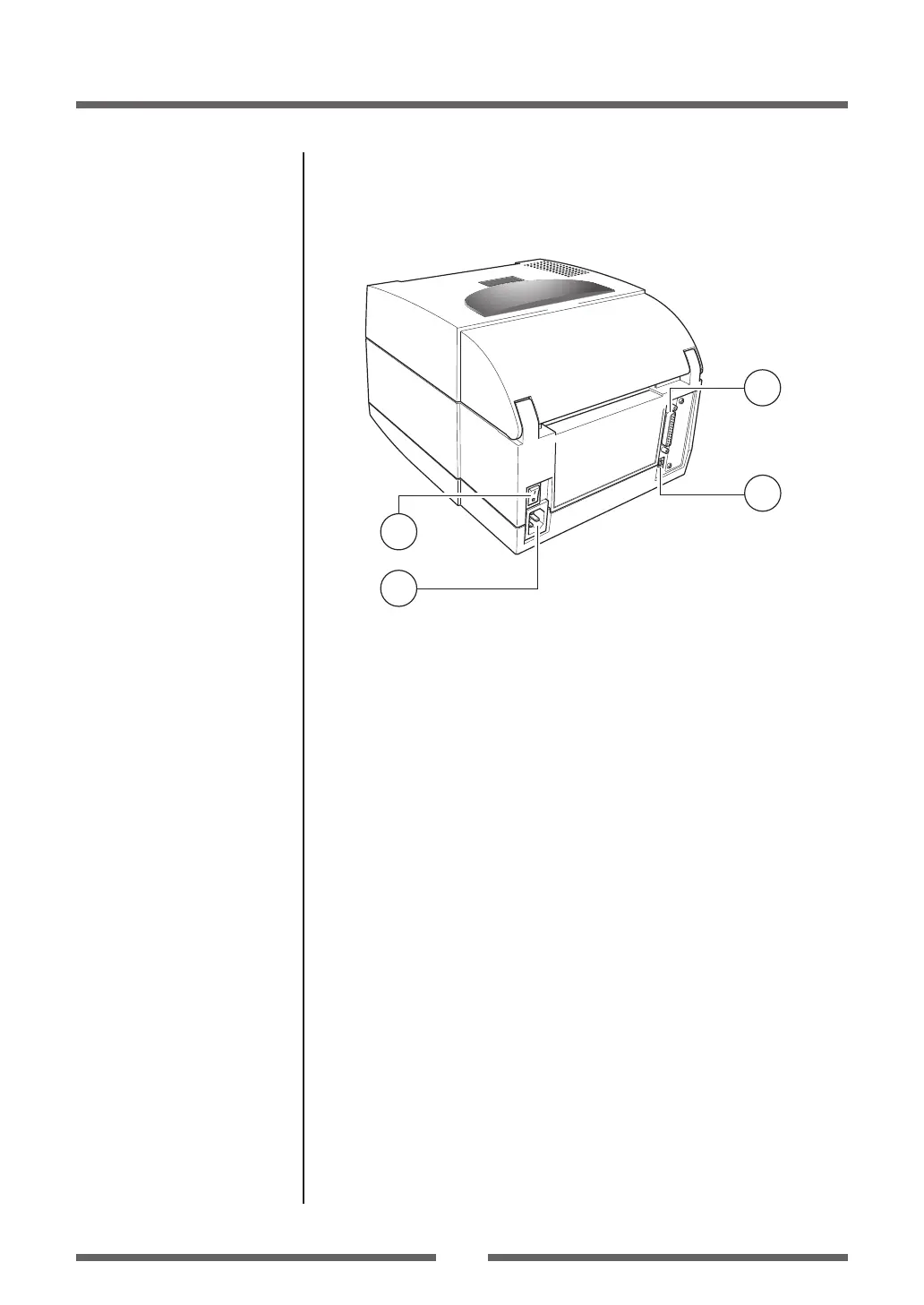
Rear View
1
2
3
4
1
Serial interface (RS232C)
This receives serial transmission of data from a host computer.
2
USB interface
This receives USB transmission of data from a host computer.
3
Power switch
The is the power switch for the printer.
4
Power cord inlet
The connector of the enclosed power cord is connected here.
Serial Interface (p.51)
USB Interface (p.53)
Power ON/OFF (p.18)
Connection to Power (p.16)


 To Next Page