ci5000 Series Printer Operation Guide
Version 1.0 3-29
Autocode Time: When inserting a time field you will need to select the time format and the time delimiter.
These are described below. 时间自动编码:插入时间字段的时候,需要选择时间格式和时间分隔符。详
见下文
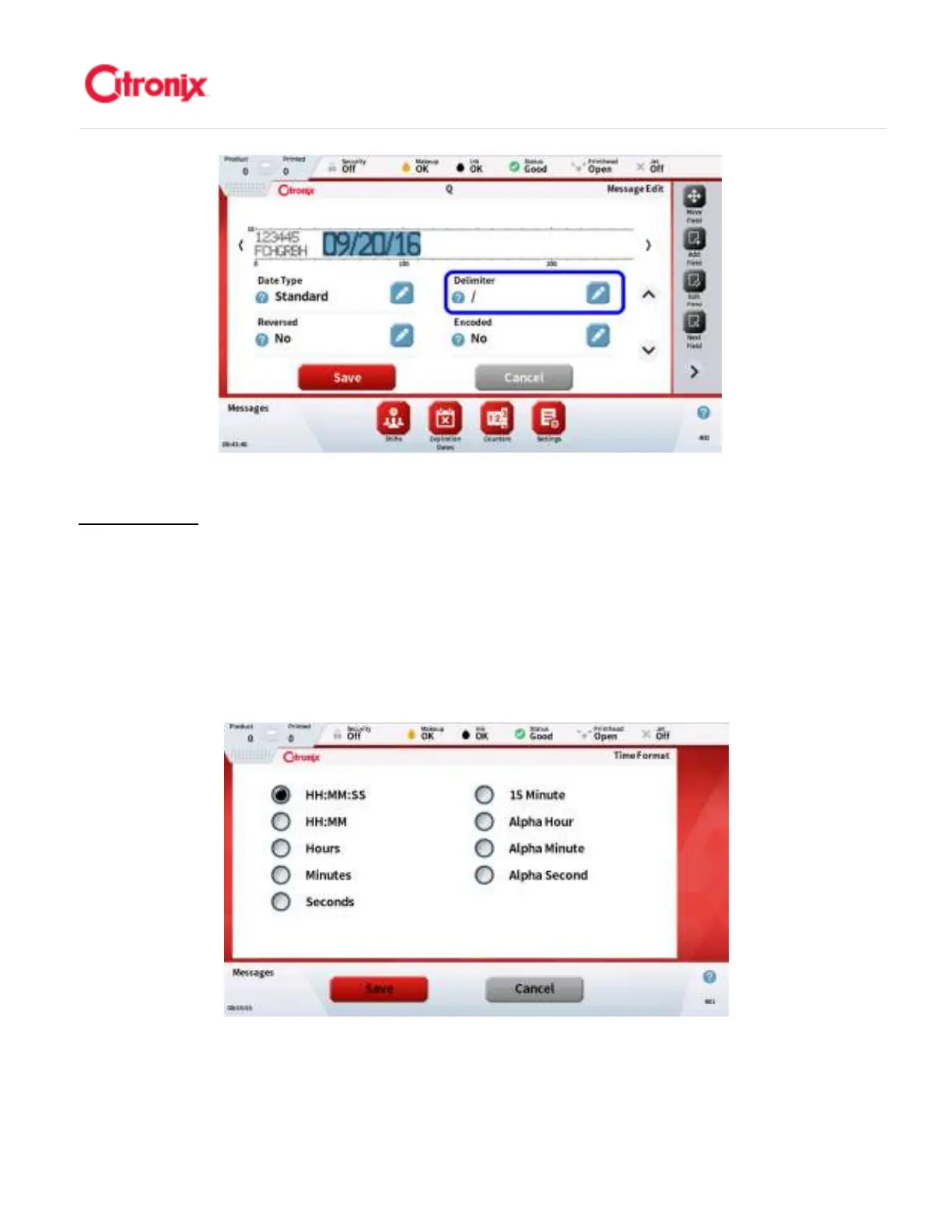
1. Select time format: When time Autocode is selected you are initially requested to select the
time format. The different options shown below. 选择时间格式:当选择时间编码以后,需要首
先确定时间格式。不同的选项和各自的页面照片显示如下:
2. Set Time Delimiter: the delimiter is configurable and can be changed using the “Delimiter”
property in screen 2. (See below) It is important that the date field is highlighted for the
delimiter property to be available. 选择时间分隔符:分隔符是可以编辑的,是可以通过页面 2
中“分隔符”属性进行修改。(见下图)调用分隔符属性页面首先要选中日期字段。



 To Next Page