
EasyManua.ls Logo

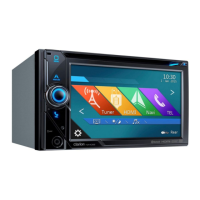
Clarion NX405E - User Manual

Clarion NX405E
153 pages
Print Icon
To Next Page IconTo Next Page
Loading...
NX405E
Owner’s manual
DVD MULTIMEDIA STATION WITH BUILT-IN NAVIGATION &
6.0’’ TOUCH PANEL CONTROL

Table of Contents

Questions and Answers

  • L
    Laura WardAug 20, 2025
    How to fix Clarion NX405E GPS when the power does not turn on?
    • J
      Johnny SchaeferAug 20, 2025
      If the Clarion GPS doesn't turn on, and no sound is produced, a blown fuse could be the cause. Replace the fuse with one of the same amperage. If it blows again, consult your store of purchase. Also, check for incorrect wiring, and if found, consult your installation center.
  • H
    hintoncindyAug 22, 2025
    Why are video images not displayed on my Clarion NX405E?
    • M
      Mark ObrienAug 22, 2025
      If video images aren't displaying on your Clarion GPS, it might be because the parking brake isn't engaged. Ensure that the parking brake is fully engaged.
  • J
    Jessica LamAug 25, 2025
    What to do if the image is not displayed on Clarion GPS?
    • P
      Paul ChristensenAug 25, 2025
      If the image is not displayed on your Clarion GPS, ensure that the parking brake is engaged.
  • A
    Ashley Ramirez MDAug 26, 2025
    Why is my Clarion NX405E GPS remote control not working?
    • E
      Eric WebbAug 27, 2025
      If the Clarion GPS remote control isn't working, direct sunlight on the light-receptive part may be the issue. Also, check the remote's battery to ensure it's not dead or missing.
  • K
    Kelly MullenAug 28, 2025
    What to do if buttons are not working on Clarion NX405E?
    • J
      Jason JonesAug 28, 2025
      If nothing happens when you press the buttons on your Clarion GPS and the display isn't accurate, the microprocessor may have malfunctioned. Press the reset button with a thin rod. Note that doing this will turn off the ACC power and clear stored radio frequencies and titles.
  • A
    Alexander SalazarAug 29, 2025
    Why is my Clarion GPS not recognizing my USB device?
    • W
      William RichardsonAug 30, 2025
      If your Clarion GPS doesn't recognize the USB device, it might be damaged. Disconnect and reconnect the USB device. If it's still not recognized, try a different USB device. Also, check if connectors are loose.
  • T
    Tyrone PriceAug 31, 2025
    Why Clarion NX405E disc cannot be loaded?
    • U
      umcdonaldSep 1, 2025
      If a disc cannot be loaded into your Clarion GPS, it might be because a disc is already loaded. Eject the current disc before loading a new one. Alternatively, there might be foreign matter in the disc slot; remove it, or consult a service station.
  • V
    Valerie SharpSep 2, 2025
    How to fix a dark display on a Clarion NX405E?
    • O
      Olivia EscobarSep 3, 2025
      If the display on your Clarion GPS is dark, the dimmer control might be too low. Adjust it accordingly. Also, make sure that the operating temperature is appropriate (25°C or so) and check it again. The display is made dark at night to prevent the glare when the headlight of the vehicle is lit in the daytime.
  • B
    brandyescobarSep 4, 2025
    Why does Clarion NX405E sound skip or is noisy?
    • D
      Desiree DuranSep 4, 2025
      If the sound skips or is noisy on your Clarion GPS, the disc might be dirty. Clean it with a soft cloth. Alternatively, the disc might be heavily scratched or warped; replace it with one in good condition.
  • S
    Shannon YoungSep 6, 2025
    What to do if USB device cannot be inserted into Clarion GPS?
    • E
      Erika ThompsonSep 6, 2025
      If a USB device cannot be inserted into your Clarion GPS, it may be inserted in the wrong direction. Try reversing the connection. If that doesn't work, the USB connector may be broken; replace it with a new USB device.

Clarion NX405E Specifications

General IconGeneral
Display Size6.2 inches
Display Resolution800 x 480 pixels
Navigation SoftwareiGO Primo
GPSYes
BluetoothYes
Audio Output4 x 50W
USB PortYes
SD Card SlotYes
Rear Camera InputYes
TouchscreenYes
DVD PlayerYes
RadioAM/FM
Video PlaybackYes
Weight1.2 kg
Display TypeLCD
Audio PlaybackMP3, WMA, AAC
Dimensions178 x 100 x 178 mm

Related product manuals
