22
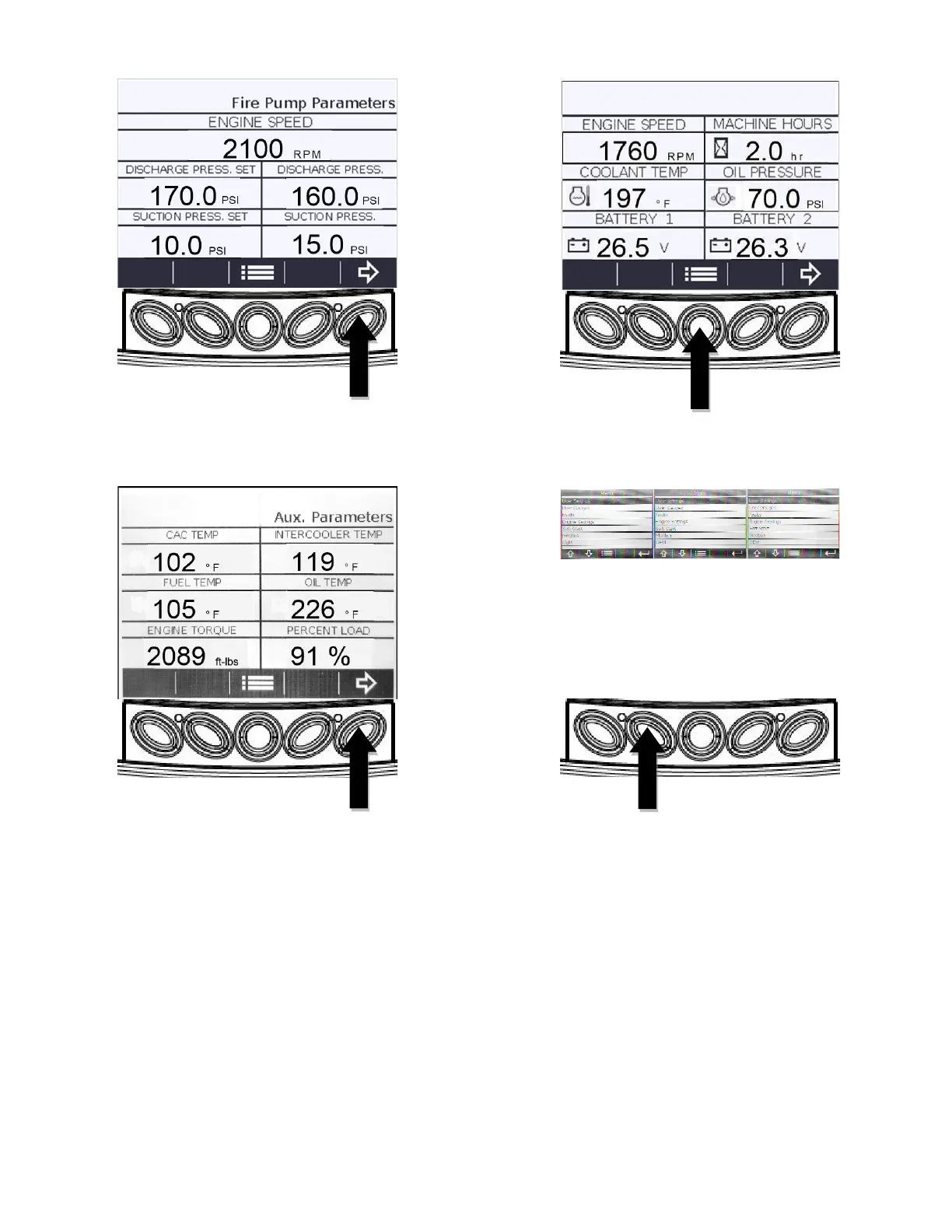
4. Press the “Arrow Right” (E) key again to
access the “Auxiliary Parameters” screen.
1. This screen displays six parameters that are
customizable from a list of 11 user-selectable
parameters. These values are obtained from
the engine ECU via CAN bus protocol. Some
of these parameters may not be able to be
displayed. Compatibility depends on the
specific Clarke engine model you own. To
return to the six-up display from the “Auxiliary
Parameters” screen, press the “Arrow Right”
(E) key once or the “Menu” (C) key twice.
2. To program the parameters displayed on the
“Auxiliary Parameters” screen, start from the
six-up display.
3. Press the “Menu” (C) key to bring up the
following menu.
4. The “Main Menu” will be displayed. Press the
“Down Arrow” (B) key to highlight “User
Gauges”. Then press the “Enter” (E) key to
bring up the “User Gauges” screen.



 To Next Page