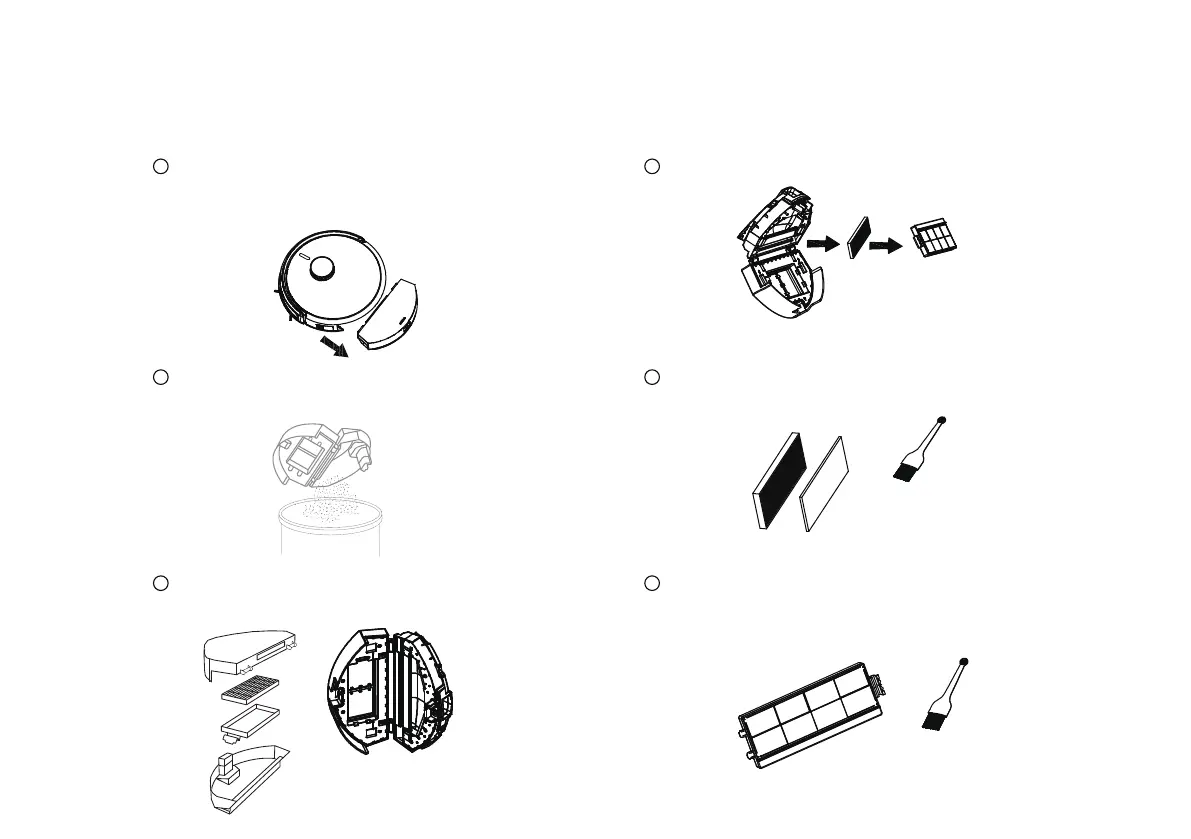
Cleaning the Dust box (Dust collecting)
Remove the dust box from the robot
Press and hold the dust box release key
to remove the dust box
1
Open the upper and lower covers of
the dust box and dump the dust
2
Clean the upper and lower lids of the
dust box
3
Cleaning the filters
1
Remove the primary filter and HEPA-filter
2
Tap HEPA-filter to remove dust more effective
3
Cleaning the high-efficiency primary filter
27
Use the dust brush for cleaning the dust more effective



 To Next Page