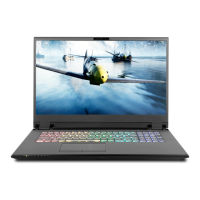
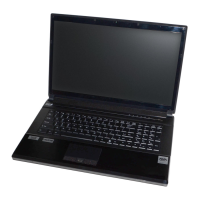
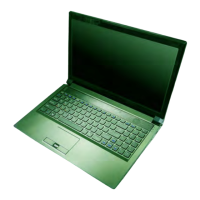
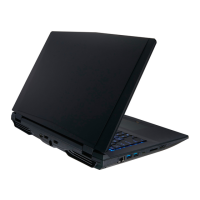
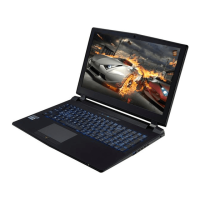
This document is a service manual for a series of notebook computers, specifically the PB70DDS, PB70DF1, PB70DF2, PB71DDS, PB71DF1, and PB71DF2 models. It provides comprehensive information for service personnel regarding the maintenance, inspection, and upgrading of these personal computers.
The manual is structured into several key sections:
- Preface: Contains general information, important safety instructions, FCC statements, and trademark notices.
- Chapter 1: Introduction: Offers an overview of the notebook computer and its technical specifications.
- Chapter 2: Disassembly: Provides step-by-step instructions for disassembling and upgrading various components.
- Appendix A: Part Lists: Includes illustrations and part numbers for different components.
- Appendix B: Schematic Diagrams: Presents circuit diagrams for the mainboard and other PCBs.
Function Description:
The device is a notebook computer designed for general computing tasks, with a focus on upgradeability and serviceability. It supports various configurations for processors, memory, storage, and graphics, making it suitable for a range of users from casual to demanding. The manual itself functions as a guide for trained service personnel to perform maintenance, repair, and upgrades efficiently and safely.
Important Technical Specifications:
The notebook computer features a 17.3-inch LCD display, available in UHD (3840x2160) or FHD (1920x1080) resolutions.
- Processor Options: Includes Intel Core i7-10875H (2.30GHz) with 16MB Smart Cache and i7-10750H (2.60GHz) with 12MB Smart Cache, both 14nm, DDR4-2933MHz, and 45W TDP.
- Core Logic: Utilizes the Intel HM470 Express Chipset.
- BIOS: Features 128Mb SPI Flash ROM with INSYDE BIOS.
- Memory: Supports Dual Channel DDR4 with two 260 Pin SO-DIMM Sockets. It can be expanded from a minimum of 8GB up to a maximum of 64GB, compatible with 8GB, 16GB, or 32GB modules, supporting up to 3200MHz DDR4 memory. The actual operating frequency depends on the processor's FSB.
- Storage: Offers flexible storage options including one changeable 2.5" (7.0mm h) SATA Hard Disk Drive/Solid State Drive (SSD), or one M.2 2280 SATA SSD, or two M.2 2280 PCIe Gen3 x4 SSDs supporting RAID level 0/1.
- Audio: High Definition Audio Compliant Interface, S/PDIF Digital Output, built-in array microphone, two speakers, one subwoofer, and Sound Blaster Atlas.
- Communication: 1.0M HD PC Camera Module, built-in 10/100/1000Mb Base-TX Ethernet LAN.
- WLAN/Bluetooth M.2 Modules: Various factory options including Intel Dual Band Wireless-AC 9560 (802.11ac) + Bluetooth, Intel Dual Band Wi-Fi 6 AX201 (802.11ax) + Bluetooth, and Killer Dual Band Wi-Fi 6 AX1650i (802.11ax) + Bluetooth.
- Card Reader: Embedded Multi-In-1 Push-Push Card Reader supporting MMC, RS MMC, SD, Mini SD, SDHC, and SDXC.
- Video Adapter Options: Microsoft Hybrid Graphics Mode or Discrete Graphics Mode, supporting up to 4 active displays. It supports NVIDIA Surround View via HDMI x 1, MiniDP x1, and Display Port over Type-C. Integrated GPU is Intel UHD Graphics 630 with dynamic frequency and Intel Dynamic Video Memory Technology, Microsoft DirectX®12 Compatible. Discrete GPU options include NVIDIA GeForce RTX 2070 Super (8GB GDDR6 Video RAM), NVIDIA GeForce RTX 2070 (8GB GDDR6 Video RAM), and NVIDIA GeForce RTX 2060 (8GB GDDR6 Video RAM), all Microsoft DirectX®12 Compatible.
- Pointing Device: Factory option for built-in Touchpad/Secure Pad with Microsoft PTP Multi Gesture & Scrolling Functionality.
- Keyboard: Full Size Multi Full Color LED Keyboard (with numeric keypad) or Full Size Full Color N-Key Rollover “Per Key” LED Keyboard (with Numeric Keypad).
- Interface Ports: One USB 3.2 Gen 2 Type-C Port (or one Thunderbolt 3 Port as a factory option), three USB 3.2 Gen 1 Type-A Ports (one of which is AC/DC Powered), one DisplayPort 1.4 over USB 3.2 Gen 2 Type-C Port, one Mini DisplayPort 1.4, one HDMI-Out Port, two 2-In-1 Audio Jacks (Microphone and S/PDIF Optical; Headphone and Microphone), one RJ-45 LAN Jack, and one DC-In Jack.
- Security: Kensington Type Lock Slot, BIOS Password, Intel PTT for Systems Without TPM Hardware, and optional TPM 2.0 or Fingerprint Sensor.
- Power: Removable 6 Cell Smart Lithium-Ion Battery Pack (62WH). Full Range AC/DC Adapter with AC Input 100-240V, 50-60Hz, and DC Output 19.5V, 11.8A (230 Watts) minimum.
- Dimensions & Weight: 399mm (w) * 275mm (d) * 29.9mm (h), 2.9kg (Barebone with 62WH Battery).
- Environmental Spec: Operating temperature 5°C - 35°C, non-operating -20°C - 60°C. Operating relative humidity 20% - 80%, non-operating 10% - 90%.
Usage Features:
The notebook computer is designed for ease of use and upgradeability.
- System Startup: The manual details the procedure for initial setup, including removing packing materials, placing the computer on a stable surface, inserting the battery, attaching peripherals, connecting the AC/DC adapter to unlock the battery, raising the LCD, and pressing the power button.
- Shut Down: Emphasizes the importance of properly shutting down the computer via the Windows Start Menu to prevent hard disk or system problems.
- Care and Operation: Provides guidelines to prevent damage, such as avoiding drops or shocks, keeping it dry and away from heat, avoiding magnetic fields, being careful with power connections, detaching peripherals before servicing, being aware of static discharge, avoiding corrosion, and keeping the work environment clean.
Maintenance Features:
The manual is specifically tailored for service personnel to perform maintenance and upgrades.
- Maintenance Tools: Recommends specific tools like M3, M2.5 (magnetized), and M2 Philips-head screwdrivers, a small flat-head screwdriver, needle-nose pliers, and an anti-static wrist-strap.
- Connections: Describes four types of connections within the computer (locking collar sockets for ribbon connectors, pressure sockets for multi-wire connectors, pressure sockets for ribbon connectors, and board-to-board or multi-pin sockets) and how to properly release and reconnect them.
- Disassembly Steps: Provides step-by-step instructions for removing and installing various components, including:
- Battery
- Keyboard (Keyboard-1 and Keyboard-2 removal procedures are detailed)
- Hard Disk Drive (HDD)
- System Memory (RAM)
- M.2 SSD Module
- Wireless LAN Module
- Part Lists: Offers detailed illustrations and manufacturer part numbers for the top, bottom, mainboard, HDD, and LCD components, aiding in identification and ordering of replacement parts.
- Schematic Diagrams: Provides comprehensive circuit diagrams for various parts of the system, which are crucial for advanced troubleshooting and repair.
- Safety Precautions: Includes warnings about power safety, battery precautions (e.g., using only approved batteries, proper disposal, avoiding damage), and general maintenance precautions (e.g., avoiding drops, overheating, interference, moisture, static discharge, corrosion, and keeping track of small components).
- Cleaning: Advises against applying cleaner directly to the computer and recommends using a soft, light blue cleaning cloth (if supplied) dampened with a little water for cleaning the case.

 Need help?

 To Next Page
 General