ClonerAlliance ViewPro User Manual
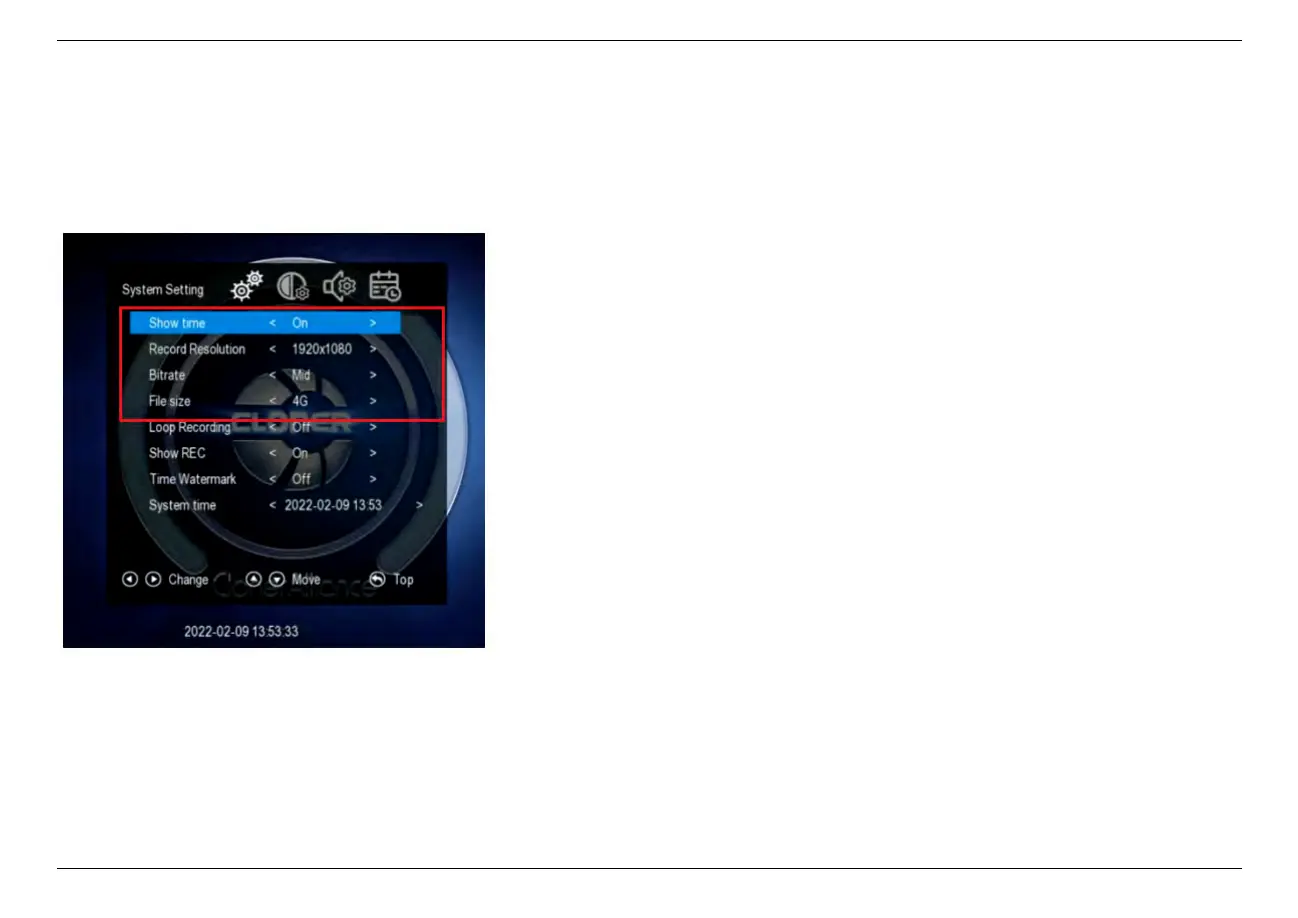
2.2 System Settings
* Press the right and left arrows to choose a setting category
• Show time
– On: System time shows on the screen.
– Off: System time doesn’t show on the screen.
• Record Resolution
– 1920*1080
– 1280*1024
– 1280*720
– 1024*768
• Bitrate
– Bitrate set to Low: about 4Mbps
– Bitrate set to Mid: about 10Mbps
– Bitrate set to High: about 18Mbps
The bitrate can be set, the compression bitrate is
related to the video compression format and reso-
lution.
• File size
– 16GB: Single file max size up to 16GB or 5 hours
– 4GB: Single file max size up to 4GB or 5 hours
TIP: Using FAT32 USB storage devices, the sin-
gle recorded file will be 4GB at most due to
the limitation of FAT32 format. Please use a
NFTS/exFAT USB storage device, the file will be
16GB at most.
2.2. System Settings 9



 To Next Page