OPERATING MANUAL
800.749.2761 www.coachcomm.com
16
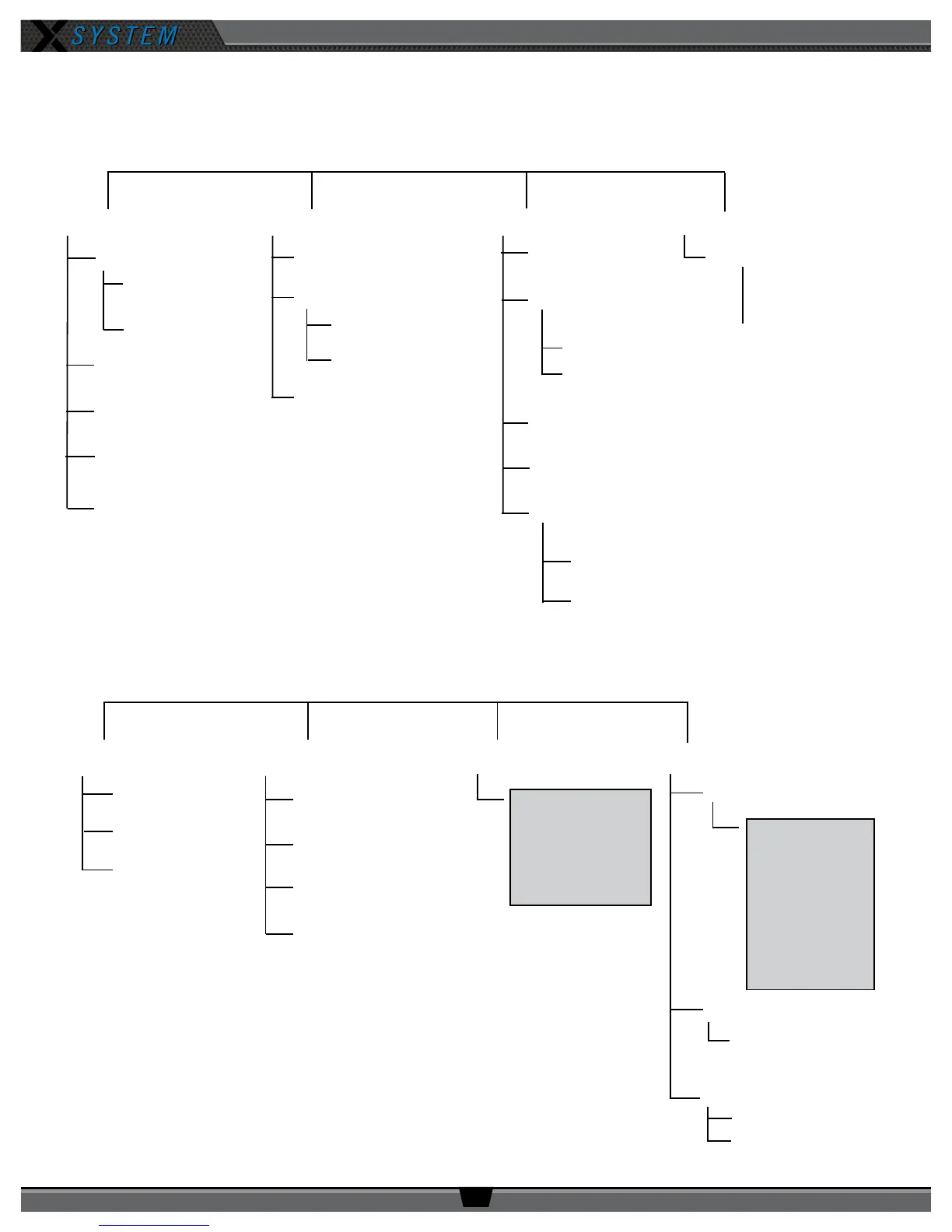
Control Unit Menu
The Control Unit settings can be accessed and adjusted from the Control Unit’s front panel LCD, or, if being used, via the
X-Ware interface on your personal PC. The following menu tree displays the Control Unit’s menu options and settings.
Control Unit Settings System Conguration Wired Settings Radio Pack Settings
Control Unit Name
LCD Contrast
LCD Backlight
Backlight Time Out
LED Brightness
Long Name
Short Name
Master Sync Priority
Proles
Conferences
View All Conferences
List All Radio Packs
(list model, frequency
band, and mode)
Intercom Settings
Auto Null
Auxiliary Input
Auxiliary Output
Stage Announce
Run Auto Null
View Null Settings
Edit Stage Announce
Audio Level
Enable/Disable Stage
Announce Relay
Assign High Density
Choose Sort Order
Radio Transceivers
Hub
Audio Expansion
Local Headset Conference
Local Headset Mic Gain
Local Headset Mic Type
Local Headset Sidetone
TCP/IP Mode [editable]
TCP/IP Address [editable]
Subnet Mask [editable]
Default Gateway [editable]
MAC Address [non editable]
Diagnostics
Security
Factory Defaults
System Status
Device Status
Device ID
System Timing
Device Timing
Device Temp
Interconnect Length
System Usage
User Rights
Clear Memory and
Restore All
Restore Prole Defaults
Device Settings Local Headset Settings LAN Settings Tech Menu



 To Next Page