OPERATING MANUAL
800.749.2761 www.coachcomm.com
5
Game Day Setup
The procedures in this section serve as a reference for a typical game day setup. You can nd more in-depth information
about the devices and processes mentioned here in later sections of this Operating Manual.
CAUTION: Allow only responsible, authorized individuals who have read all of the instructions and
warnings to set up and operate your X-System.
1. Set up Press Box Rack Unit.
1a. Unpack the press box and accessory cases.
1b. Position the Press Box Rack Unit out of the way to avoid coaches and other trafc.
1c. Connect power to the Press Box Rack Unit, but do NOT turn on the Control Unit (CU) yet. The
“Power” LED on the front of the Wired Interface should be lit green.
Important: X-System requires a minimum of one dedicated 15 amp 120V circuit.
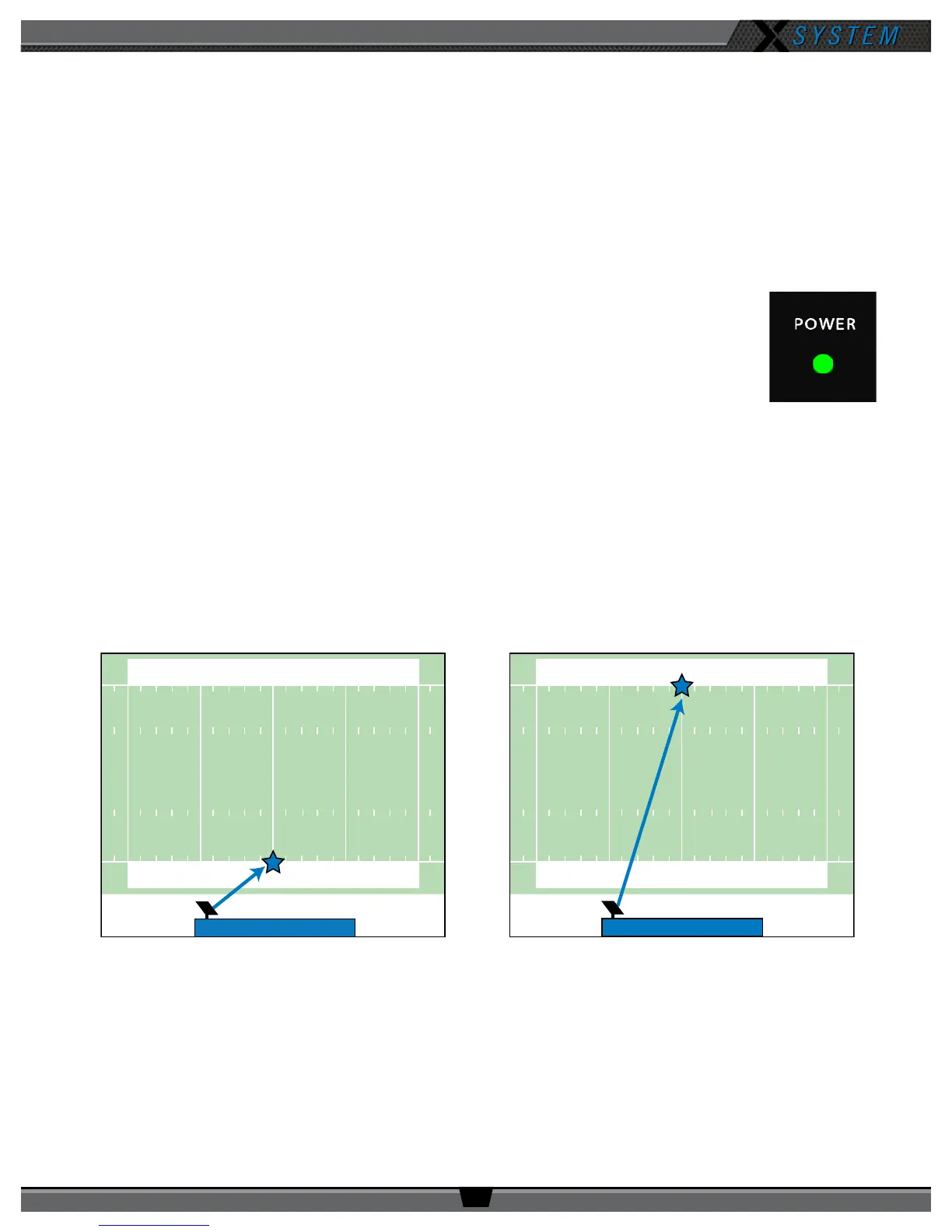
2. Mount and connect the Antenna.
2a. Using either the clamp or suction cup mounting hardware, secure the Antenna bracket so that the Antenna’s
logo points toward the center of your team’s coaches’ box. See page 26 of this manual for more instructions if
needed.
Note: Any obstructions between the Antenna and eld (like window tinting) can negatively impact
performance. CoachComm recommends opening windows or mounting the Antenna externally to
the press box. We also recommend covering Antennas with a clear plastic bag or a rain cover in
the event that rain is expected.
Figure 1: Power LED
50 4040
5040 40
50 4040
5040 40
Your Sideline
Your Sideline
OR
Figure 2: Antenna Pointed Toward Center of Your Team’s Coaches’ Box



 To Next Page