OPERATING MANUAL
800.749.2761 www.coachcomm.com
30
X-Ware Setup and Installation
X-Ware is X-System’s proprietary intercom management software, and its easy-to-use game day interface provides
fast access to critical information and settings, allowing efcient management of large systems. Within X-Ware, you can
manage user settings, set up and manage proles, and access system diagnostics.
X-Ware is not required for system operation; it is an optional tool to assist in real-time monitoring and changing of
X-System settings. If you would like to install X-Ware on a PC to use with your system, your PC will need to meet the
following system requirements:
System Requirements
• Windows 7 or higher
• 4 GB system memory
• Windows Experience Index for Graphics 5.9
• .NET version 4.5
• When using X-Ware with any kind of Windows application, be sure to make an exception for X-Ware in the
Windows rewall.
Additional Recommendations
• XGA video screen; 1024 × 768 or greater resolution
Installing X-Ware
A copy of X-Ware is available on the USB drive included with your X-System. Use the following steps to install X-Ware on a
compatible PC:
Note: If you are installing an updated version of X-Ware, you’ll need to rst delete the previous version from
your computer prior to opening the “XWare_Setup.exe” le. See page 44 for procedures to uninstall X-Ware.
1. Locate the “XWare_Setup.exe” le on the USB drive included with your X-System.
2. Double-click and run the setup le.
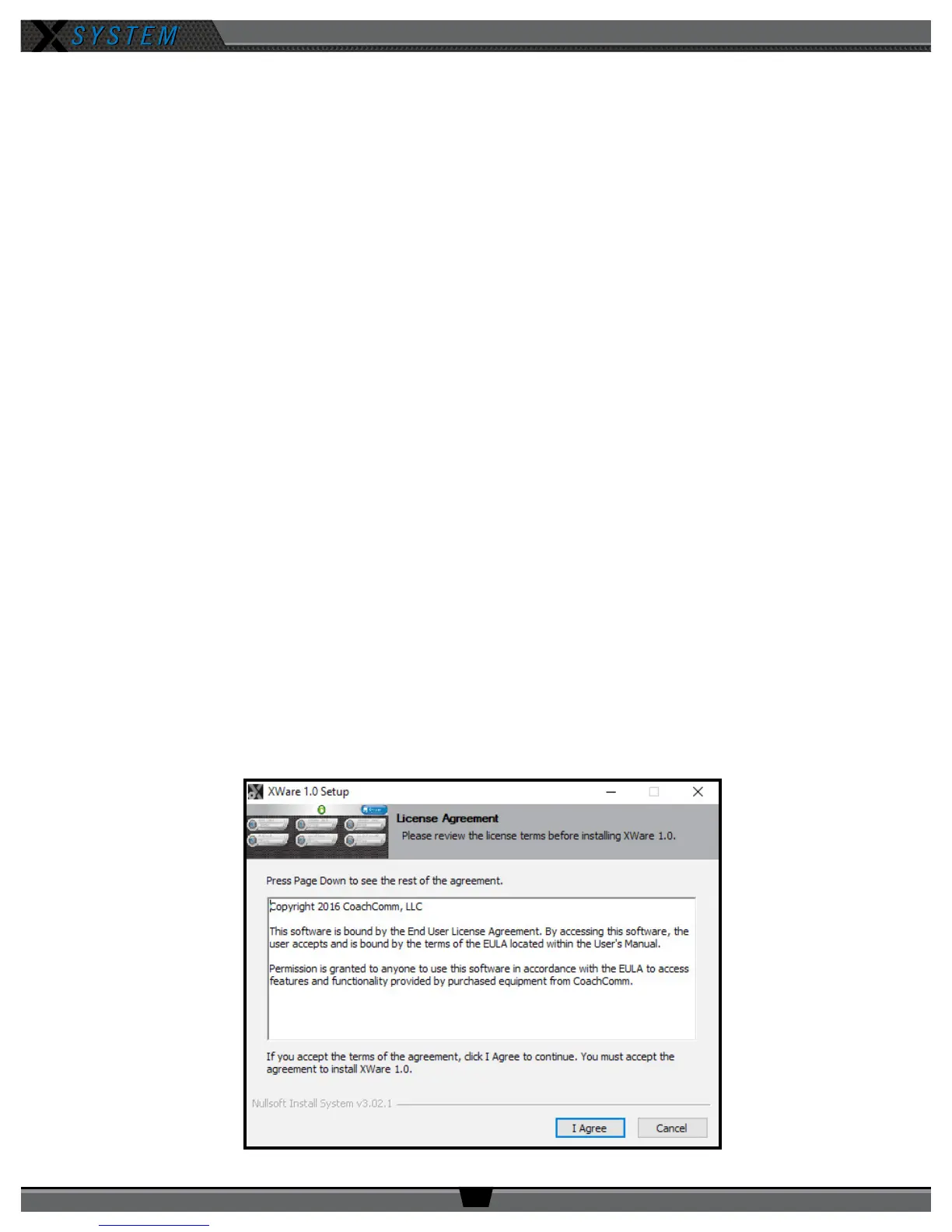
3. On the License Agreement screen, click
I Agree.
Figure 37: License Agreement Screen



 To Next Page