OPERATING MANUAL
800.749.2761 www.coachcomm.com
38
Additional System Views
Radio Transceivers/Antennas View
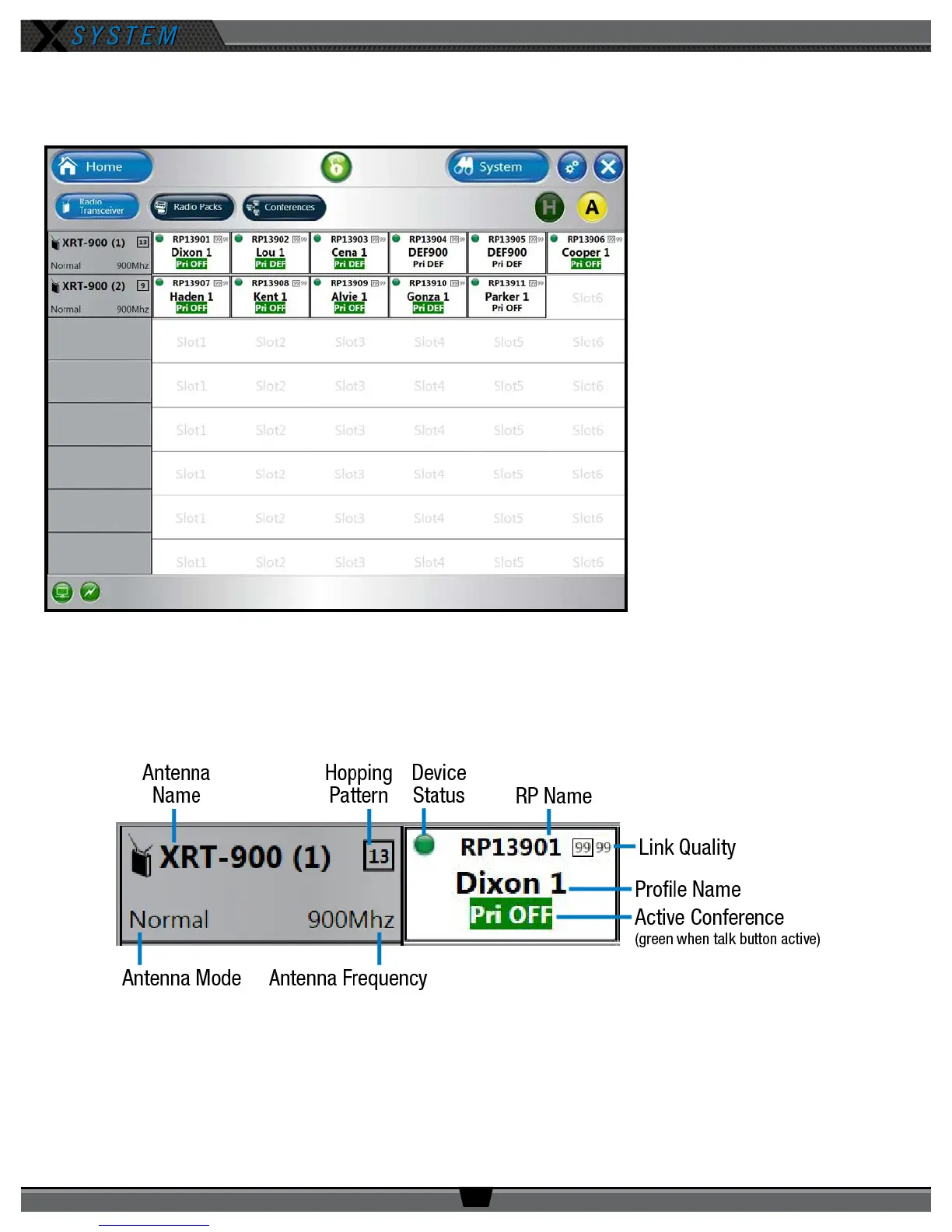
The Radio Transceivers/Antennas
view provides information for each
Antenna currently connected to your
X-System.
This view also allows you to adjust
your system’s “Home” or “Away”
setting. (For more information about
this setting see page 28.)
Each Antenna icon displays the Antenna’s name, hopping pattern, mode, and frequency. Each paired RP displays to the right
of its Antenna icon, and their icons display the device status (green for normal, red for error), RP name, link quality, prole
name, and active conference. (The conference displays green when the talk button is active.)
Figure 50: X-Ware Radio Transceivers View
Figure 51: Radio Transceiver View Detail



 To Next Page