OPERATING MANUAL
800.749.2761 www.coachcomm.com
44
Updating X-Ware
When a new version of X-Ware is released and made available for your system, follow the instructions below to update the
version of X-Ware installed on your PC.
Note: Be sure to save a copy of your current conguration le before updating X-Ware.
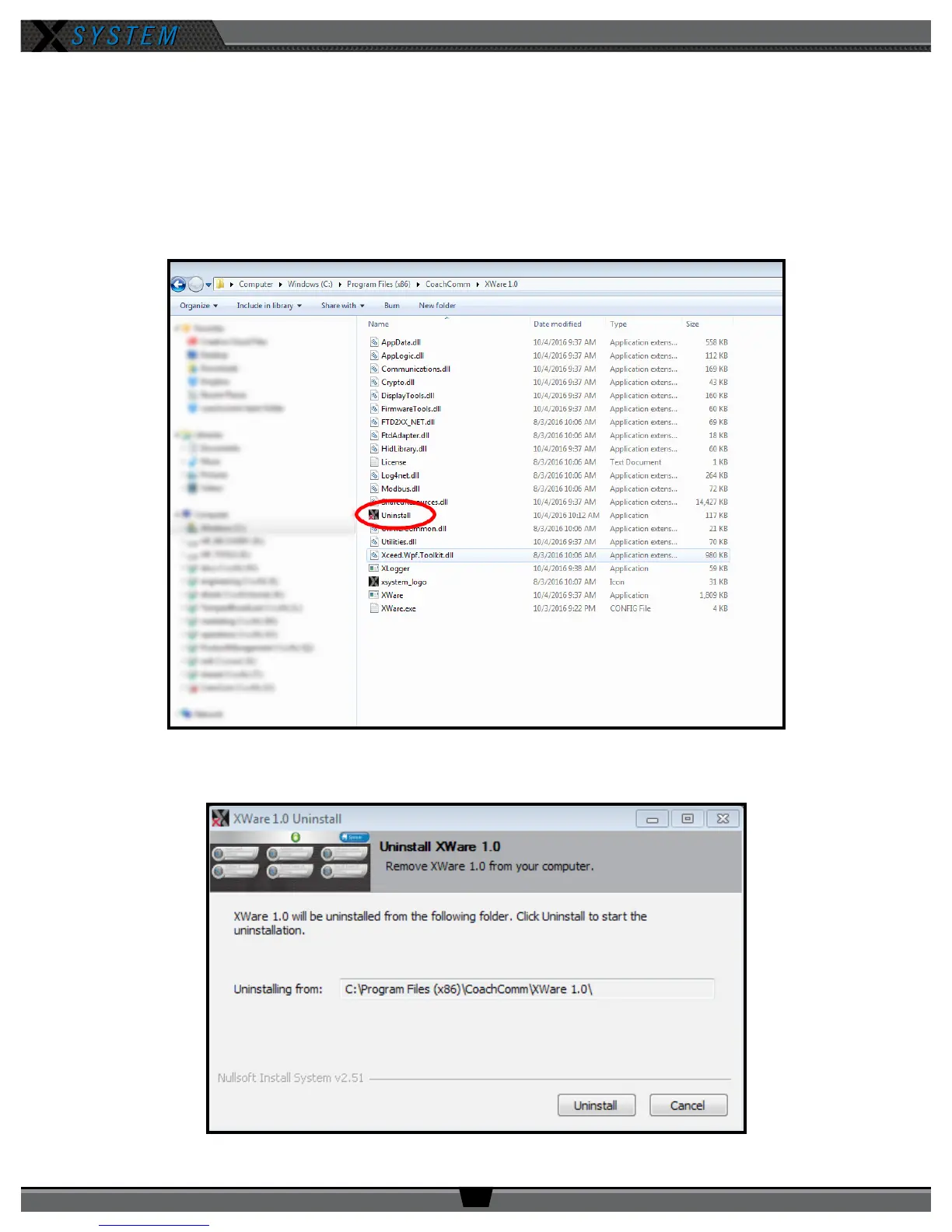
1. Locate X-Ware application les on PC at C:\Program Files (x86)\CoachComm\XWare.
2. Double-click the “Uninstall” application le within this folder. An uninstall dialog box will display.
3. Click
Uninstall
to begin process.
Figure 59: X-Ware Uninstall Application File
Figure 60: Uninstall Process Screen



 To Next Page