OPERATING MANUAL
800.749.2761 www.coachcomm.com
39
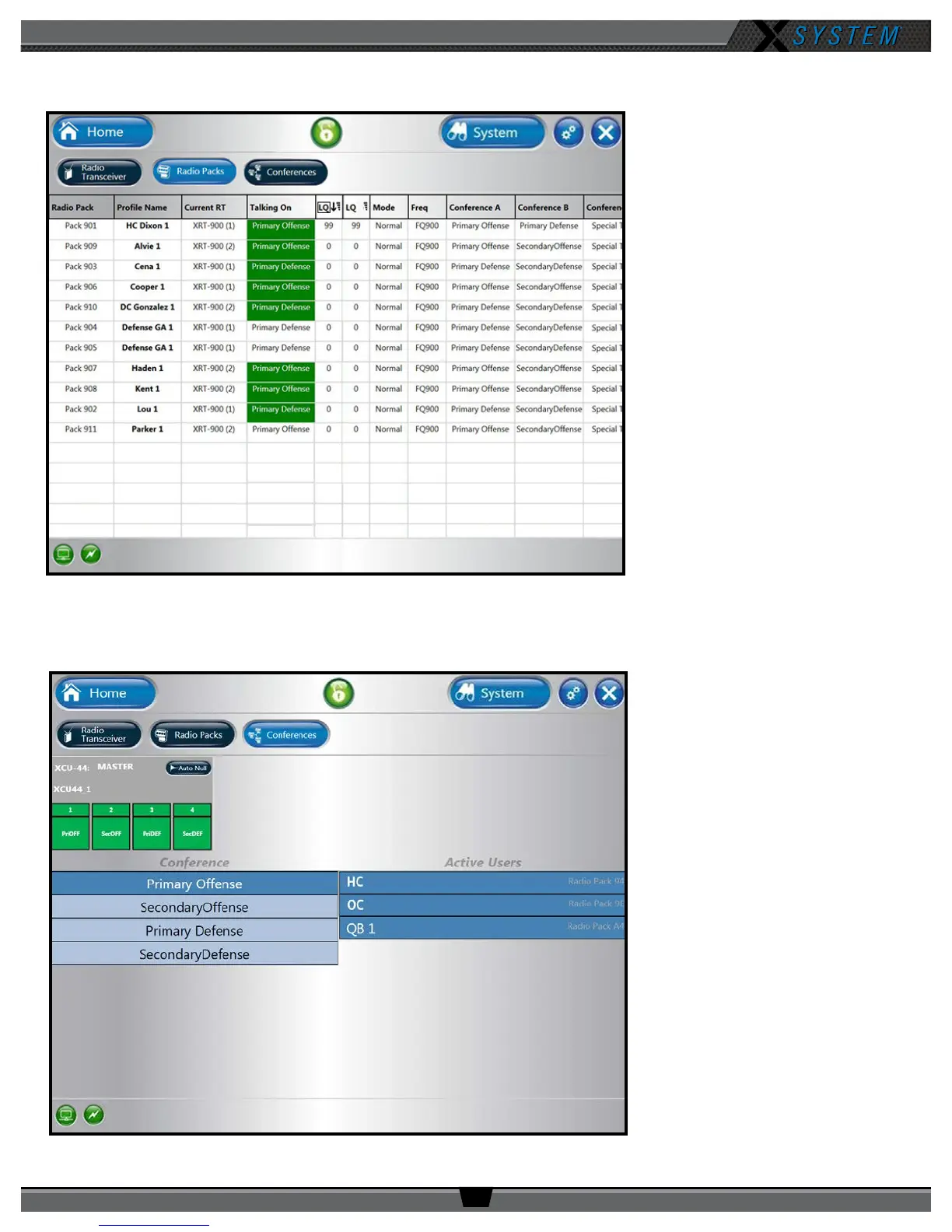
Radio Packs View
The Radio Packs view provides a list
of active RPs, along with the following
information about each one: Prole
Name, Current Antenna, Current
Conference, LQ, Mode, Frequency,
and Assigned Conferences.
This list can be sorted by clicking on
any column header.
You can also click on any RP in the list
to access that RP’s Prole View.
Conferences View
The Conferences view displays a list
of the system’s conferences.
Clicking a conference from the list
will display the active users on that
conference in real time.
The X2 conguration has a
xed workow for conference
assignments; therefore, no changes
to the system are necessary. For
additional support on this view, we
recommend contacting CoachComm
Customer Support.
Figure 52: X-Ware Radio Packs View
Figure 53: X-Ware Conferences View



 To Next Page