DIGIMINI AMERICAS REPEATERS
PRODUCT DESCRIPTION AND USER’S MANUAL
Cobham Wireless – Coverage Date: 6-Jul-17 www.cobham.com/wireless
Document number: 00031UM Rev. 6.3
Page |6-2
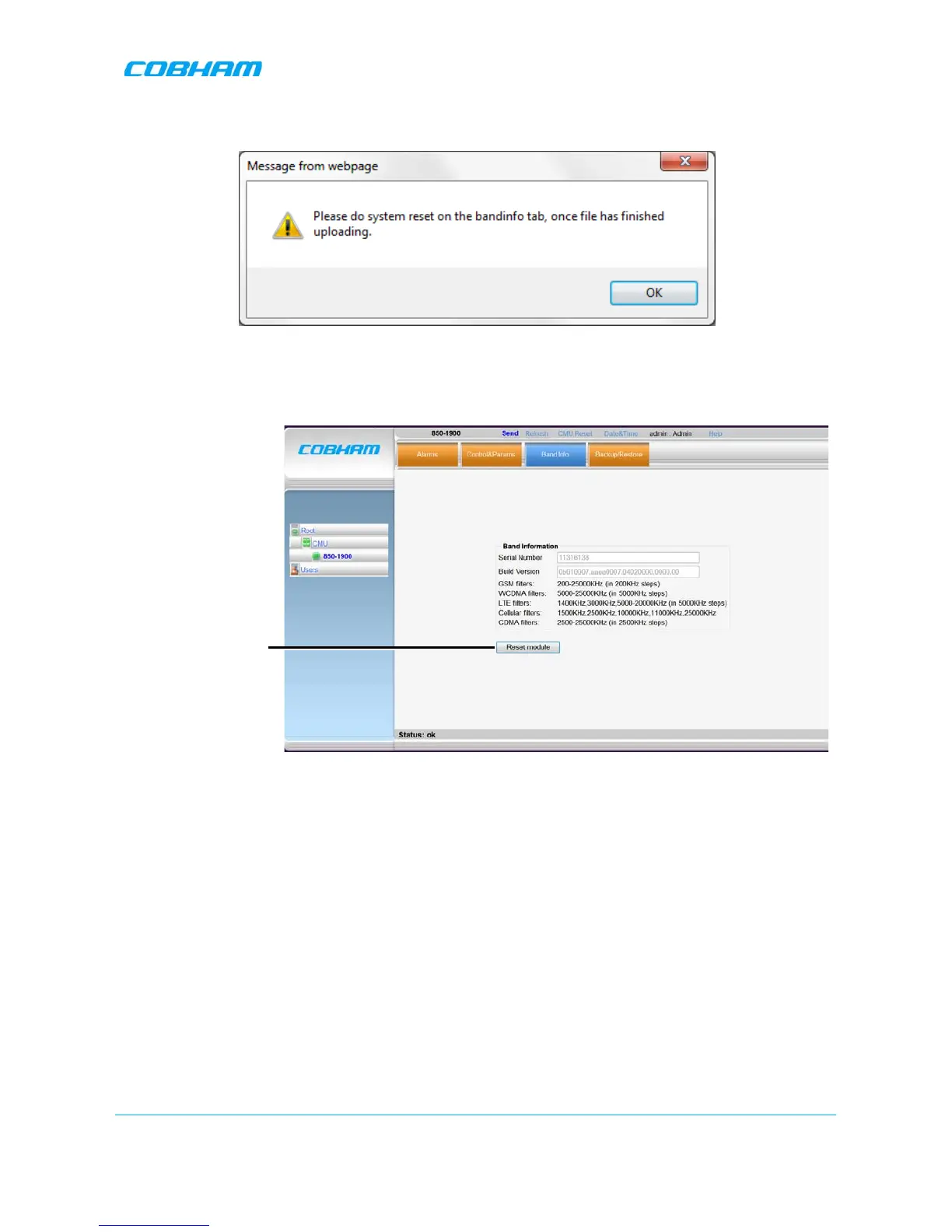
After the upload has been completed, you will be prompted to reset the unit.
Figure 6-2. Reset Unit Prompt
5. Select the Band Info tab and click Reset System. The repeater will reset and the relevant options will
be available.
Figure 6-3. Reset Unit
6.1.2 Dual-band Support
To configure a single-band repeater to support two bands
Upload the
appropriate
license file according to section 6.1.1. The second band will be displayed in the
Topology Tree and the relevant tabs will be updated in the display area.


 To Next Page