DIGIMINI AMERICAS REPEATERS
PRODUCT DESCRIPTION AND USER’S MANUAL
Cobham Wireless – Coverage Date: 6-Jul-17 www.cobham.com/wireless
Document number: 00031UM Rev. 6.3
Page |6-5
6.2 Monitoring and Troubleshooting
DIGImini provides two types of indications of Repeater failure:
• Alarms screen in Web access application
• Status LEDs on Dual-Band Repeater front panel
The following sections provide a description of the troubleshooting procedures according to the Repeater
LED indicators and the Web access Alarms.
6.2.1 Repeater Alarms and Troubleshooting
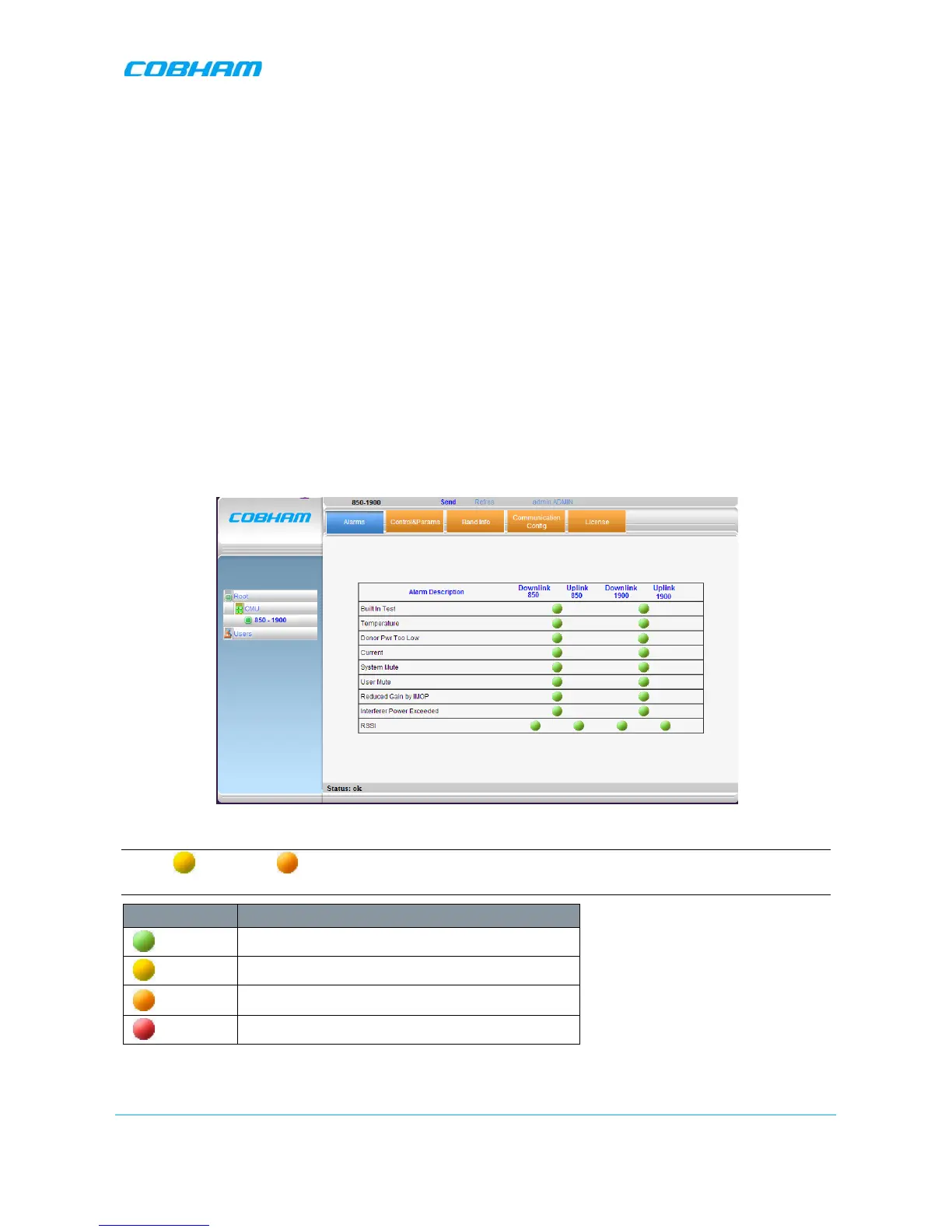
The Alarms tab provides the alarms generated by the Repeater, enabling the user to monitor the system
operation.
To access the Alarms window
From the Tree Pane, select the band item and choose the Alarms tab. The relevant parameters are
displayed for the supported bands.
Alarm severity
NOTE: Yellow and Orange level LEDs are only available if the unit is connected to DMCU;
otherwise, only RED and GREEN LEDs are available.
Color Description
Green
OK
Yellow
Warning. Does not require immediate action
Orange
Major. Higher priority, requires user attention
Red
Critical. Requires user’s immediate action


 To Next Page