DIGIMINI AMERICAS REPEATERS
PRODUCT DESCRIPTION AND USER’S MANUAL
Cobham Wireless – Coverage Date: 6-Jul-17 www.cobham.com/wireless
Document number: 00031UM Rev. 6.3
Page |6-4
6.1.4 Connection to an External Modem
NOTE: This option is relevant to installations without DMCU.
Units without DMCU can be upgraded to support some basic remote management options through
connection to an external modem. (For full remote management capabilities, the DMCU is required).
To configure for connection to an External Modem
1. Download the appropriate license file according to section 6.1.1. The relevant tabs will be updated and
become available.
2. Select the
band
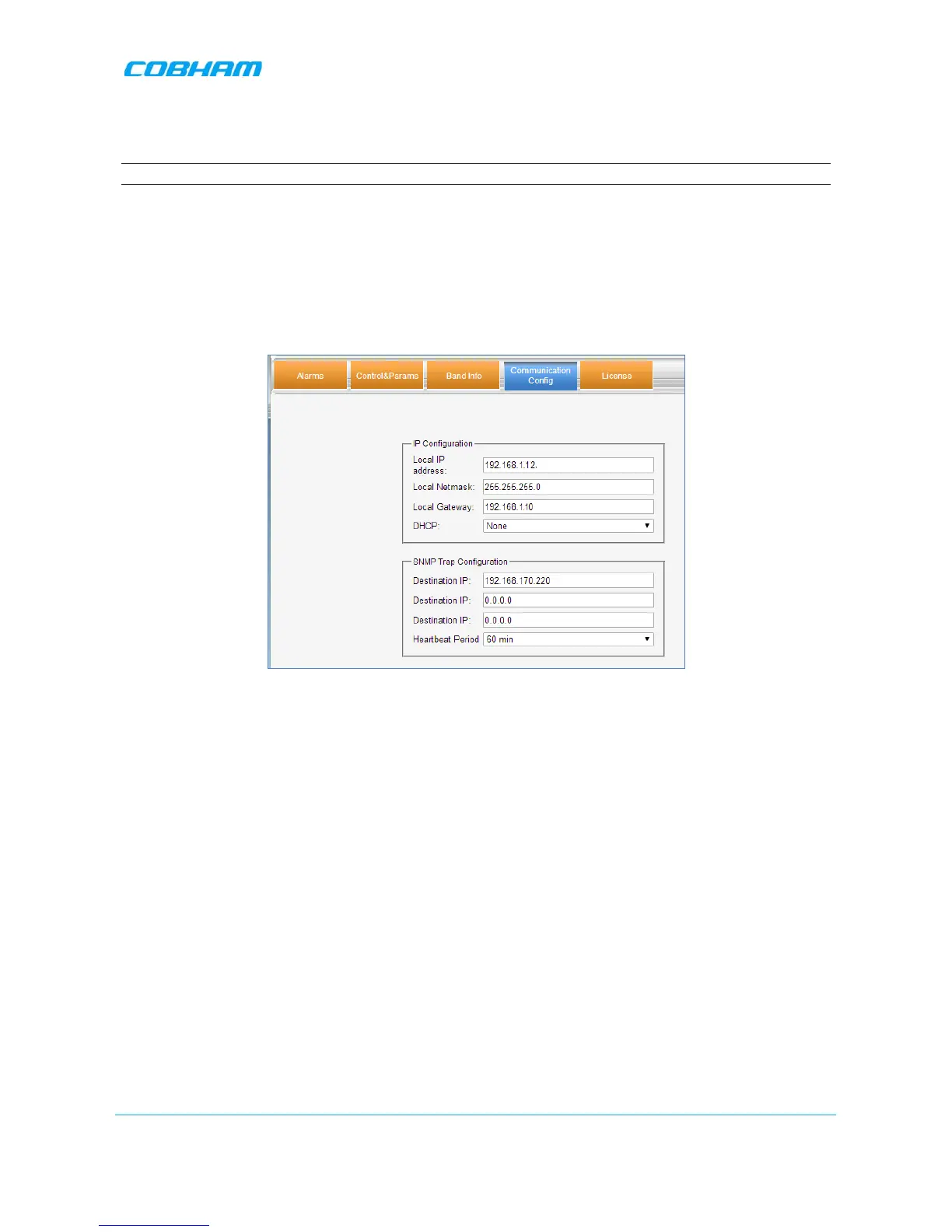
item and click the Communication Config tab.
3. Set DHCP to None.
4. Set the IP Address parameters as follows:
• IP Address – set to be in the SAME SUBNET as the internal IP Address of the MODEM.
For example:
If the Modem IP Address is 192.168.1.10
Then set the Repeater Local IP Address to 192.168.1.12
• Local Netmask – set to 255.255.255.0
• Local Gateway set to be EXACTLY the same as the internal IP Address of the MODEM. For
example:
If the Modem IP Address is 192.168.1.10
Then set the Repeater Local Gateway to 192.168.1.10
5. Click Send.
6. Connect the unit Ethernet port to the external modem.


 To Next Page