DIGIMINI AMERICAS REPEATERS
PRODUCT DESCRIPTION AND USER’S MANUAL
Cobham Wireless – Coverage Date: 6-Jul-17 www.cobham.com/wireless
Document number: 00031UM Rev. 6.3
Page |5-3
5.1.2 Configure the Computer’s Network Parameters
In order to open a session to the repeater, it is required to configure the computer’s network parameters to
be in the same subnet as the repeater.
To configure the computer network parameters
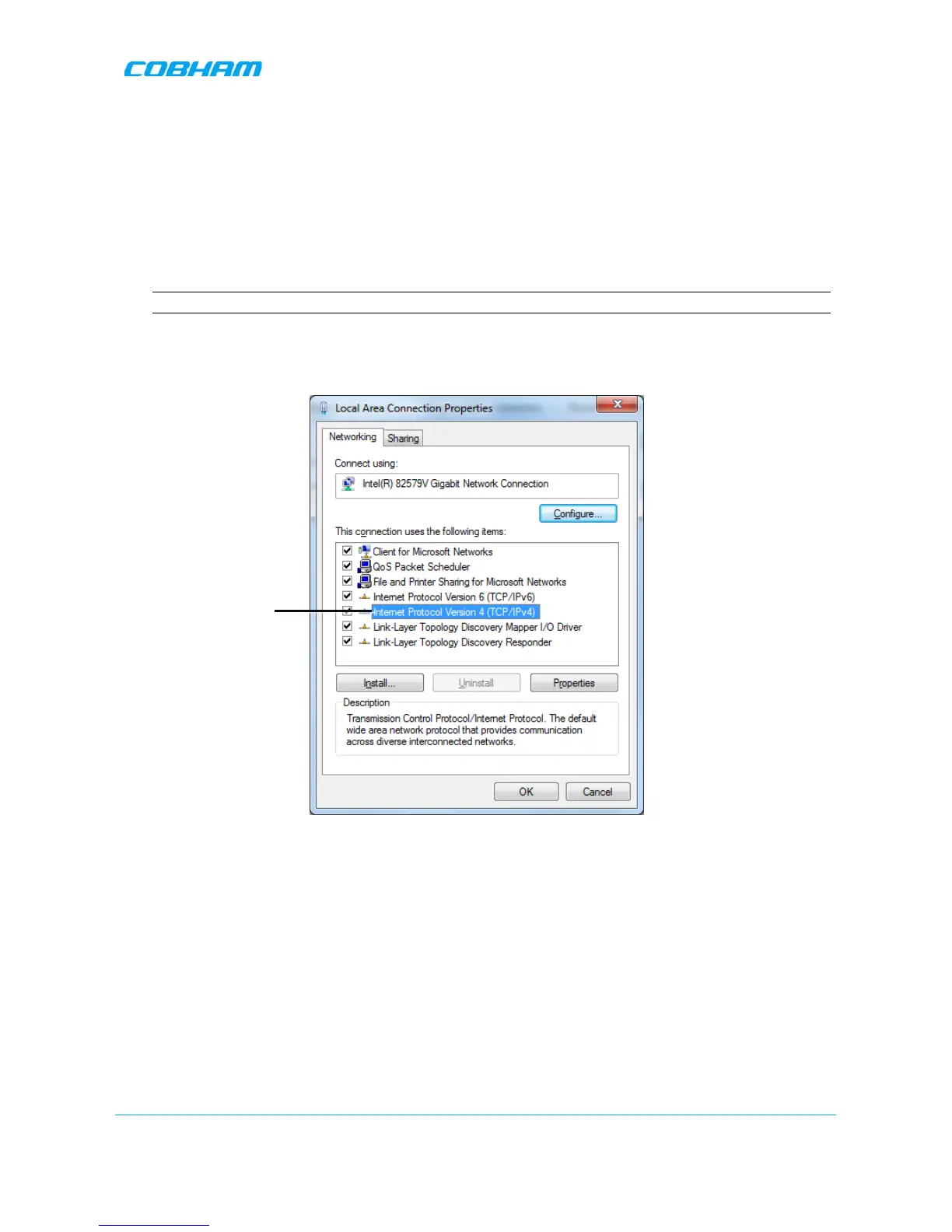
1. Access the Local Area Connection Properties dialog
NOTE: The procedure may differ according to your computer’s operating system.
• Access the Network and Sharing Centre.
• Choose Change Adapter Settings and select Local Area Connection. The Local Area
Connection Properties dialog appears.
Figure 5-3 Networking Tab
2. In the Items list, double-click Internet Protocol Version 4 (TCP/IPv4).


 To Next Page