BUC installation
98-145510-E Chapter 7: Service and maintenance 7-19
3. Tighten the screws at the Waveguide to torque 2.5 Nm.
4. Tighten the screws for the brackets to torque 10 Nm.
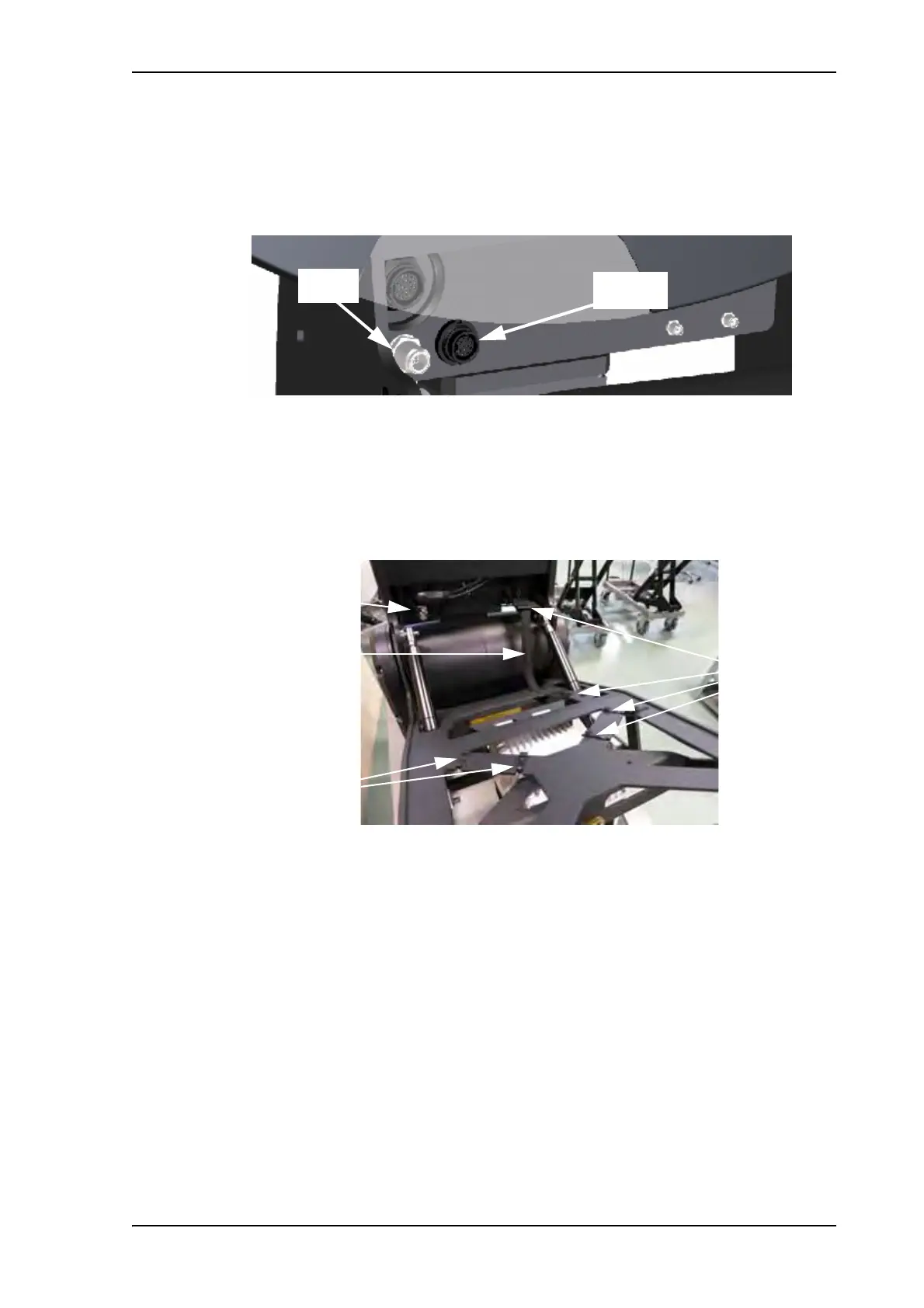
5. Connect the BUC TX cable to the N-connector on the front of the antenna, right below
the reflector (BUC-TX).
6. If applicable, connect your BUC to the BUC M&C connector next to the BUC TX
connector. See BUC connectors on page 7-17.
7. Fit the BUC cable(s) behind the reflector and through the cable protection sleeve and
place cable strips loosely to attach the cable (and protection sleeve) to the Feed boom
structure.
8. Connect the BUC TX cable to the BUC, tighten the cable strips and cut the excess
material off the strips.
9. Before you activate the antenna, use the command antenna_data buc to
enter the data for the new BUC. See antenna_data on page D-4.
10.Make a cable calibration as described in Ku-Band version only: Cable calibration on
page 6-22.
Figure 24: BUC TX and BUC M&C connectors
Figure 25: BUC installation, TX cable
Cable protection
sleeve
Strips
Strips
TX cable



 To Next Page