OpenAMIP setup for Generic OpenAMIP VSAT modems
98-145510-E Appendix C: VSAT modem settings C-16
C.2 OpenAMIP setup for Generic OpenAMIP VSAT
modems
C.2.1 Interfaces and VSAT modem configuration
The following sections describe how to connect an ACU to an OpenAMIP VSAT modem
using the Newtec MDM3100 as an example.
Connections
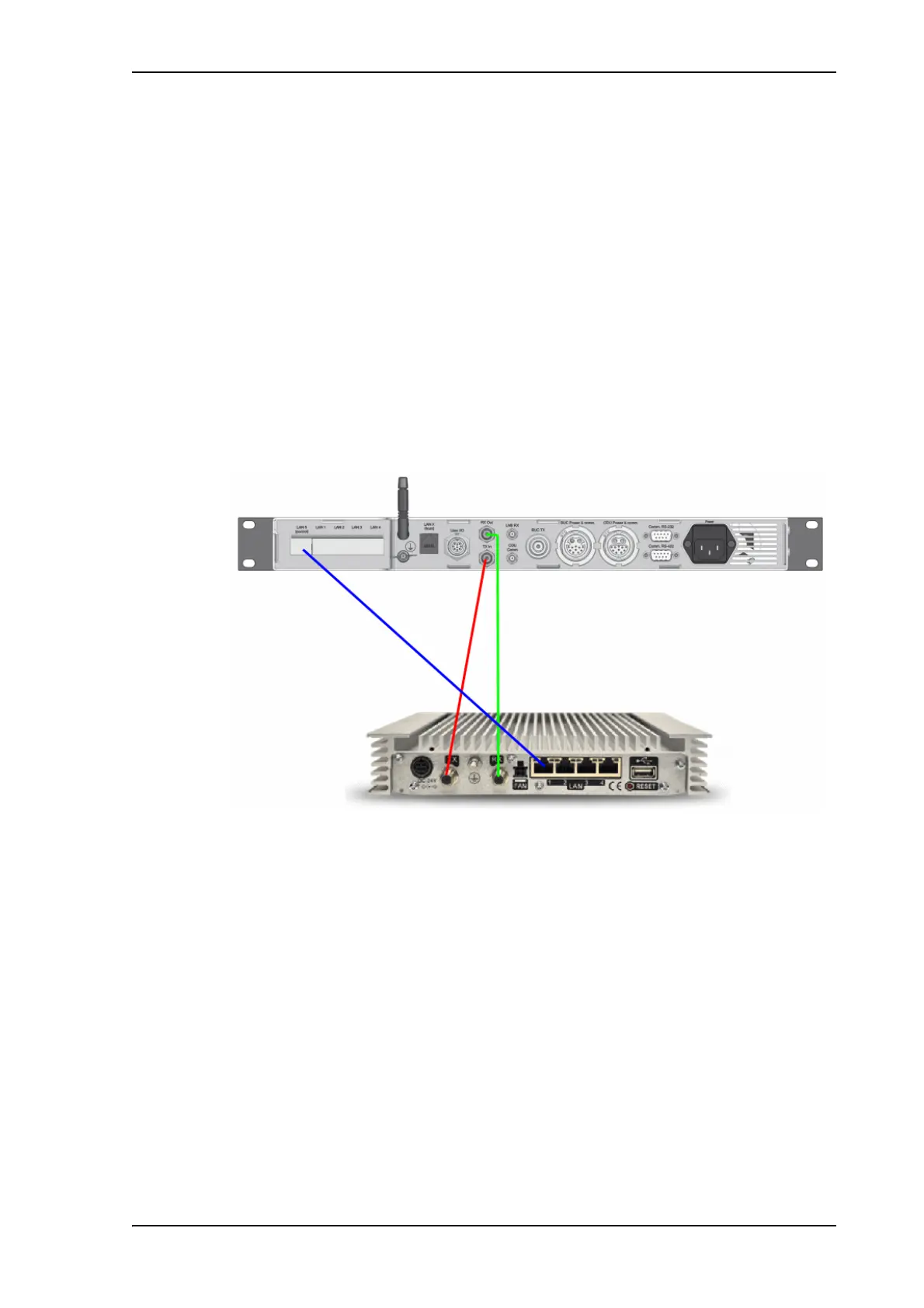
Connect the ACU and Newtec MDM3100 (OpenAMIP modem) with the following cables:
• 75 Ohm RF cables with F connectors at both ends for RX and TX frequencies.
• Ethernet cable for communication with the modem. Connect the Ethernet cable
between the OpenAMIP modem and LAN 5 (Control) on the ACU.
Modem configuration requirements (Newtec MDM3100)
1. Connect a PC with an Ethernet cable to any free LAN port on the VSAT modem.
2. Set the PC to static IP address: 192.168.1.2
3. Start an Internet browser (e.g. Internet Explorer) and go to URL://192.168.1.1 in order to
get access to the web interface of the VSAT modem. For complete configuration
possibilities, it may be necessary to log in using the expert login. To log in as Expert enter
the following URL in the web browser:
http://192.168.1.1/cgi-bin/modem_status?login
4. Log in using the Expert password. Contact your Service Provider for the Expert password.
5. Go to Terminal Configuration > Antenna Controlling.
Figure 12: Connecting Newtec MDM3100 to the ACU (OpenAMIP)



 To Next Page