Serial setup for iDirect iNFINITI & Evolution
98-145510-E Appendix C: VSAT modem settings C-20
C.3 Serial setup for iDirect iNFINITI & Evolution
C.3.1 Protocol and interfaces
Introduction
The following sections describe the protocol and interface between the ACU and an iDirect
Serial modem. Serial operation is normally used by service providers offering regional VSAT
service.
Connections
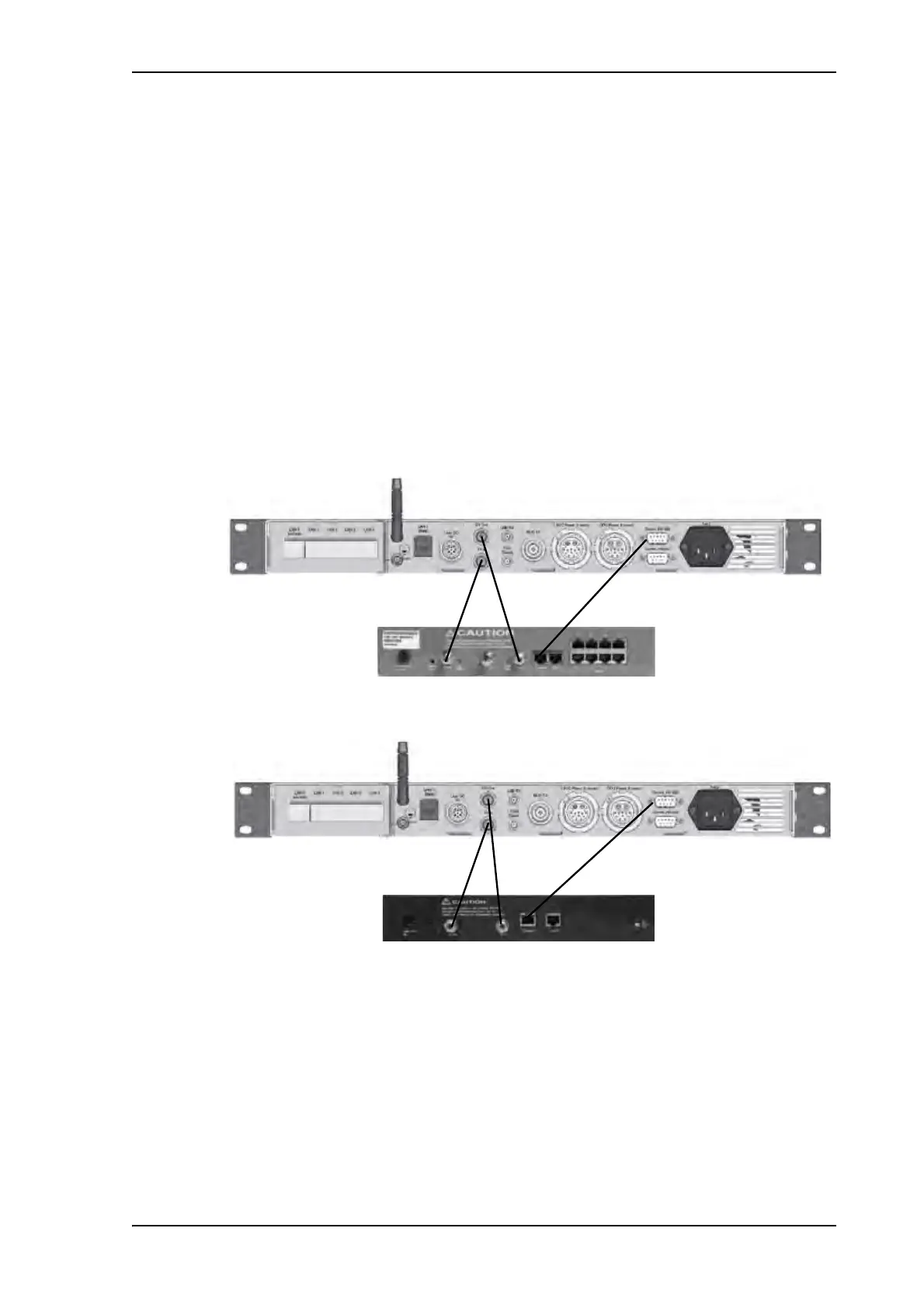
Connect the ACU and iDirect modem with the following cables:
• RS-232 console cable for control communication
• 75 Ohm RF cables F-F connectors for rx and tx frequencies.
The pin allocation for the RS-232 Console cable is shown in Table C-3 on page C-3. See also
Appendix B on page C-1 for a cable drawing.
Figure 17: Connecting iDirect iNFINITI 5000 series to the ACU (Serial)
Figure 18: Connecting iDirect Evolution X5 to the ACU (Serial)



 To Next Page