COMTECH 570L
98-145510-E Appendix C: VSAT modem settings C-25
Connections
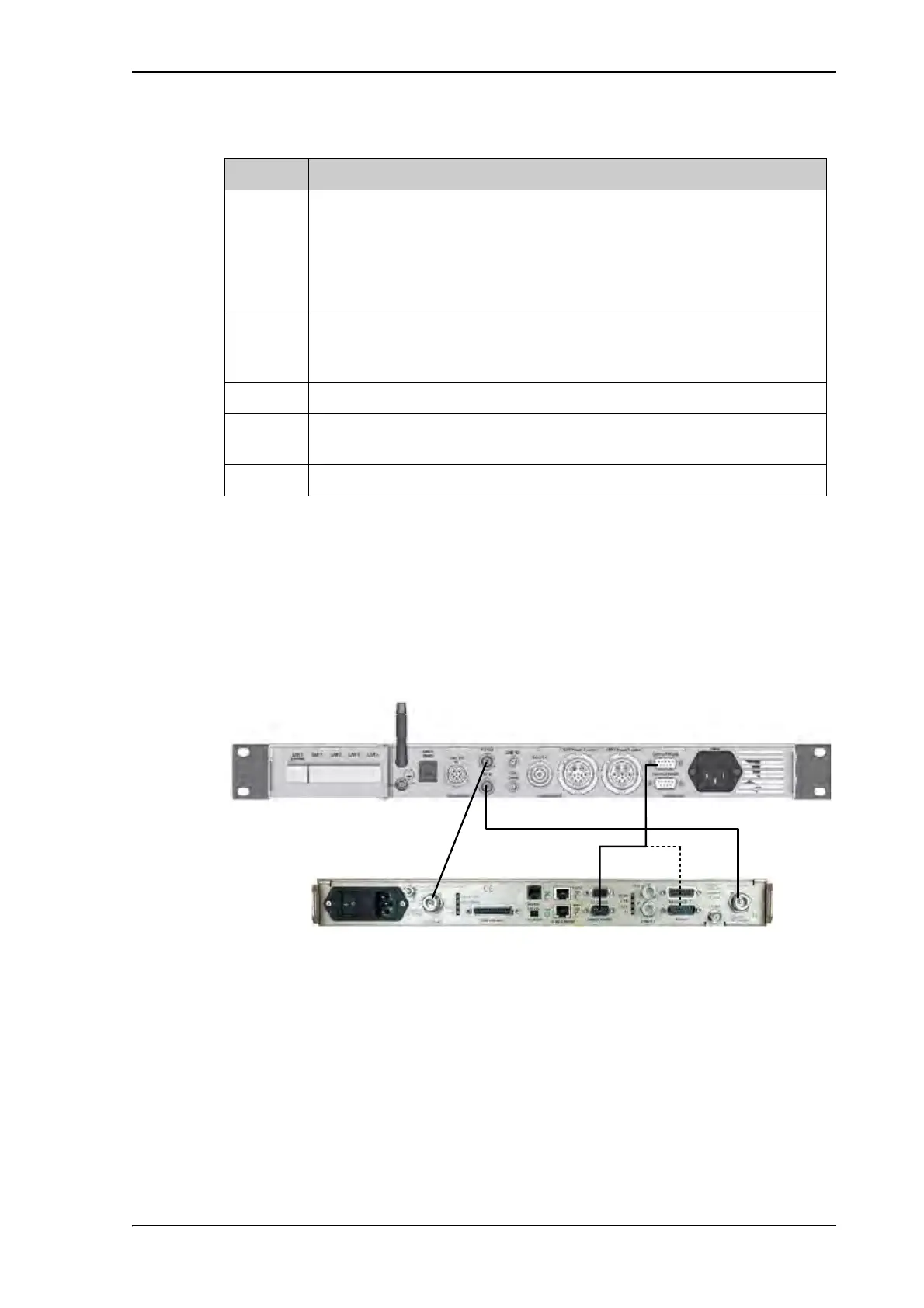
Connect the ACU and the COMTECH 570L with the following cables:
• Standard RS-232 serial cable (using 300KHz Narrow Band tracking receiver)
• Or COMTECH Serial & RSSI cable (using Modem RSSI tracking)
• 2 pcs. 75 Ohm RF cables F-F connectors for rx and tx frequencies.
In most cases it is recommended to use the antenna that is built into the 300 kHz narrow
band tracking receiver to track the satellite, and you can connect the ACU to the VSAT
modem with a standard RS-232 serial cable.
For Modem RSSI tracking use a cable according to the specifications at Modem Cable
COMTECH Serial & RSSI TT7016A on page B-2 (Cobham part number: 407090A-021).
Command Description
EBN?
This command is used to show the signal strength in the web interface and
on the display of the VSAT system to determine if the COMTECH 570L
modem is in Rx Lock.
The signal strength goes from 0dB - 16dB, +16dB indicates a signal greater
than 16dB, 99.9dB indicates no Rx Lock.
TFQ? TFQ (Transmit Frequency) is used to calibrate the Tx chain in real time, in
order to have same output power independent of frequency, temperature
and antenna cable length.
LLO? LLO (LNB LO) is used to set up the LNB LO frequency for the system.
BLO? BLO (BUC LO) is used to read the BUC LO. This makes the ADU compatible
with future VSAT products using a different BUC LO.
RFQ? RFQ (Receive Frequency) is used as tracking frequency for VSAT.
Table C-22: COMTECH 570L, commands for serial communication
Figure 23: Connecting COMECH 570L to the ACU (example)



 To Next Page