BUC installation
98-145510-E Chapter 7: Service and maintenance 7-16
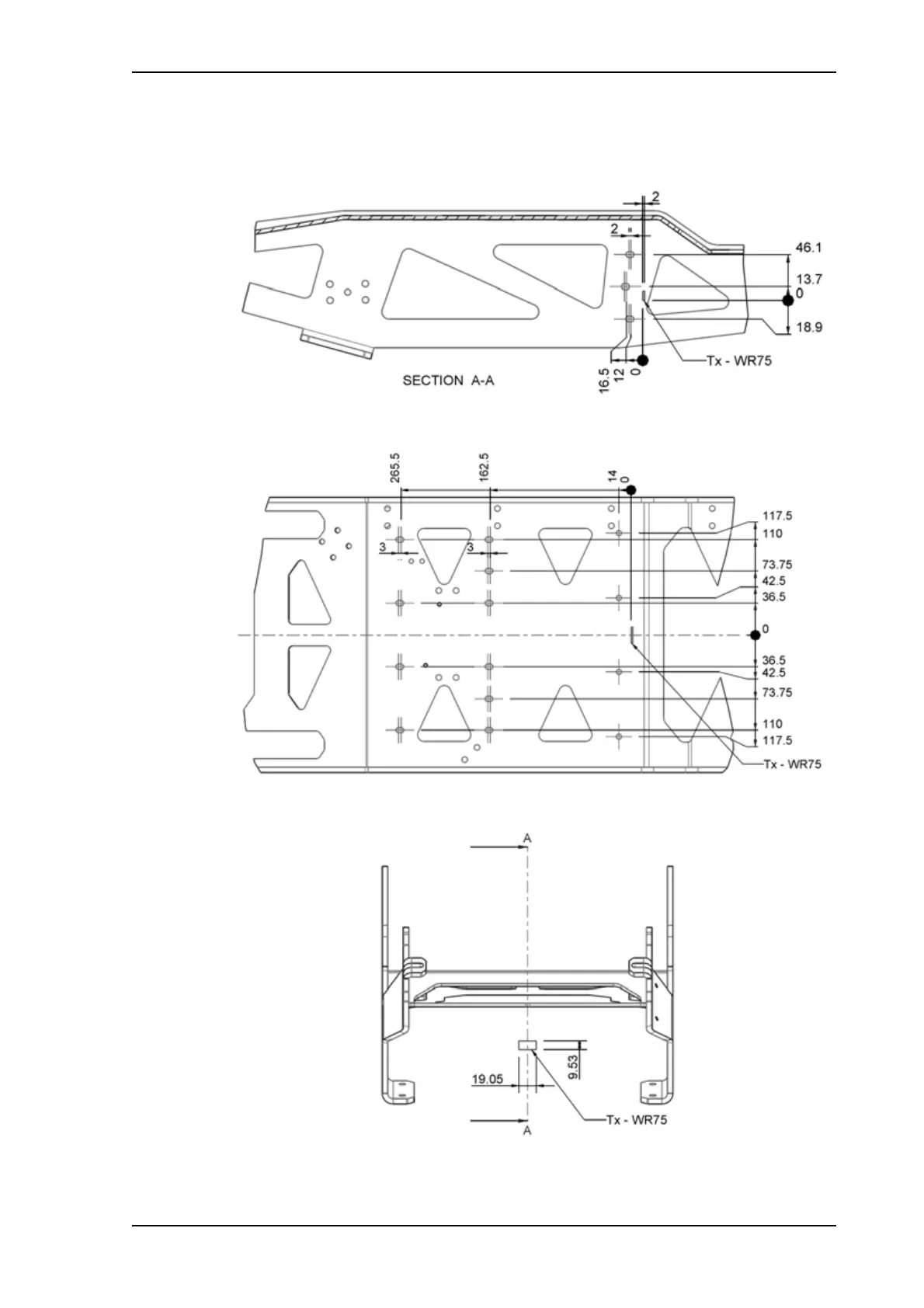
In the following figures, Tx - WR75 shows the allowed area for installation of the
Waveguide interface.
Figure 17: Waveguide position and mounting holes for BUC brackets (EXPLORER 8120)
Figure 18: Waveguide position and mounting holes for BUC brackets, Top view (EXPLORER 8120)
Figure 19: Waveguide position, front (EXPLORER 8120)



 To Next Page