Chapter 3: Service & maintenance
14 Maintenance
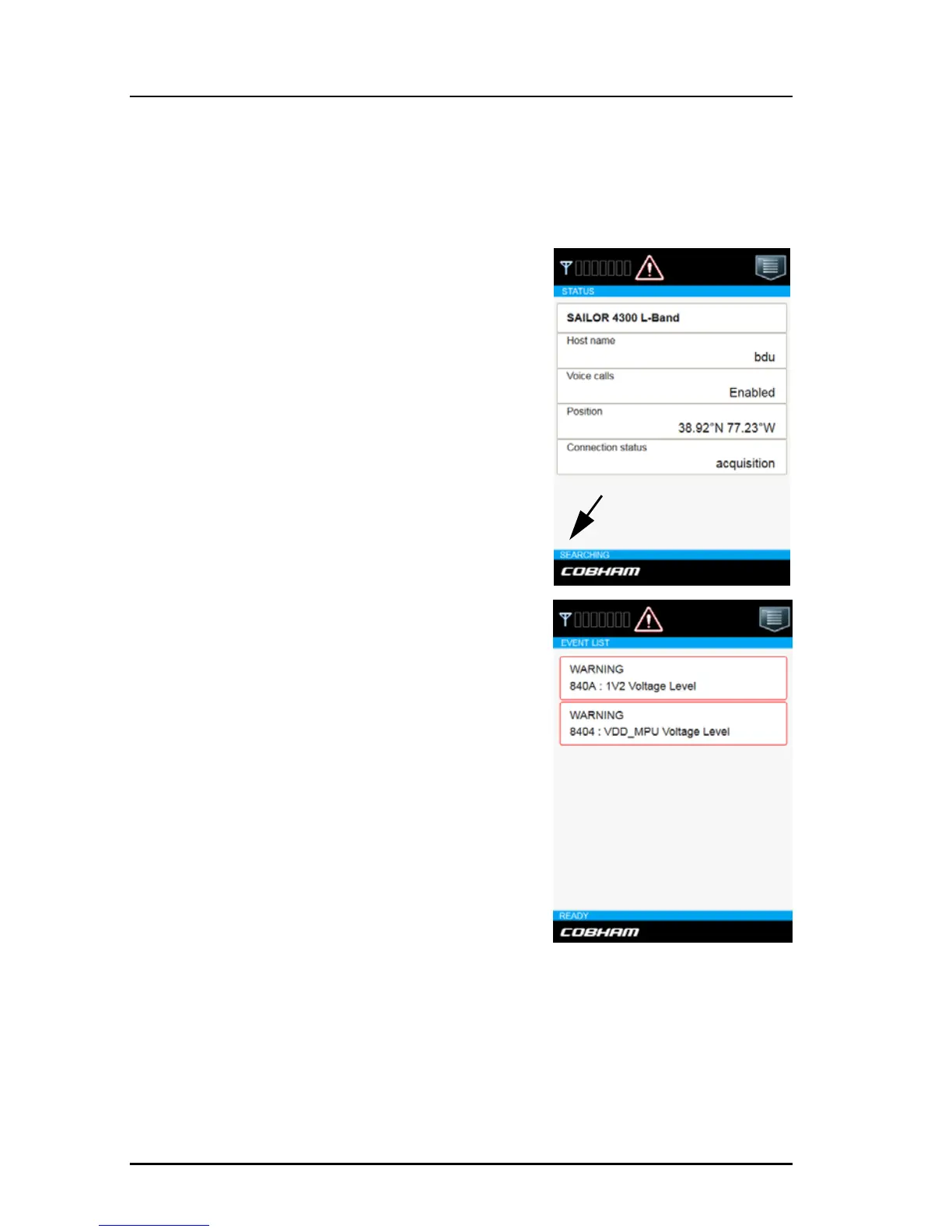
Status information in the mobile web interface
To display Status information in the mobile web interface, do as follows:.
1. Open the mobile web interface on your
device.
2. The current status is displayed.
In case a warning sign is displayed, you can
tap on it to display the current system
events.
The overall state of the system is always
displayed at the bottom of the mobile web
interface. The following states are shown:
• INITIALIZING. The system is
initializing itself.
• SELF TESTING. Self test is performed
after start up.
• READY. The system is ready for
operation.
• SEARCHING. The system is searching
for available satellites.
• SIGNAL AVAILABLE. Satellite signal is
available from at least one candidate
satellite. Ready to connect.
• CONNECTED. The system is registered and connected to the satellite
network. Ready to use.
• DENIED. Registration on the network was denied. The denial cause will
appear on the status page. Check also SIM card status matches the
requested service.














 To Next Page