EasyManua.ls Logo

COBHAM SAILOR Fleet One - User Manual

COBHAM SAILOR Fleet One
132 pages
Print Icon
To Next Page IconTo Next Page
Loading...
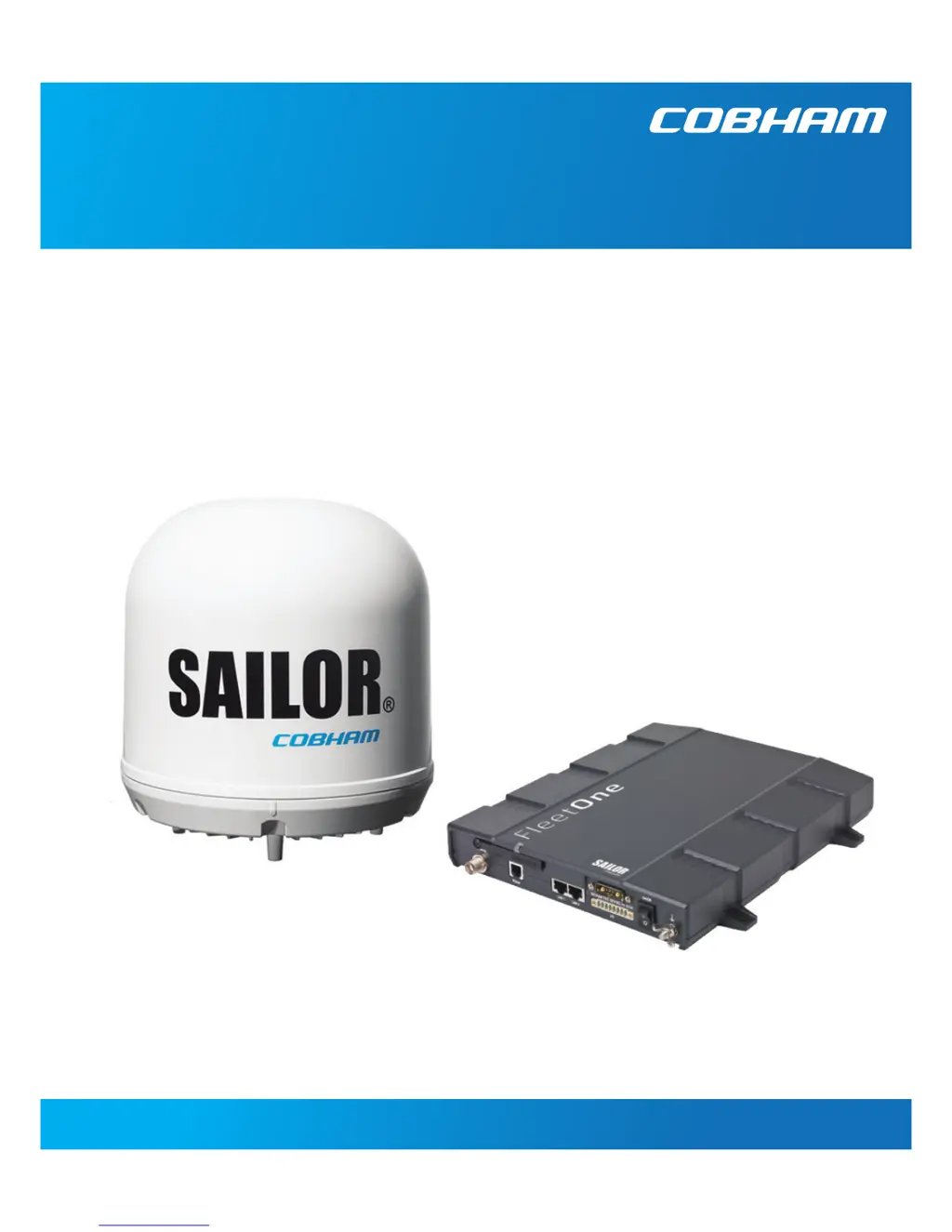
SAILOR Fleet One
User & installation manual

Table of Contents

Questions and Answers

  • B
    Barbara GallowayAug 16, 2025
    Why is the satellite signal weak on my COBHAM Boating Equipment?
    • C
      Colleen ReyesAug 16, 2025
      If your COBHAM Boating Equipment displays a weak satellite signal, ensure there's a clear line of sight to the satellite. Access the web interface, navigate to SETTINGS > Satellite selection, and verify that 'Auto' is selected, or choose a satellite that covers your current location.
  • A
    Andrew StrongAug 19, 2025
    How to fix no signal or weak signal from the BGAN satellite on COBHAM SAILOR Fleet One?
    • E
      evanscarlyAug 19, 2025
      To resolve a no signal or weak signal issue with your COBHAM Boating Equipment, first ensure the antenna has an unobstructed view in all directions. Then, verify that the antenna cable is properly connected at both ends and that no connectors are damaged. If the issue persists, access the web interface, go to SETTINGS > Satellite selection, select Auto, and click Apply. This will allow the system to automatically search for the satellite with the strongest signal.
  • J
    Jeffrey RojasAug 22, 2025
    What to do if the connection to the Internet cannot be established on COBHAM SAILOR Fleet One Boating Equipment?
    • S
      Sandra GibsonAug 22, 2025
      If your COBHAM Boating Equipment cannot establish an internet connection, ensure that the data connection is enabled under SETTINGS > Data connection. If a data control switch is installed, verify it is in the enabled position.
  • M
    Maria ChristensenAug 26, 2025
    What to do if the selected satellite is not visible at current GPS position on COBHAM SAILOR Fleet One?
    • W
      whitneyleahAug 26, 2025
      If your COBHAM Boating Equipment shows that the selected satellite is not visible at your current GPS position, access the web interface and go to SETTINGS > Satellite selection. Choose 'Auto' to allow the terminal to automatically locate the satellite with the strongest signal, or manually select a satellite that is visible from your current location.
  • L
    lanechelseaAug 28, 2025
    What causes excessive writes to the flash memory on COBHAM Boating Equipment?
    • J
      justinrosarioAug 28, 2025
      If your COBHAM Boating Equipment is measuring excessive writes to the flash memory, verify that the APN name, user name, and password are set up correctly for your profiles.
  • D
    David BrownAug 31, 2025
    What to do if the administrator password does not work on COBHAM SAILOR Fleet One Boating Equipment?
    • M
      Michael AlexanderAug 31, 2025
      If your COBHAM Boating Equipment administrator password isn't working, it's possible someone has changed it. If you cannot recall the correct password, you will need to reset it. Contact your supplier to get a reset code, providing the serial number and IMEI number of the terminal. Then, access the web interface and reset the password.
  • C
    Chelsea WongSep 3, 2025
    Why can't a LAN connection be established on COBHAM SAILOR Fleet One Boating Equipment?
    • G
      George RobinsonSep 3, 2025
      If your COBHAM Boating Equipment cannot establish a LAN connection, ensure the cable is properly connected. Also, verify you're using the correct type of cable and connector. If the connected equipment uses a static IP address, either change it to one that is not reserved or set up the equipment to use a dynamic IP address; alternatively, disable DHCP in the terminal.
  • C
    Christopher DorseySep 6, 2025
    What to do if COBHAM SAILOR Fleet One Boating Equipment says 'No antenna found'?
    • D
      David MitchellSep 6, 2025
      If your COBHAM Boating Equipment displays 'No antenna found', check the cable connection between the terminal and the antenna. If the connection is secure, try rebooting the terminal.
  • J
    Janice WilliamsSep 9, 2025
    Why can't a phone connection be established on COBHAM SAILOR Fleet One?
    • H
      howellcoreySep 9, 2025
      If a phone connection cannot be established on your COBHAM Boating Equipment, ensure the cable is properly connected. Also, verify that you are using the correct type of connector and cable.
  • M
    Melody JimenezSep 12, 2025
    Why can't an IP handset connection be established on COBHAM Boating Equipment?
    • C
      Carla JonesSep 12, 2025
      If an IP handset connection cannot be established with your COBHAM Boating Equipment, ensure the cable is properly connected. Also, verify that there is power (PoE) in the LAN interface by checking that the input voltage is within the specified range (10.5 - 32 V DC; 11.5 A - 4 A). Ensure that you don't have too many power-consuming devices connected, as the maximum available output power on the LAN (PoE) interface is 32 W. Disconnect other connected devices if possible.

Summary

Introduction to SAILOR Fleet One

Your SAILOR Fleet One System

Overview of the SAILOR Fleet One system and its primary capabilities.

Features and Interfaces

Detailed description of the SAILOR Fleet One system's features and connectivity options.

Main Units of the System

Identification and description of the primary hardware components of the system.

Tools for Setup and Use

Overview of tools and applications for system setup and daily operation.

Available Services

Description of the communication services offered by the Inmarsat BGAN network.

Accessing Services and Interfaces

Guidance on accessing system services through various connectors and equipment.

Installation Guide

Unpack Your SAILOR Fleet One

Instructions for unpacking and verifying the system components upon receipt.

Antenna Mounting Considerations

Guidelines for selecting an optimal location for the antenna installation.

Antenna Mast Design

Requirements and considerations for designing and installing antenna masts.

Install the Antenna

Procedures for grounding the antenna and connecting antenna cables.

Terminal Mounting Considerations

Guidelines for selecting a suitable location for the terminal unit.

Install the Terminal

Procedures for grounding the terminal and mounting the unit.

Connect Cables

Overview of the terminal's connector panel and interface connections.

Power Cable Selection

Guidance on selecting and extending power cables for the terminal.

Getting Started with SAILOR Fleet One

SIM Card Installation

Step-by-step guide for inserting the SIM card into the terminal.

Powering Up the System

Instructions on switching on the terminal using power and remote switches.

Network Registration

Process for registering the SAILOR Fleet One with the BGAN network.

Connecting Devices

How to connect smartphones, IP handsets, and analogue phones to the system.

Making Calls

Guide on how to initiate and receive phone calls using the system.

Operation of SAILOR Fleet One

Phone Calls

Options and procedures for making and receiving phone calls.

Data Connection Management

Information on data connection types and accessing the Internet.

Web Interface Usage

How to access, navigate, and configure the system via the web interface.

Dashboard Overview

Explanation of the dashboard's functions for monitoring system status.

Phone Book Management

How to manage contacts, including adding, editing, and deleting entries.

SMS Messaging

Procedures for sending and receiving SMS messages through the terminal.

SIM PIN Management

Instructions for entering, enabling, disabling, and changing the SIM PIN.

Configuration Settings

Data Connection Setup

Steps to configure data connection settings, including APN.

Interface Configuration

How to configure LAN settings and manage IP handsets/smartphones.

Satellite Selection

Procedure for selecting a preferred satellite for network registration.

Administrator Logon and Password Management

How to log on as an administrator and manage passwords.

Configuration File Management

Procedures for saving and loading system configurations.

Call Charges Configuration

How to enter call tariffs for automatic charge calculation.

Log Handling

How to clear call logs and reset counters.

Data Limits Setup

How to set data usage limits to stop connections automatically.

SIM PIN Configuration

How to enable, disable, or change the SIM PIN.

User Permissions Setup

How to configure user access levels and permissions.

Restricted Dialling

How to set up call restrictions for allowed numbers or phone book entries.

External Data Connections

How to set up and manage external data connections for devices.

Tracking Setup

How to configure the system for tracking purposes by reporting to a server.

Antenna RF Noise Filter

How to configure the built-in RF noise filter for interference resilience.

Maintenance and Troubleshooting

Getting Support

Information on obtaining technical assistance and finding service partners.

Software Updates

Procedures for uploading new software to the terminal or downloading from the Internet.

Part Numbers

List of part numbers for system units and accessories.

Troubleshooting Guide

A table listing common problems, their causes, and remedies.

Status Signalling

Overview of indicators, event messages, and logs for status monitoring.

Diagnostic Reports

How to generate a diagnostic report for troubleshooting.

Event Messages and Logs

Explanation of event messages, their meanings, and remedies.

Extended Status

How to view detailed status information for the system and antenna.

Antenna Properties

How to view properties of the connected antenna via the settings page.

Self Test

How to activate and run a system self-test.

Reset Button Functions

Description of the functions of the terminal's reset button.

List of Reserved Subnets

Information on IP subnets reserved for internal terminal use.

Appendix A: Technical Specifications

SAILOR Fleet One Antenna Specifications

Detailed technical specifications for the antenna unit.

Minimum Distance to Transmitters

Recommended minimum distances to other transmitters for interference avoidance.

SAILOR Fleet One Terminal Specifications

Detailed technical specifications for the terminal unit.

COBHAM SAILOR Fleet One Specifications

General IconGeneral
TypeMaritime Satellite Terminal
Frequency BandL-band
Antenna TypeOmni-directional
Power Supply12-24 V DC
VoiceYes
SMSYes
GPSYes
CoverageGlobal
CategoryBoating Equipment
NetworkInmarsat
Antenna SizeCompact
Operating Temperature-25 to +55 °C