Chapter 5: Configuration
98-141368-A 68
Set up the interfaces
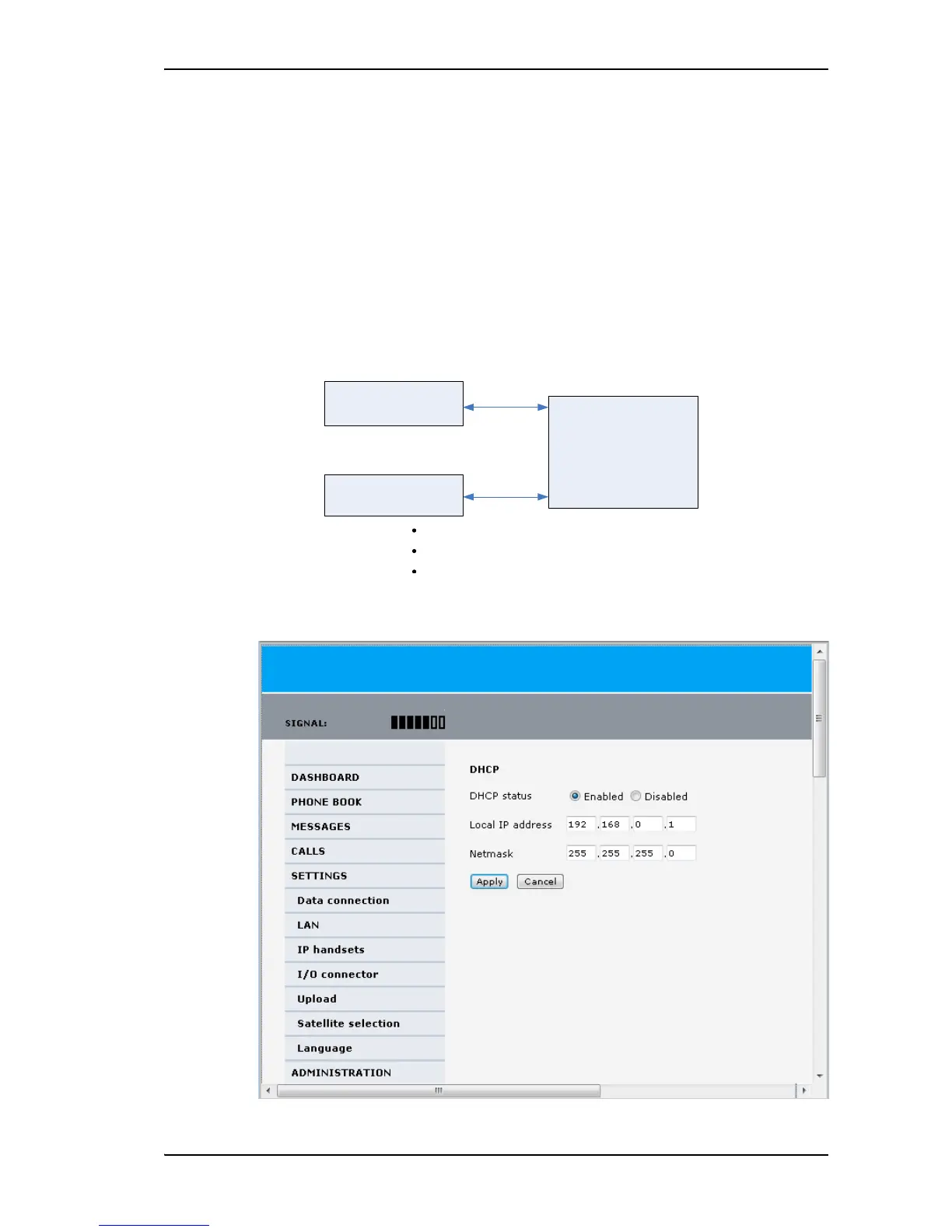
To configure the LAN interface
In the web interface you can set up the IP addressing between the terminal and devices
connected to the terminal. The terminal has a built-in DHCP server, which is used to
dynamically assign IP addresses to devices connected to the terminal.
You can also set up the local IP address used by the connected devices to access the terminal.
The drawing below shows the default setup.
To change the LAN settings, do as follows:
1. Select SETTINGS > LAN.


 To Next Page